Jordan Ellis (DEMO) / TAS-2026-0094
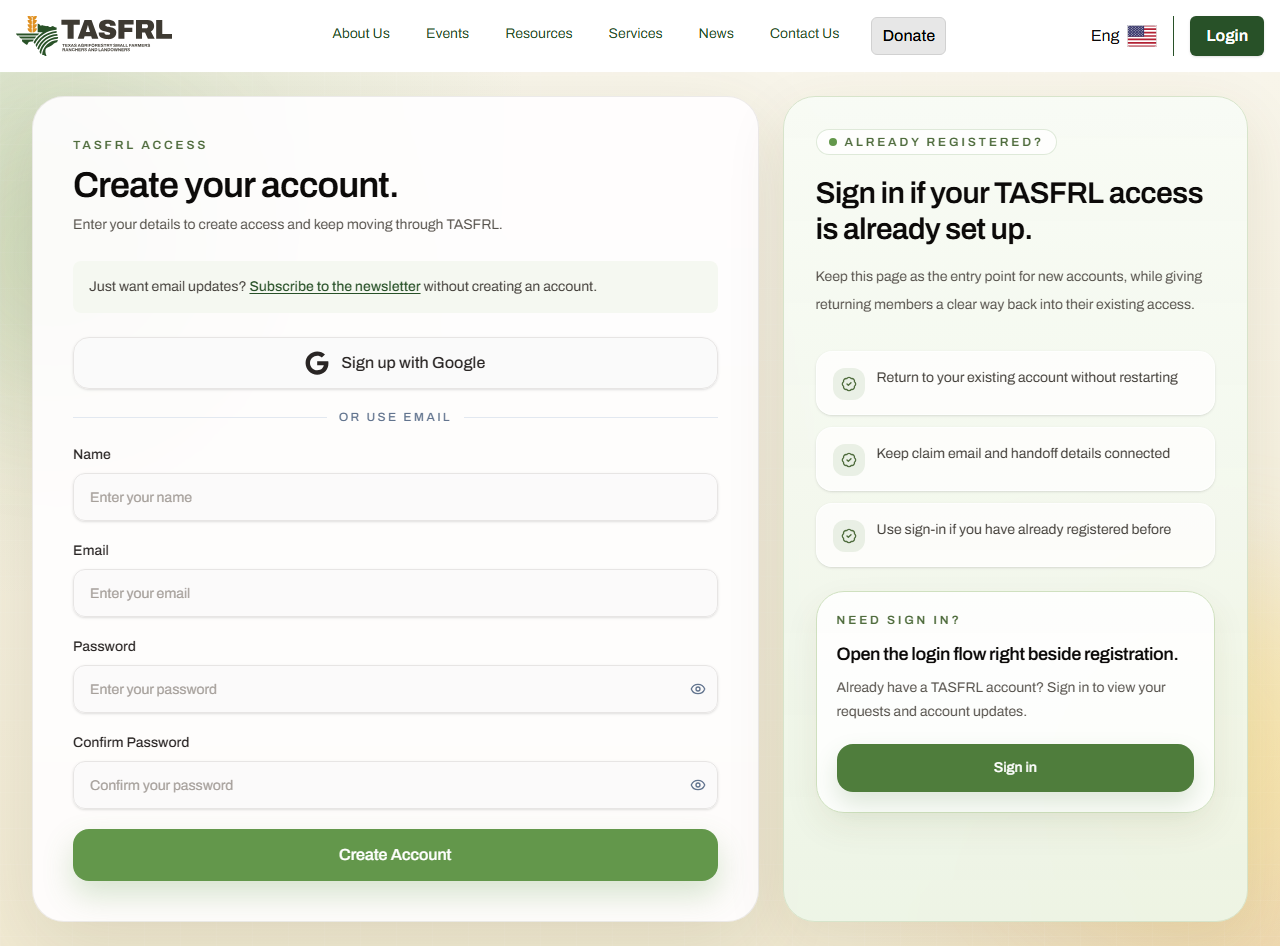
1 / 90 · Account entry · Client
Create an account
Registration starts the account flow. This tour uses a separately seeded, verified DEMO account; no registration or verification emails were sent.
Land Management Services / website tour
See where each client and staff screen fits, what is saved, and who acts next.
These are fictional DEMO training cases. They save drafts and practice reviews without sending notifications. They create no real signatures, approvals, payments, reservations or work release. Screenshots record the state at capture time; your live case can look different.
Latest screenshot refresh: 26 October 2026
Jump to these examples for Jordan Ellis (DEMO), or choose the other account below to follow its separate case.
See the response choices, comments box and Send button, followed by a filled example.
Follow the staff editor through Overview, Site & access, Work & risks, and Next steps.
See the updated Back, Save draft and Next controls, with save status shown separately.
These images are a walkthrough. To respond to your own assessment, sign in, open your case in My cases and go to Assessment review. The response form appears while the latest shared version is awaiting your review; submitted responses appear as saved history.
Client and officer walkthrough
Staff first prepares the reviewed documents, selects the authorized officer, approves the package and sends it for signing. Each named signer then uses their own account. If there is no package or signing is unavailable, contact your case lead.
The screenshots below are a labelled simulation using the production signing interface and fictional package data. Alex and Jordan’s saved DEMO cases remain unsigned. The tutorial creates no real signature or permission to enter or start work.
Sign in to your verified account, open My cases, choose your case and go to Signing. Select Review documents to sign.
Download each PDF using its Read link. After reading it, check I have read for that document.
Enter the full name shown for your signing account. Your package may also offer drawing or an uploaded signature image. Use a method offered by that package and check the image before confirming.
Read the disclosure, confirm consent and your authority, then choose Sign all listed documents. You can cancel before submitting.
Check signature progress. Any required additional participants sign next; the named officer signs last.
The selected authorized officer reviews and signs the same package through their own account.
After all signatures are confirmed and the files are saved, download the signed PDFs and audit record from Retained signed copies.
Interactive practice
Try the signature controls with fictional Demo Client. Your image stays in this browser and is cleared when you finish or reset. This practice does not sign any document or save anything to an LMS case.
These options are a preview. Your real case only offers the methods enabled for its signing package. Completing this practice creates no agreement, approval or work authorization.
Two separate demo accounts and cases
No. Alex has an incomplete account profile; Jordan has a complete account profile. Each has a different saved LMS request and case reference. Choose an account to follow that person's actual production screenshots throughout the tour.
These are fictional DEMO clients saved in the system for training. The percentages below reflect their saved profiles at capture time. Switching paths changes the account, property, case links and screenshot sequence together. Exploring the tour does not change either account or submit another request.
Path A / Incomplete profile
TAS-2026-0093
10-acre fictional property in Bastrop County
Saved profile completion: 0%
Alex requests selective brush management and access-route maintenance. Required request information is saved even though the broader account profile is incomplete.
Alex can request help now and add broader profile details later. TASFRL can assess Alex's request using the contact, property, goals and access information saved with this case.
Follow Alex's account and casePath B / Complete profile
TAS-2026-0094
18-acre fictional property in Nacogdoches County
Saved profile completion: 100%
Jordan requests access-trail reopening, retaining the north creek buffer. Jordan has saved contact details, general land information, interests, goals and a contact preference. The complete profile and this LMS case are separate records.
Jordan's saved land background, interests and goals give TASFRL more context for ongoing support. The property and access details are still confirmed in Jordan's own LMS request.
Follow Jordan's account and caseBoth must complete their request's contact details, property and goals, access information and required consent before submission. Saved name, email and phone can prefill About You for either client. General land information and interests do not automatically fill the request property or access steps.
A complete profile helps clients keep their background in one place and helps TASFRL with relevant follow-up, referrals and service planning. It does not give priority, verify identity or ownership, confirm partnership benefits, approve services or release work. Availability, scope, funding and applicable program requirements still need review.
Selected account: Jordan Ellis (DEMO)
Jordan requests access-trail reopening, retaining the north creek buffer. Jordan has saved contact details, general land information, interests, goals and a contact preference. The complete profile and this LMS case are separate records.
TAS-2026-0094 · Case lead: muhammad zulzidan m. · Captured 19 October 2026 · Refreshed 26 October 2026 · 90 screenshots
Case links require the appropriate signed-in account and existing case permissions. Public screenshots do not grant case access.
Jordan Ellis (DEMO) / TAS-2026-0094
1 / 90 · Account entry · Client
Registration starts the account flow. This tour uses a separately seeded, verified DEMO account; no registration or verification emails were sent.
Jordan Ellis (DEMO) / TAS-2026-0094
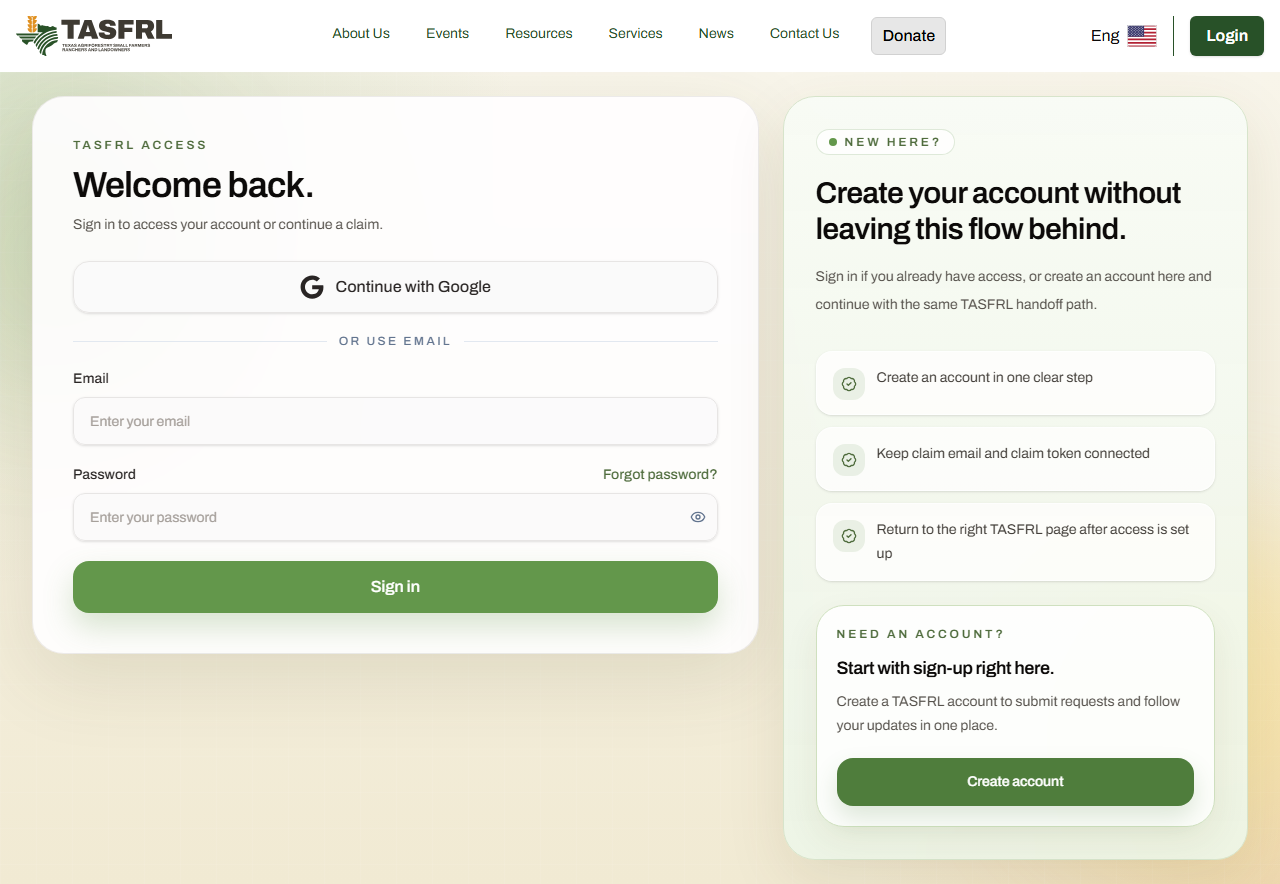
2 / 90 · Account entry · Client
The reserved Jordan DEMO account was seeded as verified. This verification route without a pending session returns to sign-in; no real email code was sent or entered.
This step shows an actual blocked or unavailable state. No execution or authorization is implied.
Jordan Ellis (DEMO) / TAS-2026-0094
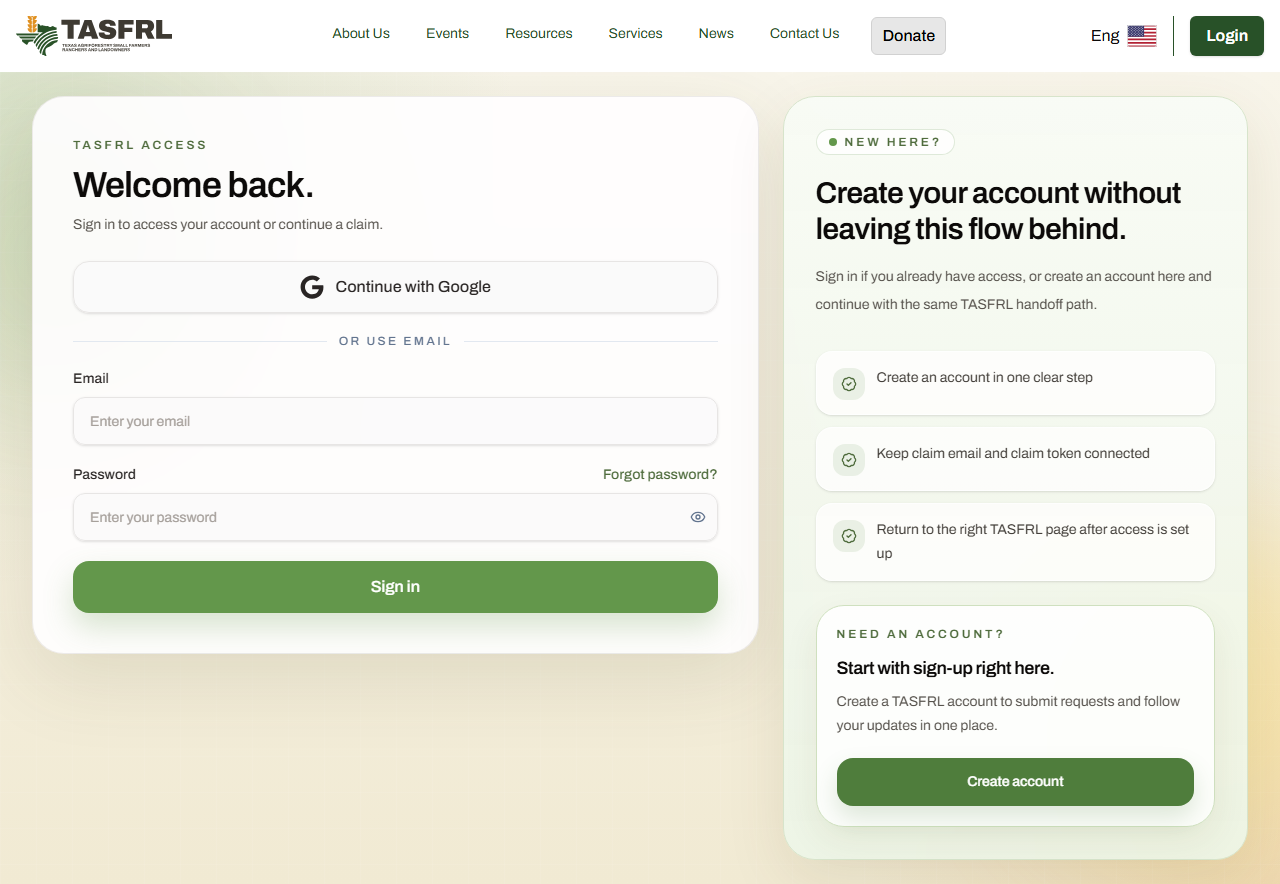
3 / 90 · Account entry · Client
The client signs in to link their request and review its shared records.
Jordan Ellis (DEMO) / TAS-2026-0094
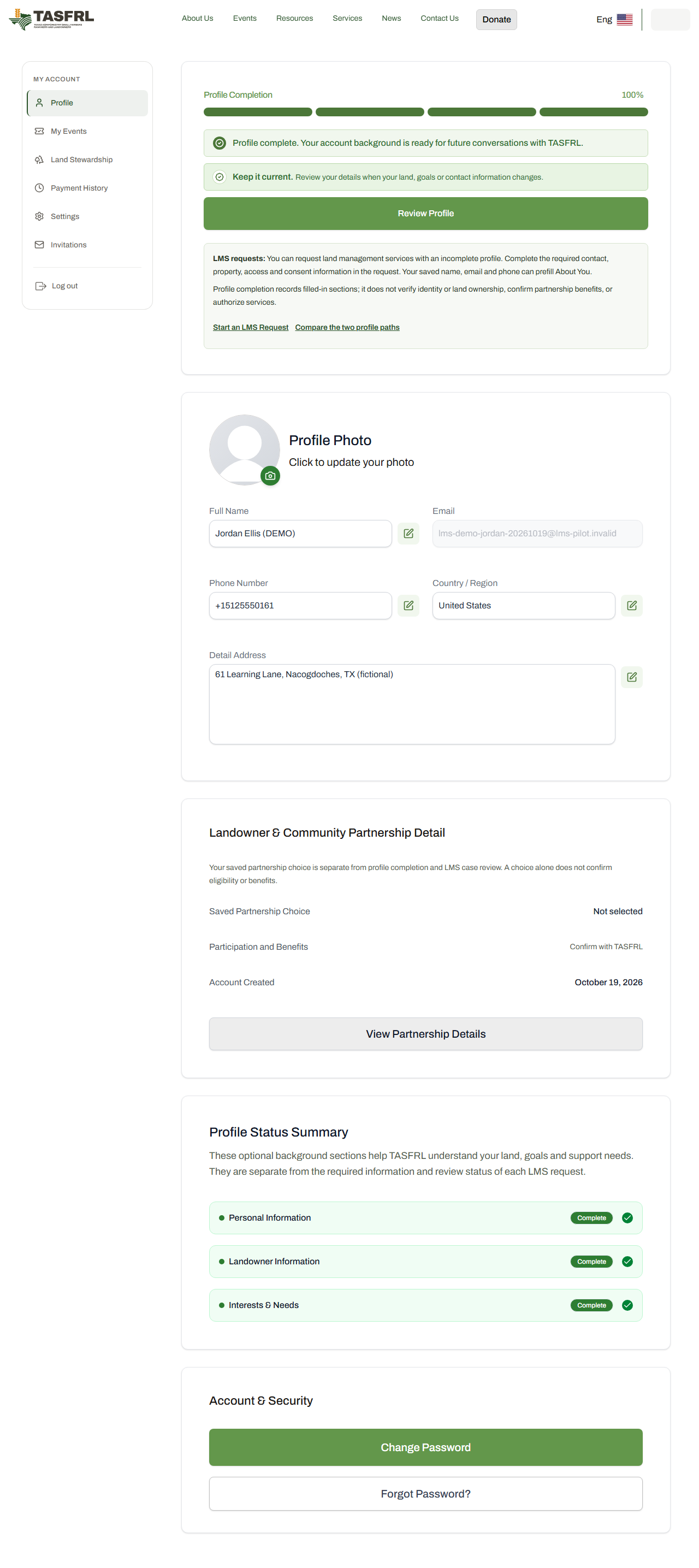
4 / 90 · Profile and request · Client
Jordan has a saved, complete account profile (100%). The following request and case belong to Jordan, independently of Alex.
Jordan Ellis (DEMO) / TAS-2026-0094
5 / 90 · Optional account profile · Client
Jordan has saved personal information. This completed account background is separate from the required information in Jordan's own LMS request.
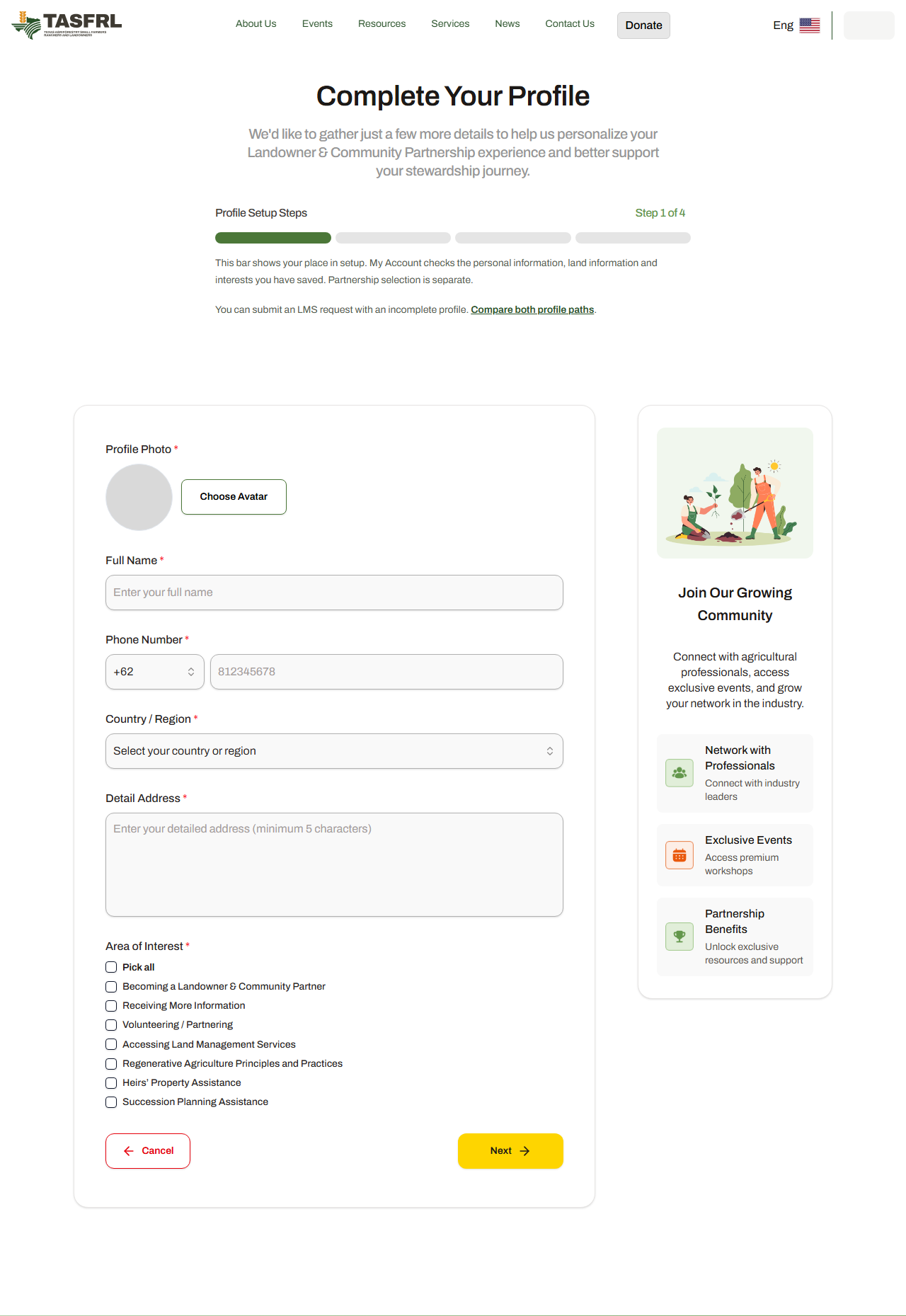
Jordan Ellis (DEMO) / TAS-2026-0094
6 / 90 · Optional account profile · Client
General landowner information supports the account profile. A particular LMS property, goals, hazards and access route belong in the request.
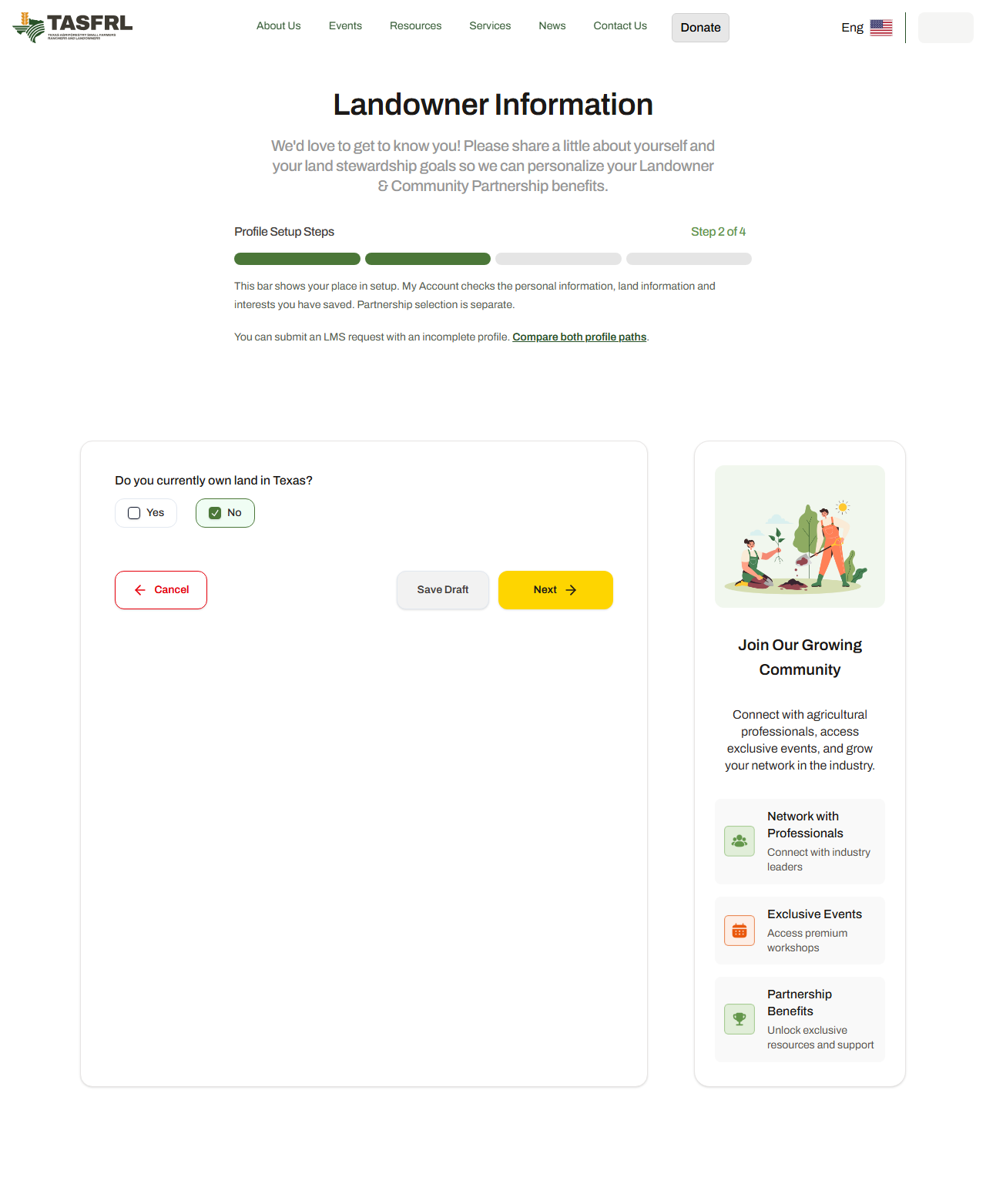
Jordan Ellis (DEMO) / TAS-2026-0094
7 / 90 · Optional account profile · Client
Account interests and resource preferences do not replace the site-specific request or authorize services.
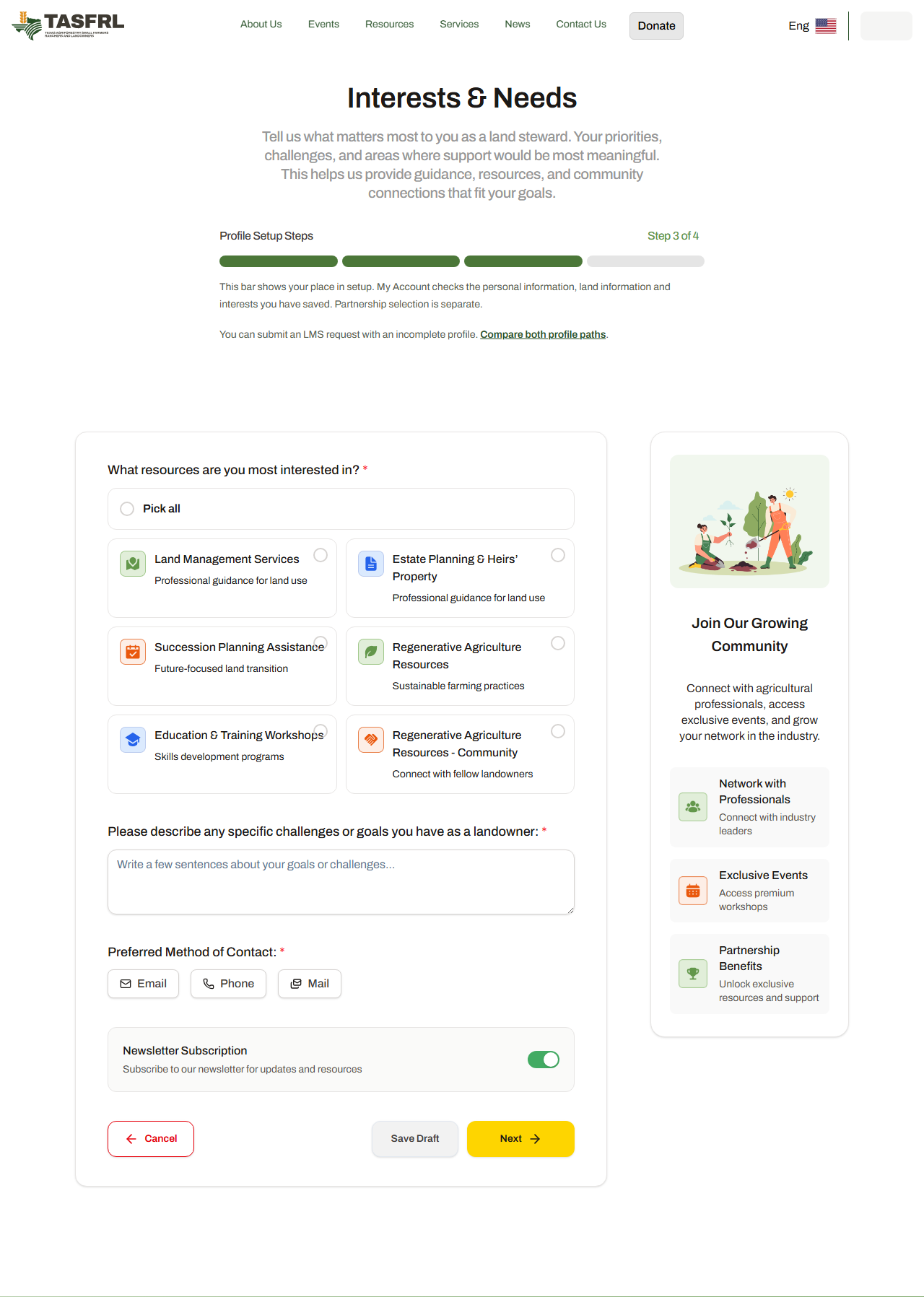
Jordan Ellis (DEMO) / TAS-2026-0094
8 / 90 · Optional account profile · Client
This optional account pathway is separate from an LMS quote, work order, invoice or payment. No membership purchase or payment is performed.
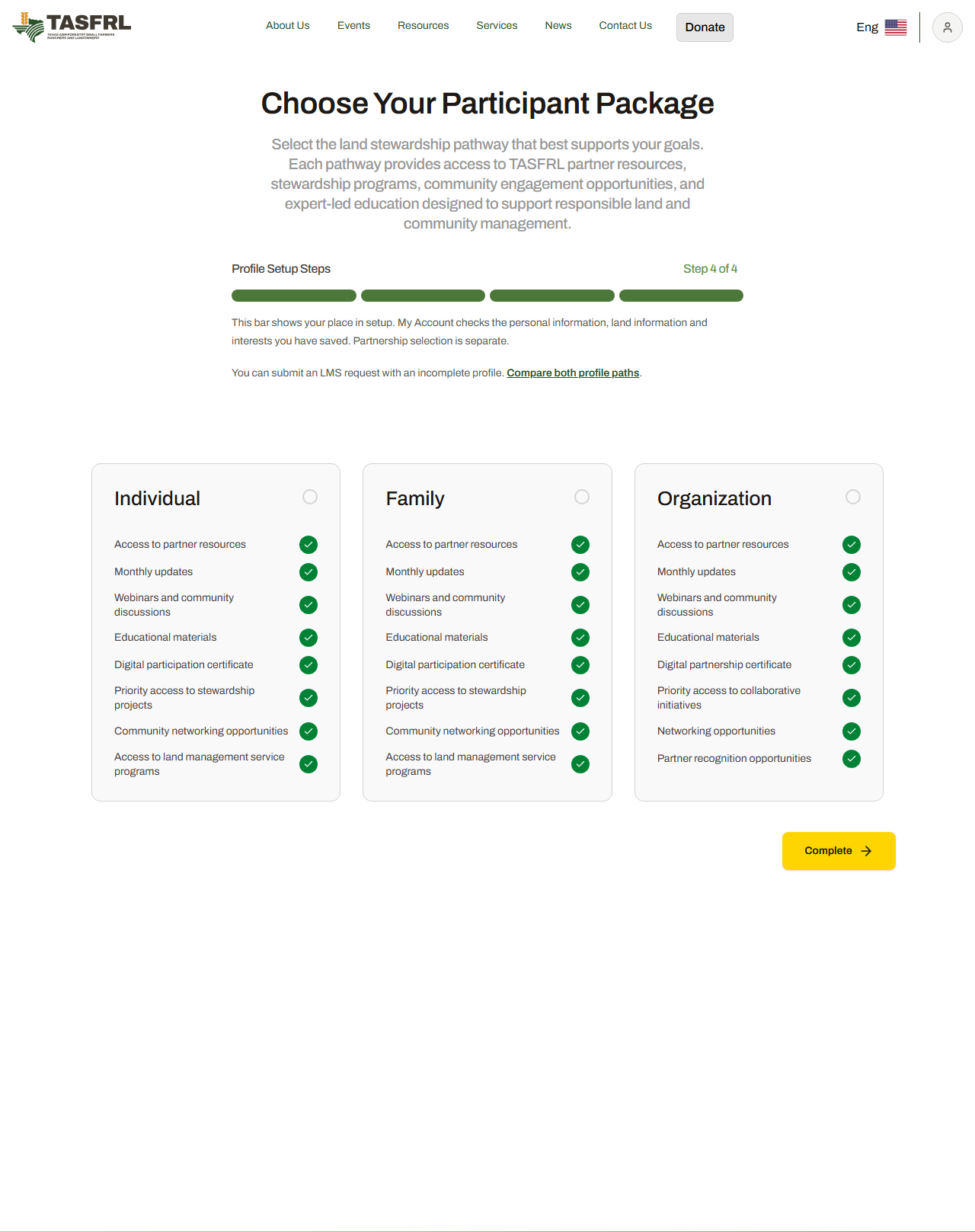
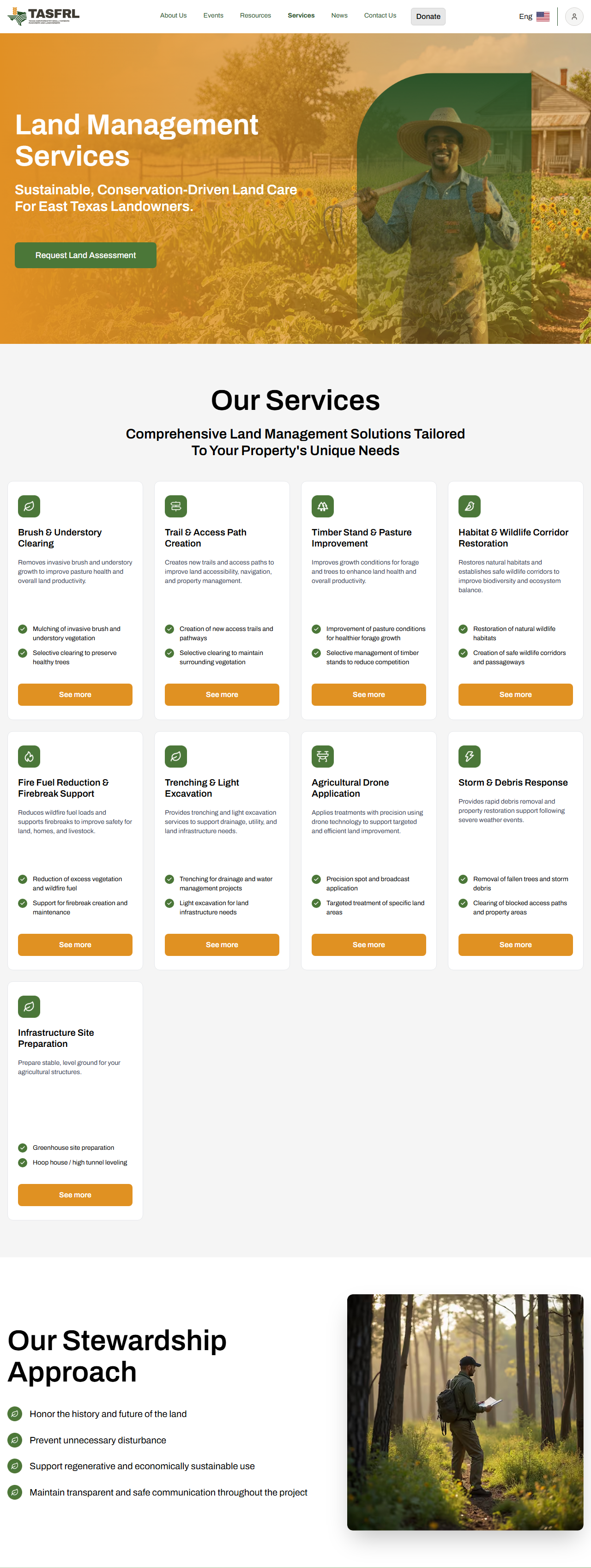
Jordan Ellis (DEMO) / TAS-2026-0094
9 / 90 · Profile and request · Client
This is the production service/request entry. Start the four-step request from here.
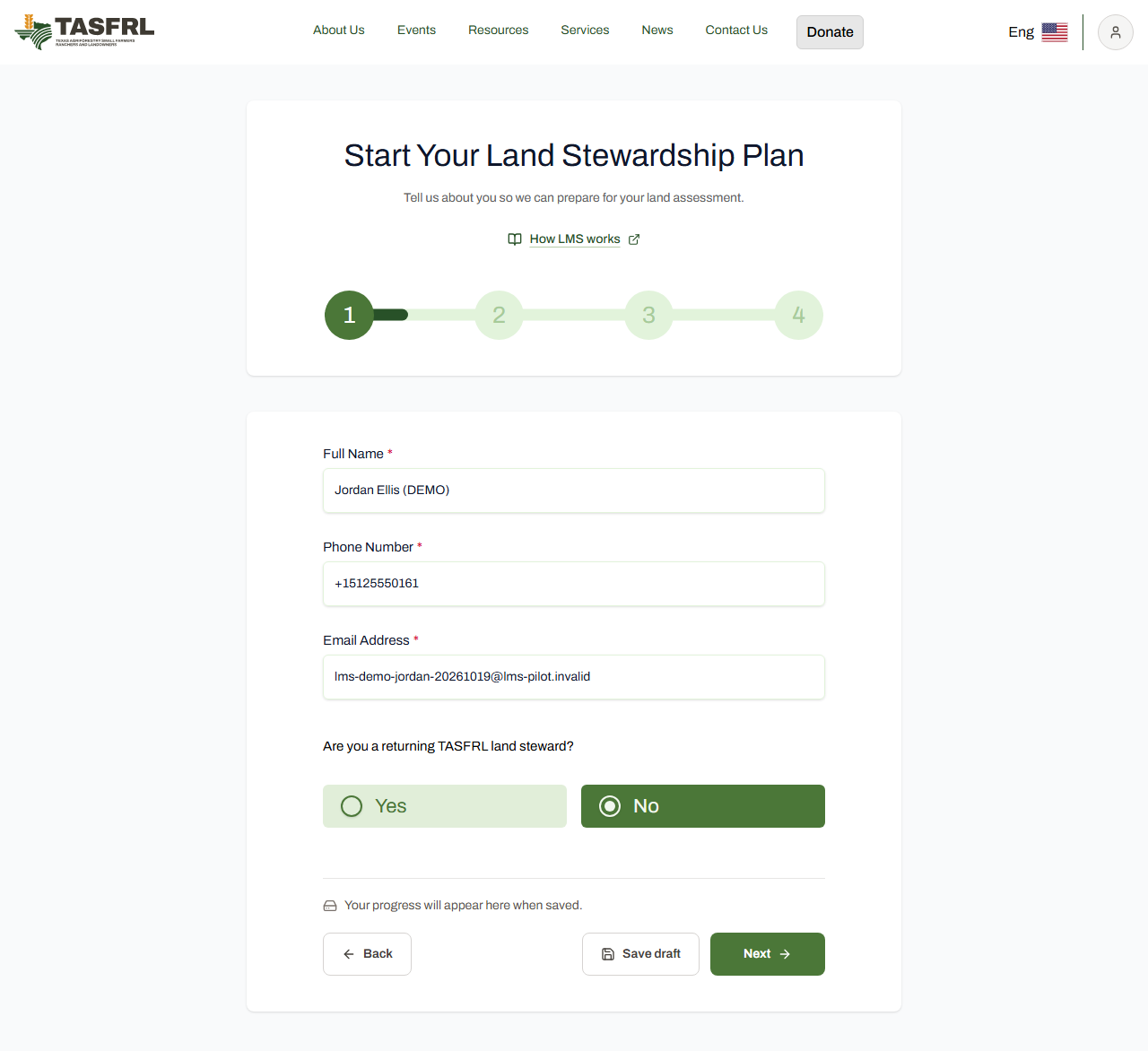
Jordan Ellis (DEMO) / TAS-2026-0094
10 / 90 · Profile and request · Client
The client confirms their own contact details. This is fictional training information. Updated navigation: save status is separate from the controls; the primary action is TASFRL green. This is the existing saved DEMO request displayed for the tour. No draft save or submission was performed.
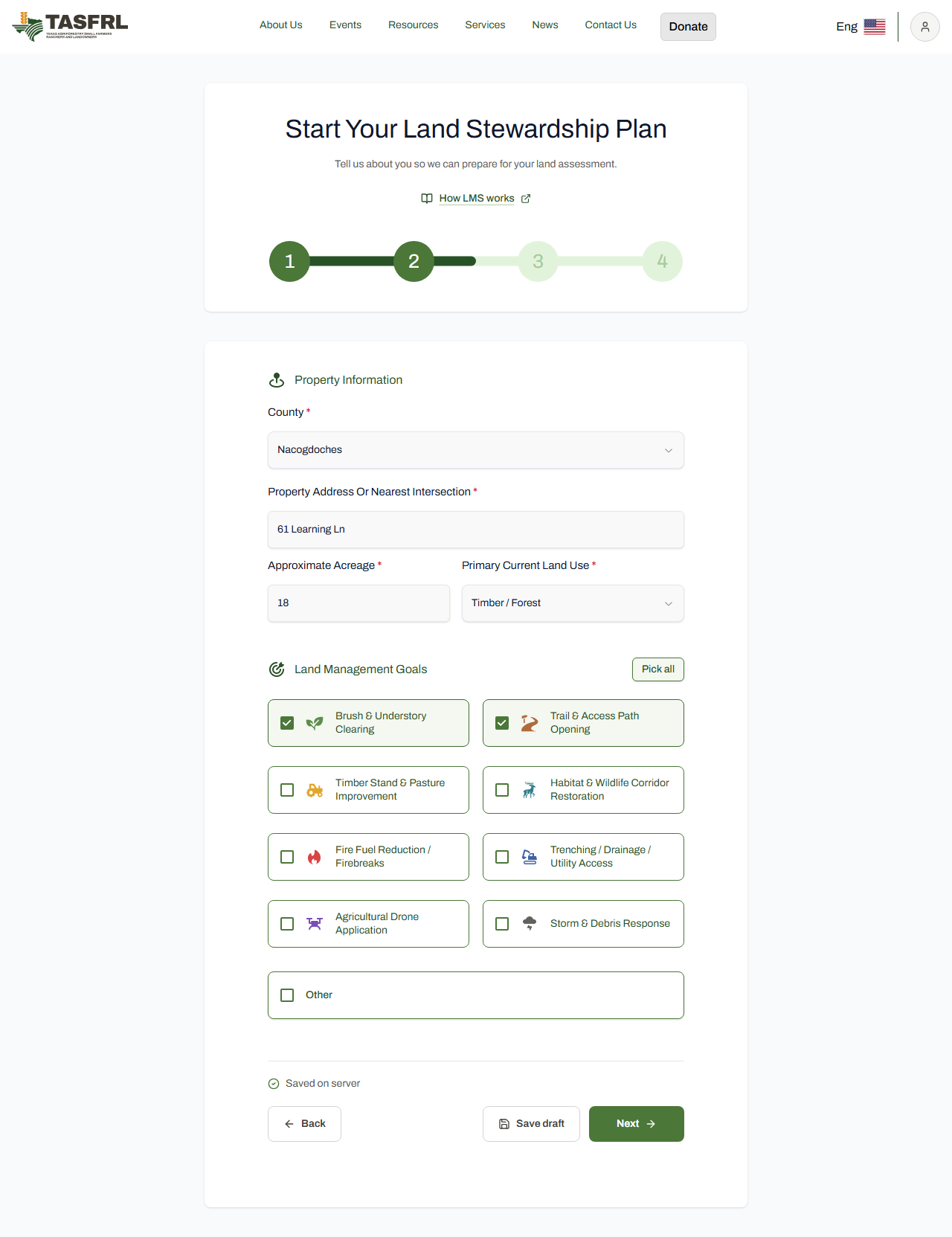
Jordan Ellis (DEMO) / TAS-2026-0094
11 / 90 · Profile and request · Client
A fictional 18-acre Nacogdoches property, with an existing trail-access goal. This request is separate from the profile. Updated navigation: save status is separate from the controls; the primary action is TASFRL green. This is the existing saved DEMO request displayed for the tour. No draft save or submission was performed.
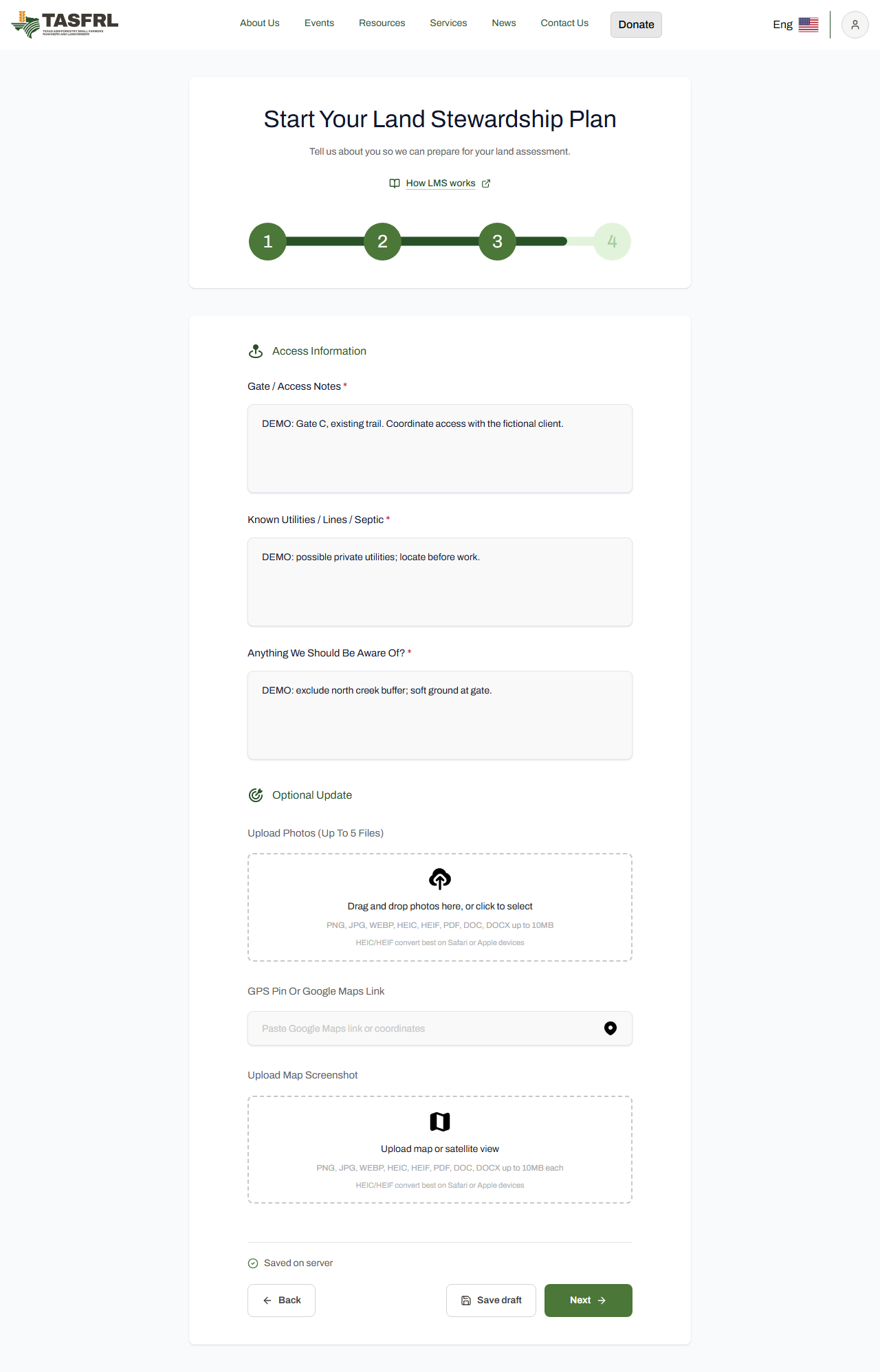
Jordan Ellis (DEMO) / TAS-2026-0094
12 / 90 · Profile and request · Client
Gate instructions, possible utilities and the creek-buffer exclusion are saved with this case. A real request can include maps and photos here. Updated navigation: save status is separate from the controls; the primary action is TASFRL green. This is the existing saved DEMO request displayed for the tour. No draft save or submission was performed.
Jordan Ellis (DEMO) / TAS-2026-0094
13 / 90 · Profile and request · Client
The client checks the saved request before submitting. Newsletter and SMS subscriptions are optional and remain off. Updated navigation: save status is separate from the controls; the primary action is TASFRL green. This is the existing saved DEMO request displayed for the tour. No draft save or submission was performed.
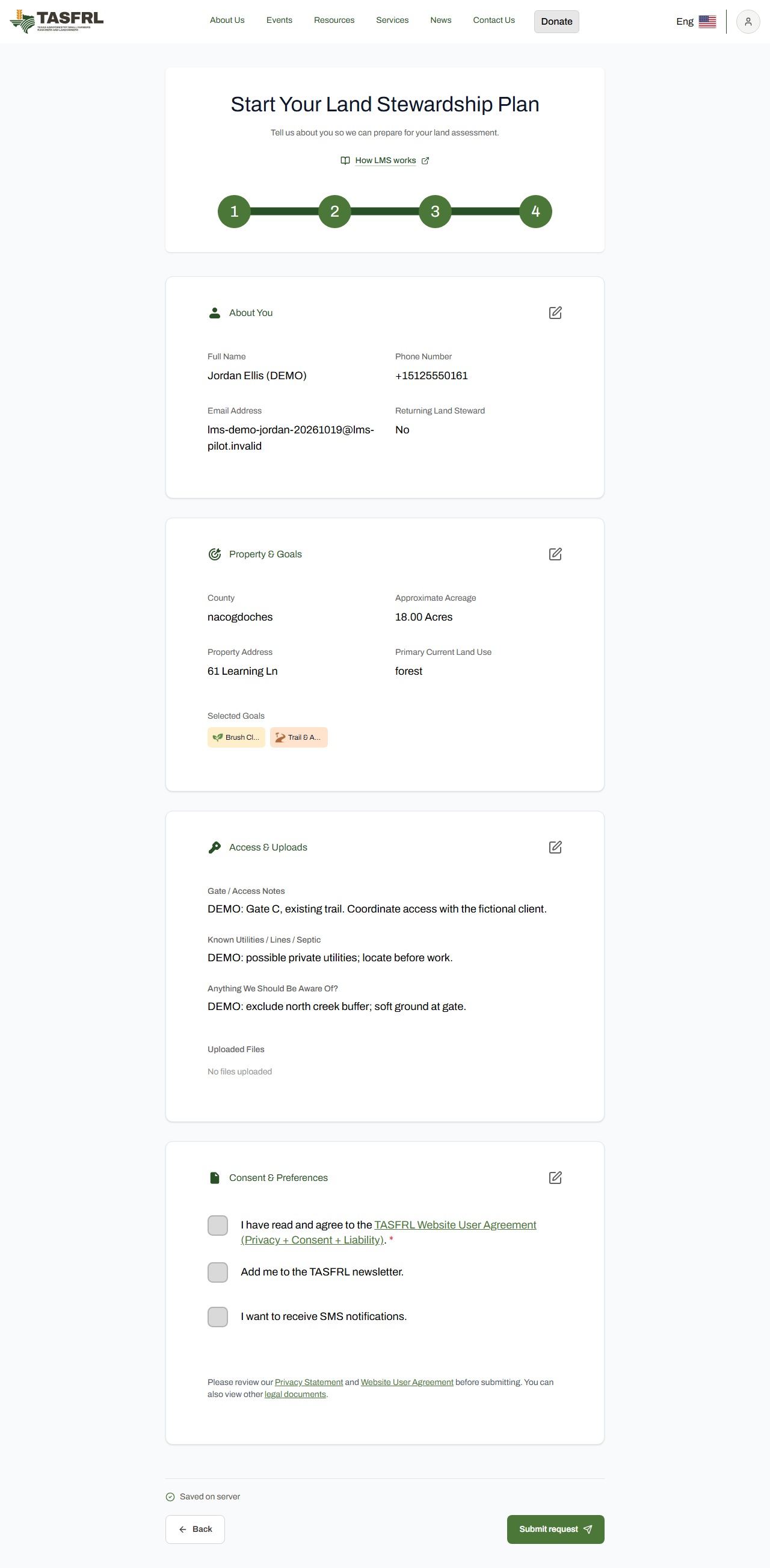
Jordan Ellis (DEMO) / TAS-2026-0094
14 / 90 · Profile and request · Client
The actual saved DEMO request now has its own case reference. Submission does not authorize property access or field work.
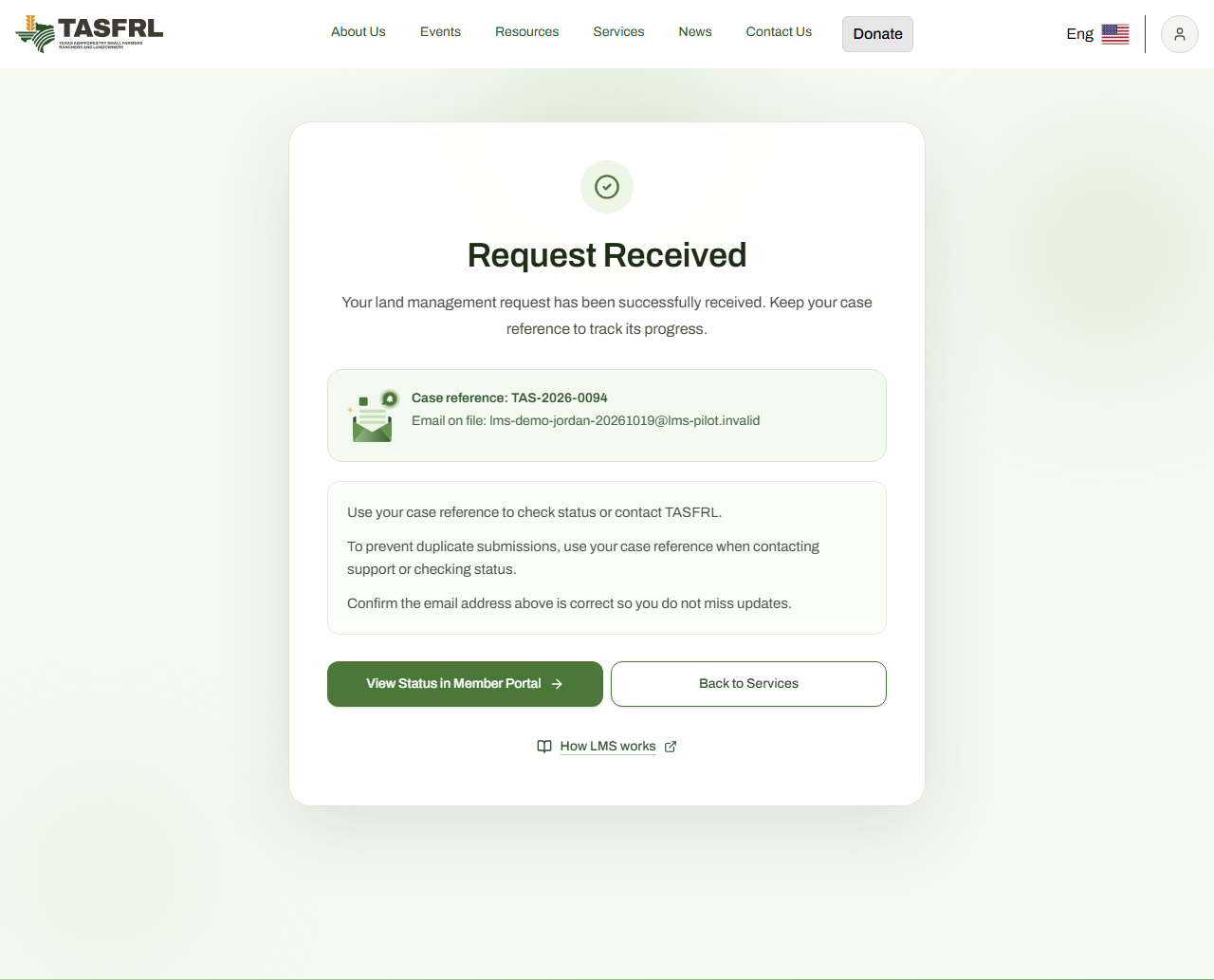
Jordan Ellis (DEMO) / TAS-2026-0094
15 / 90 · Profile and request · Client
My Account lists the client’s linked request. Open the case to read its next action and shared records.
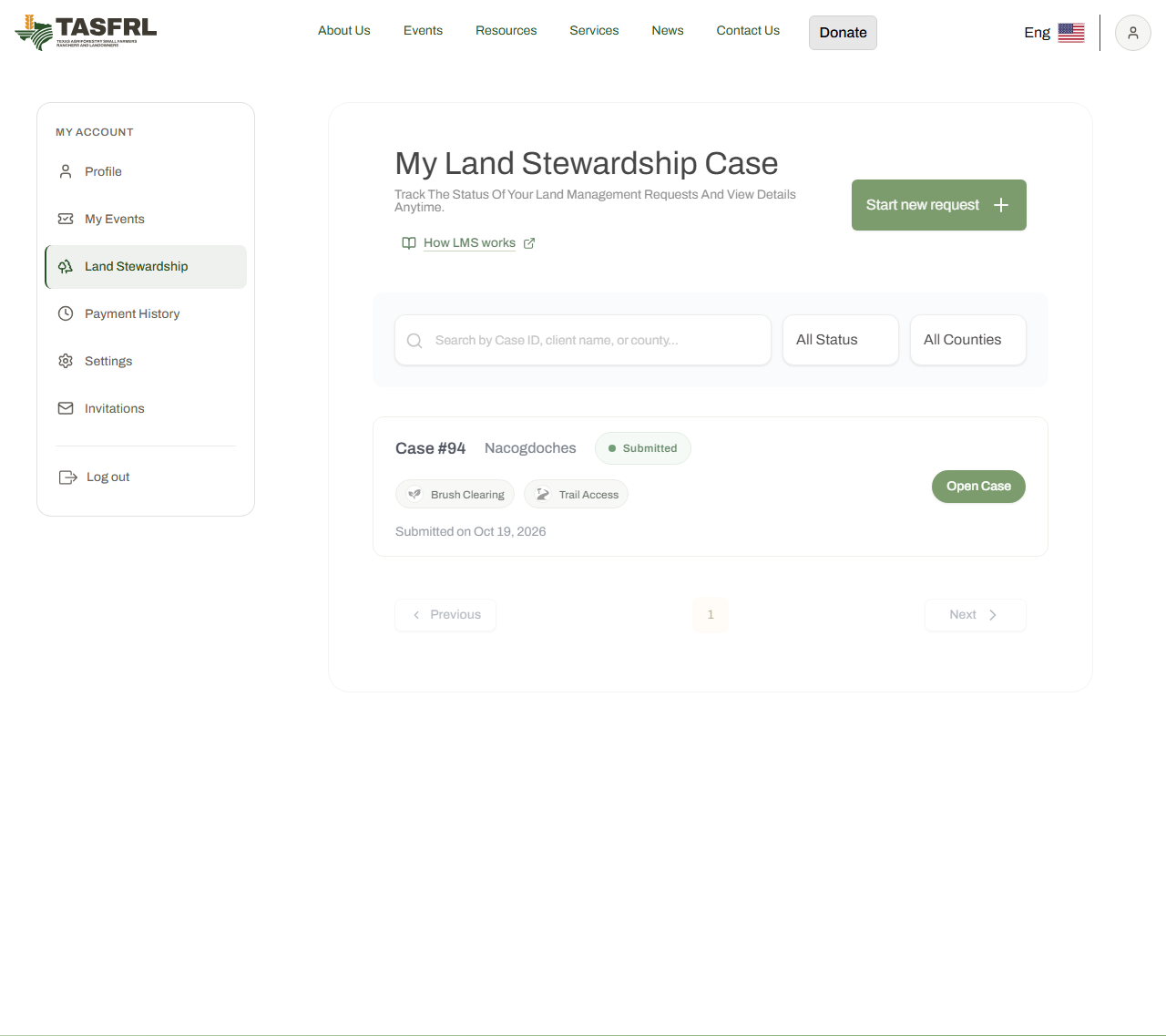
Jordan Ellis (DEMO) / TAS-2026-0094
16 / 90 · Assignment · Staff
The administrator filters the production case queue to Jordan's exact case reference. A one-row check excludes other clients before this screenshot.
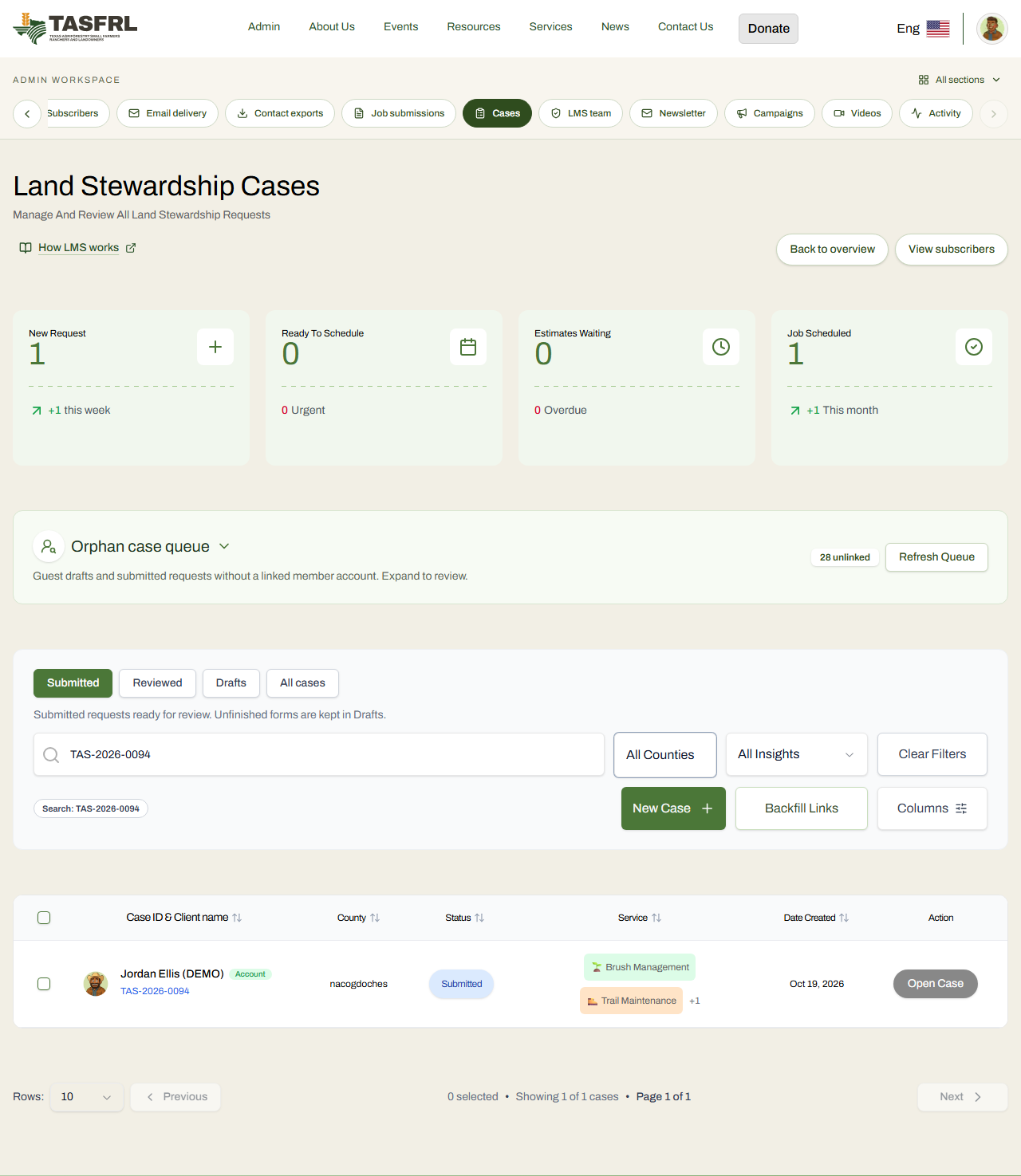
Jordan Ellis (DEMO) / TAS-2026-0094
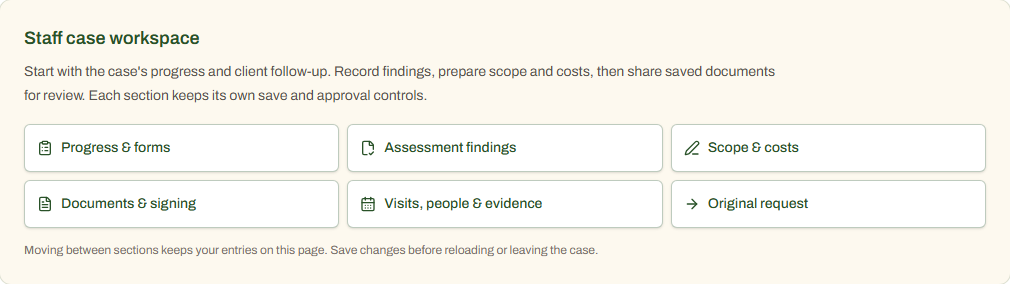
17 / 90 · Case navigation · Staff
Use the case sections to move between progress, assessment findings, scope and costs, documents and signing, visits and evidence. Each section retains its own save controls. Assignment alone does not authorize work.
Jordan Ellis (DEMO) / TAS-2026-0094
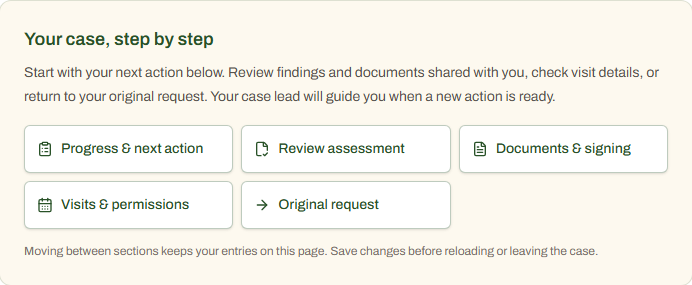
18 / 90 · Case navigation · Client
Use your case sections to find your next action, review shared findings and documents, check visits and permissions, or return to the original request. Staff planning and internal notes are not exposed.
Jordan Ellis (DEMO) / TAS-2026-0094
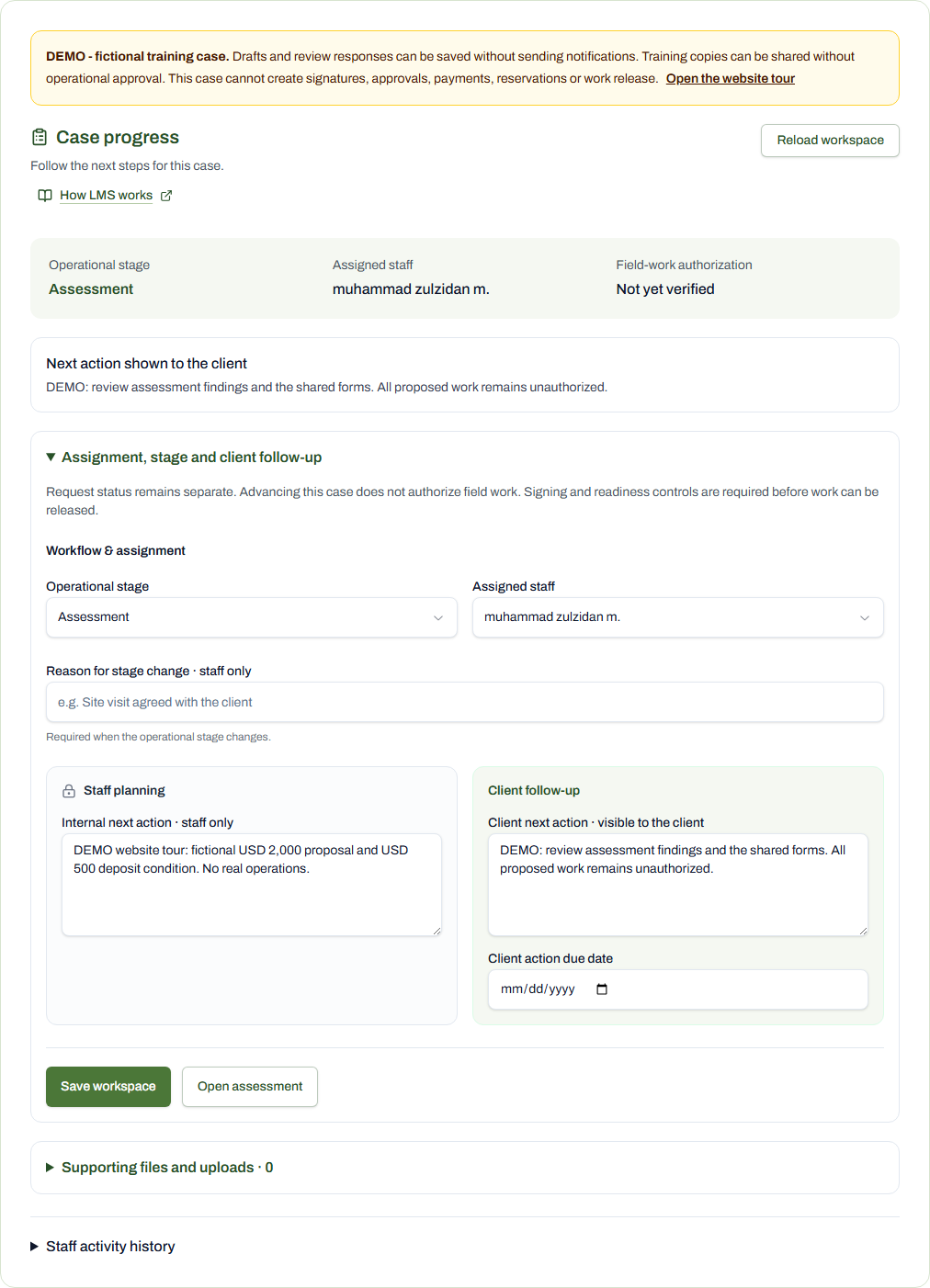
19 / 90 · Assignment · Staff
The case lead is the existing administrator account requested by the user. Assignment does not confer signing or operations authority.
Jordan Ellis (DEMO) / TAS-2026-0094
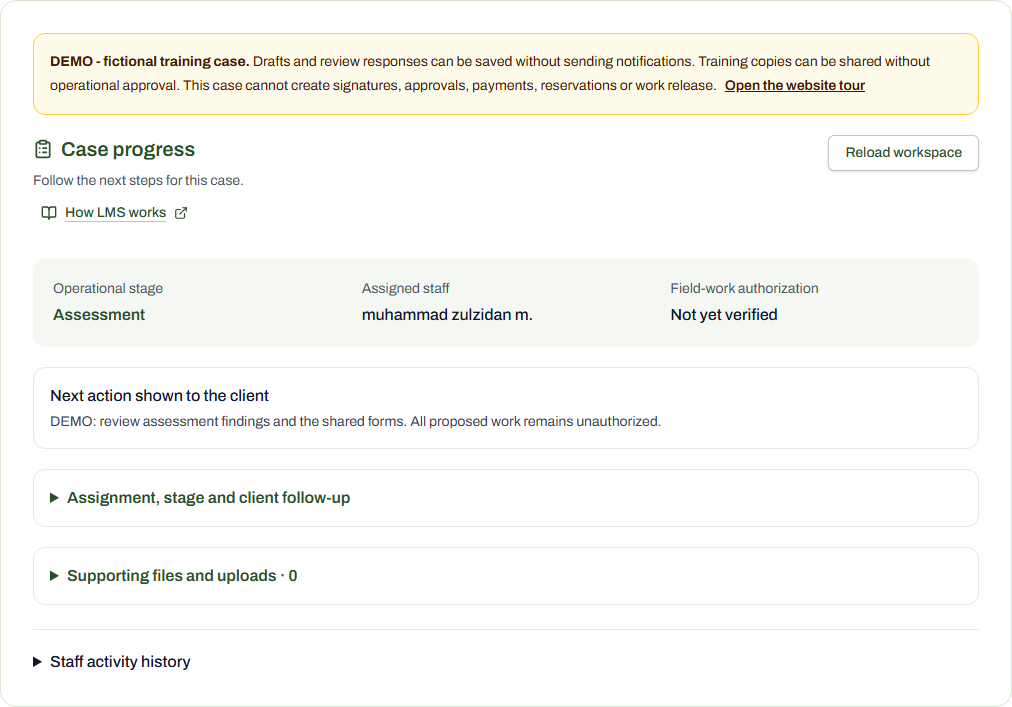
20 / 90 · Assessment · Staff
This administrator handles the assigned case through Admin / Cases. A staff-role account would use My Account / Assigned Cases. The account role was preserved.
Jordan Ellis (DEMO) / TAS-2026-0094
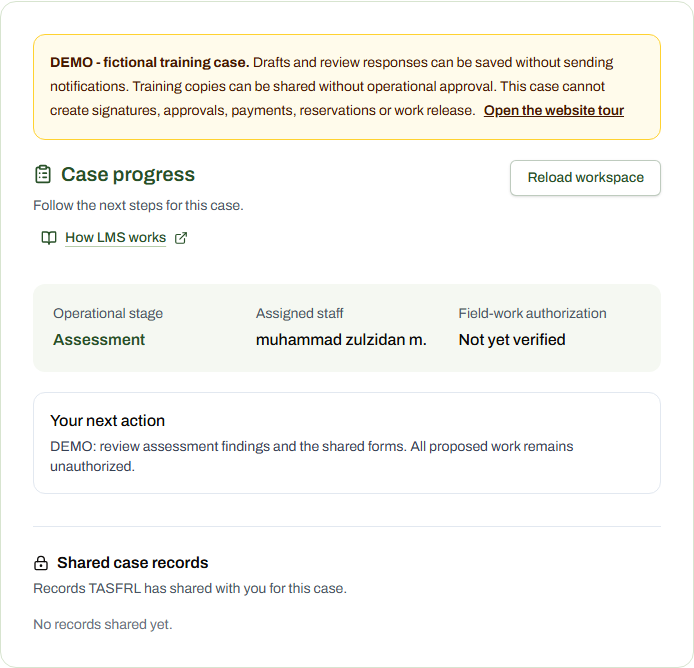
21 / 90 · Assessment · Client
The linked client sees shared progress and their next action, while staff-only planning and records remain private.
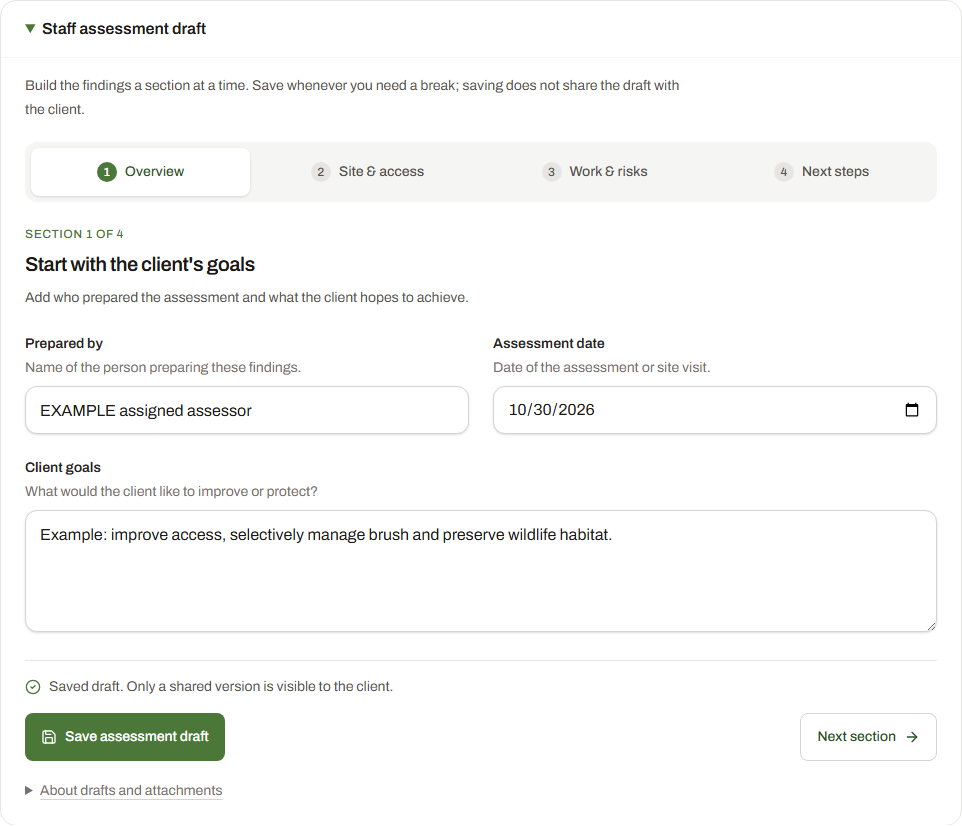
Jordan Ellis (DEMO) / TAS-2026-0094
22 / 90 · Assessment exchange · Staff
The saved assessment draft opens with just the assessor, date and client goals. Four short sections guide the lead through site details, work areas, risks and next steps. Saving a draft does not share it with the client.
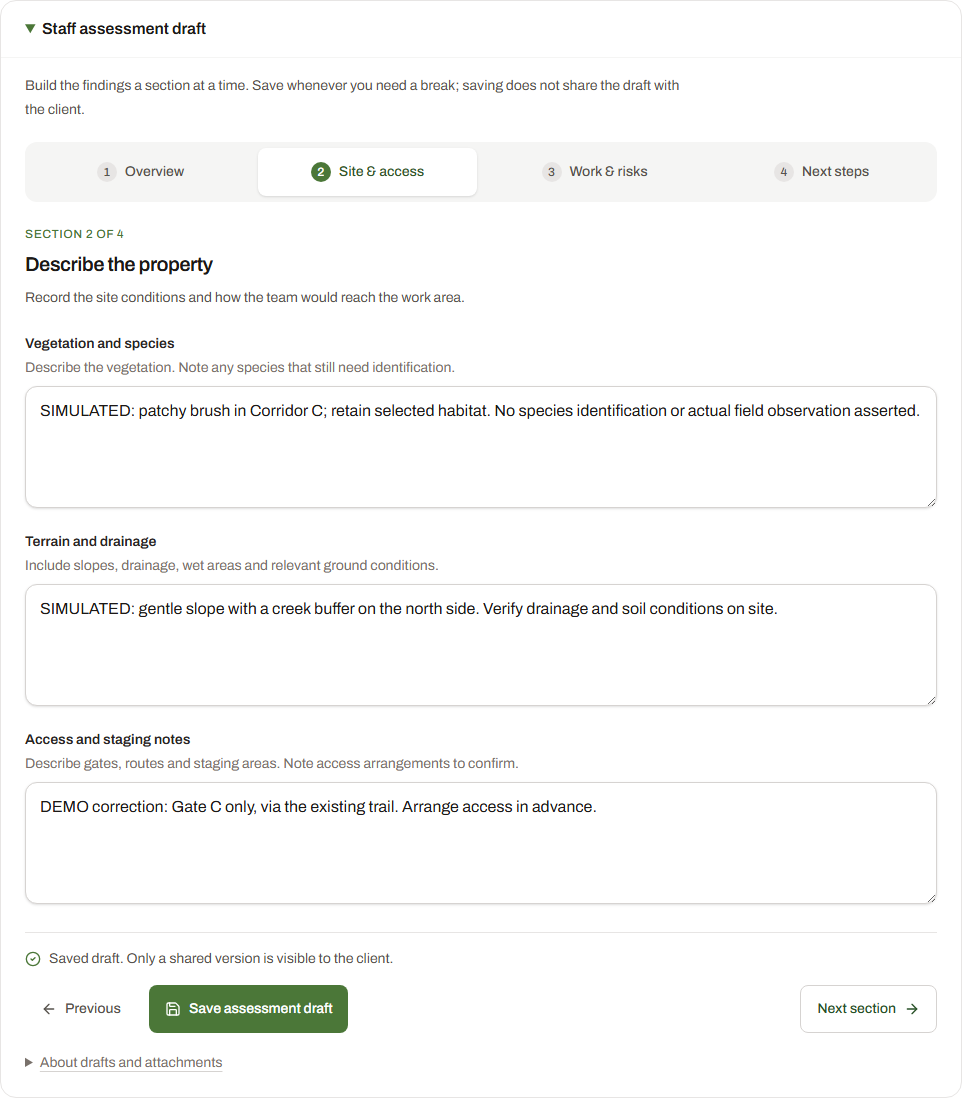
Jordan Ellis (DEMO) / TAS-2026-0094
23 / 90 · Assessment exchange · Staff
Review vegetation, terrain, drainage, access routes and staging notes together. These are the saved fictional findings for this account’s own case.
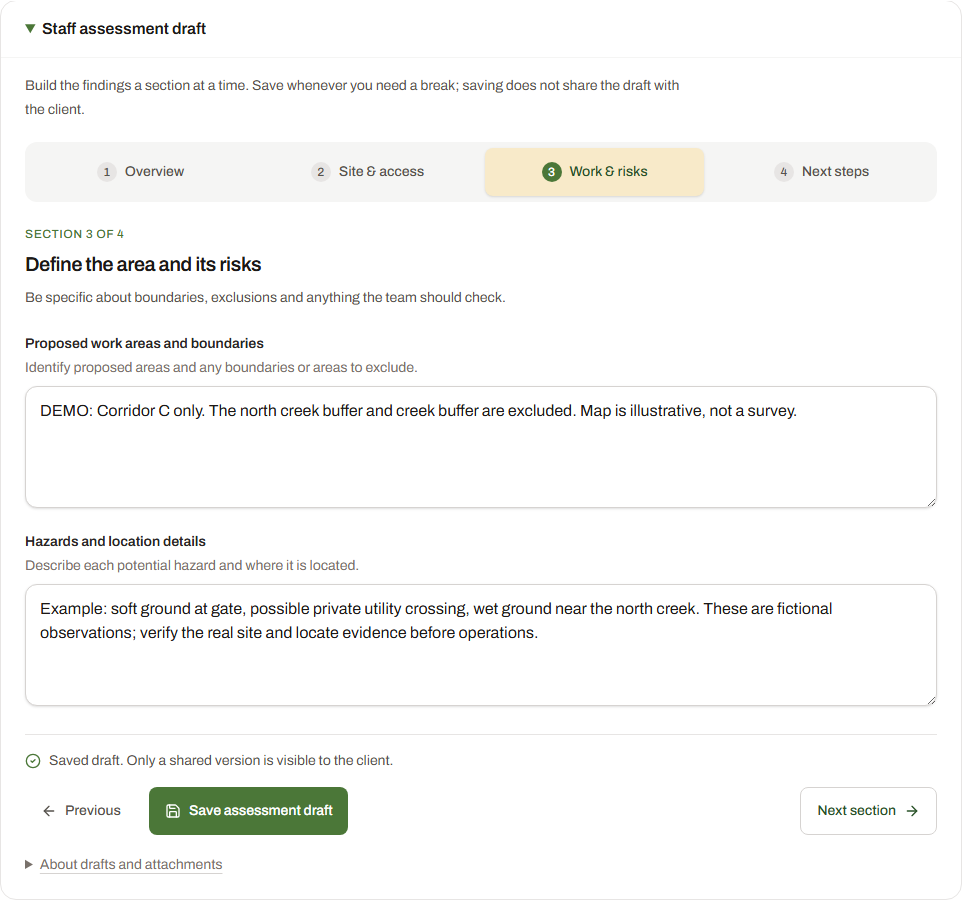
Jordan Ellis (DEMO) / TAS-2026-0094
24 / 90 · Assessment exchange · Staff
Define the proposed areas, exclusions and potential hazards in one focused section. No field authorization or verified utility clearance is claimed.
Jordan Ellis (DEMO) / TAS-2026-0094
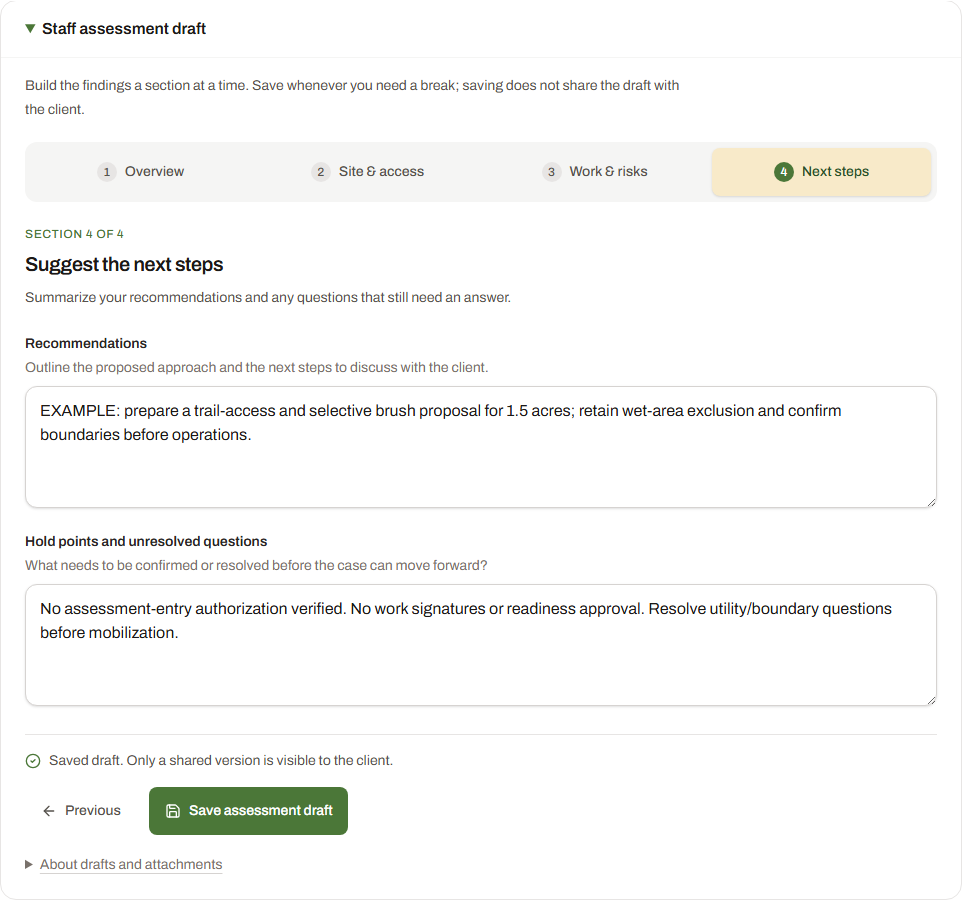
25 / 90 · Assessment exchange · Staff
Summarize the recommendations and unresolved questions. Save the draft first, then use the separate sharing action to create a numbered client review copy.
Jordan Ellis (DEMO) / TAS-2026-0094
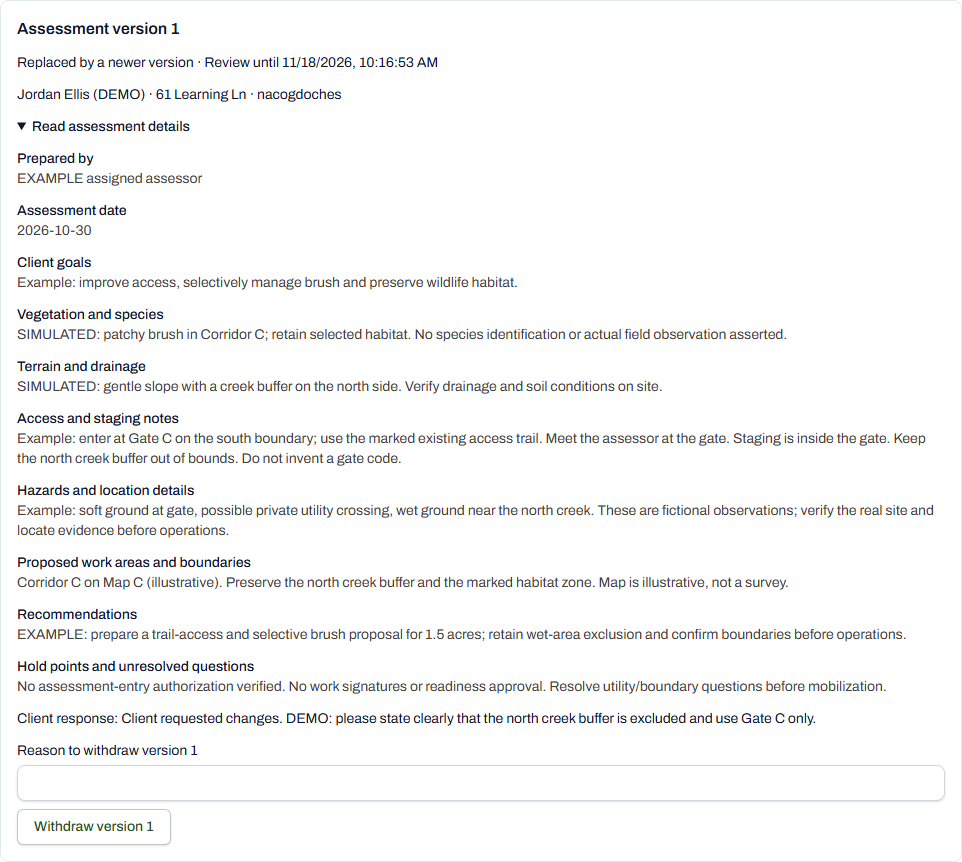
26 / 90 · Assessment exchange · Staff
Version 1 is now shared with the demo client. Its exact saved findings remain in the case.
Jordan Ellis (DEMO) / TAS-2026-0094
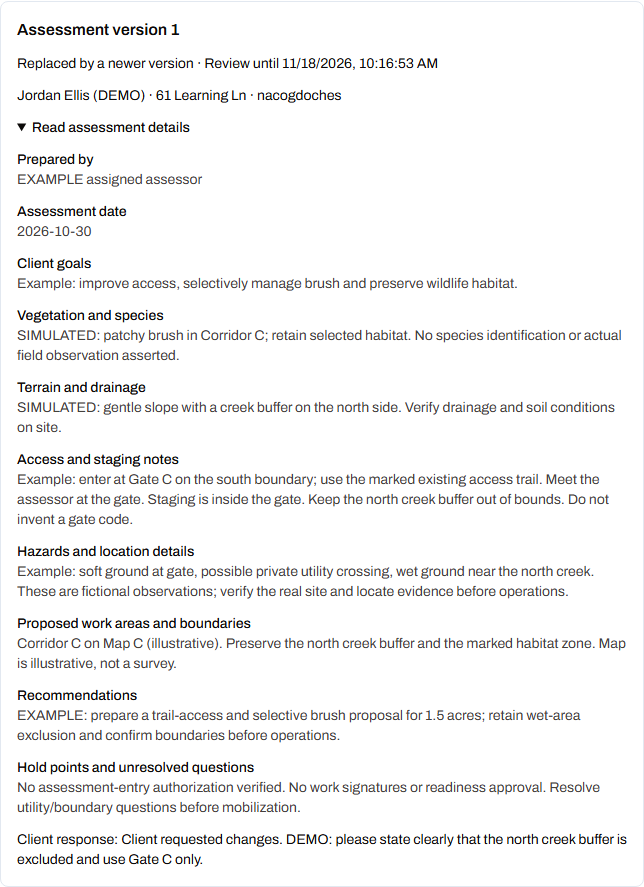
27 / 90 · Assessment exchange · Client
The client asks for Gate C access and the north creek buffer exclusion to be explicit. The response belongs to version 1. This is the saved response after submission, so it is read-only. See The client opens the response form below for the input controls.
Jordan Ellis (DEMO) / TAS-2026-0094
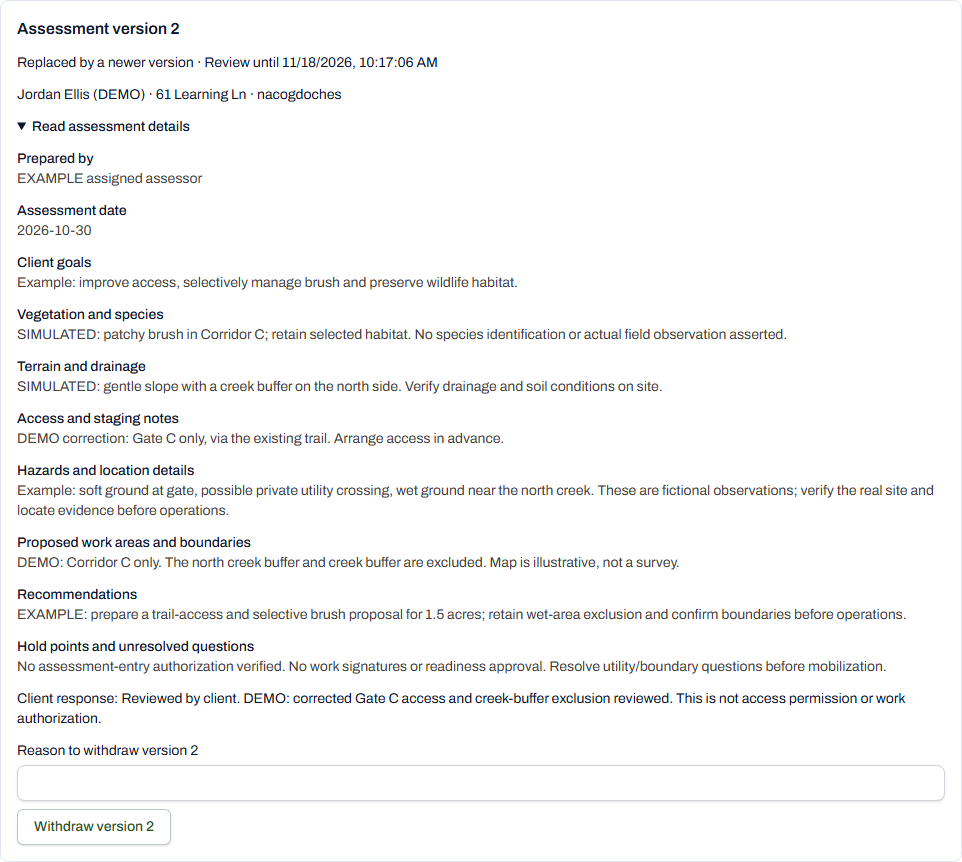
28 / 90 · Assessment exchange · Staff
The lead retains version 1 and its response, then publishes version 2 with the requested correction.
Jordan Ellis (DEMO) / TAS-2026-0094
29 / 90 · Assessment exchange · Client
The client records a practice review of the corrected version. This does not grant entry permission, a signature or work authorization.
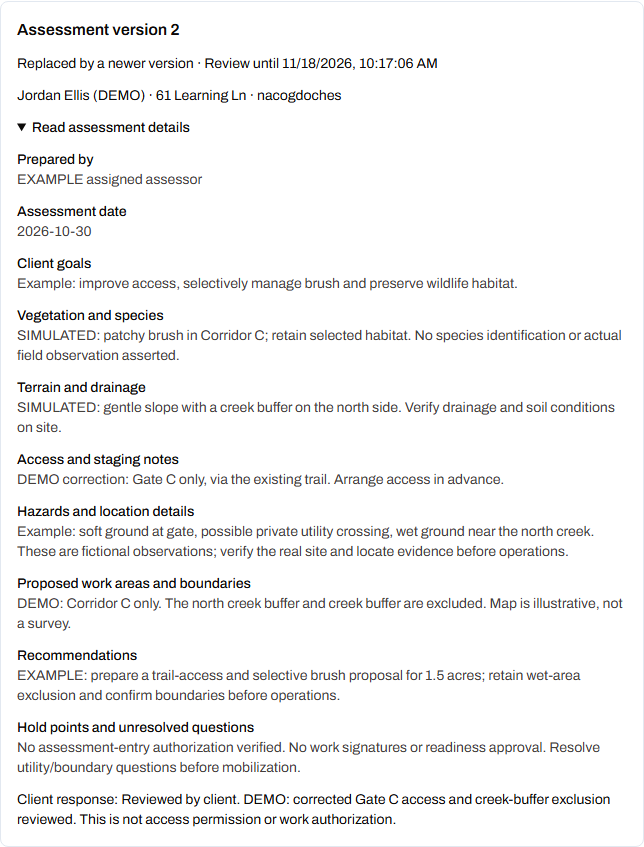
Jordan Ellis (DEMO) / TAS-2026-0094
30 / 90 · Assessment response · Client
This is the live response form for saved DEMO assessment version 3, awaiting review. In My cases, open this case and go to Assessment review. Choose reviewed, changes needed or declined, add comments, then use Send assessment response. Comments are required for changes or declining. This screenshot is before a response is submitted.
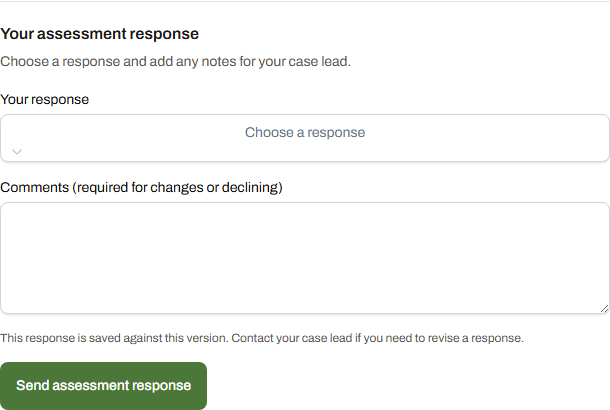
Jordan Ellis (DEMO) / TAS-2026-0094
31 / 90 · Assessment response · Client
Unsubmitted example: Changes are needed is selected and the client has typed a case-specific comment. The Send assessment response button records the response against this version. It was not clicked for this capture; no client response was submitted. A review is separate from a signature or permission to enter or start work.
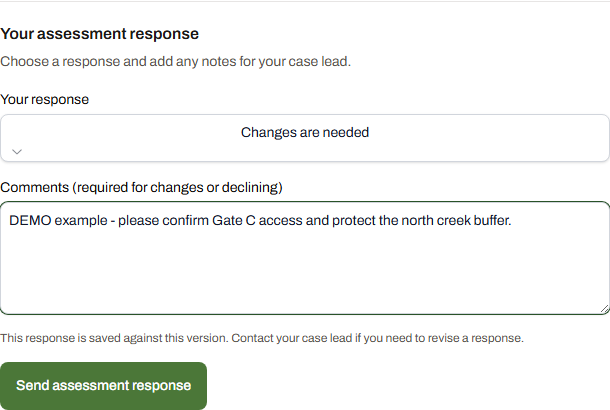
Jordan Ellis (DEMO) / TAS-2026-0094
32 / 90 · Internal policy and pricing approvals · Staff
Staff-only training record. All approvals and execution evidence remain absent. Use Download review PDF to inspect the saved version.
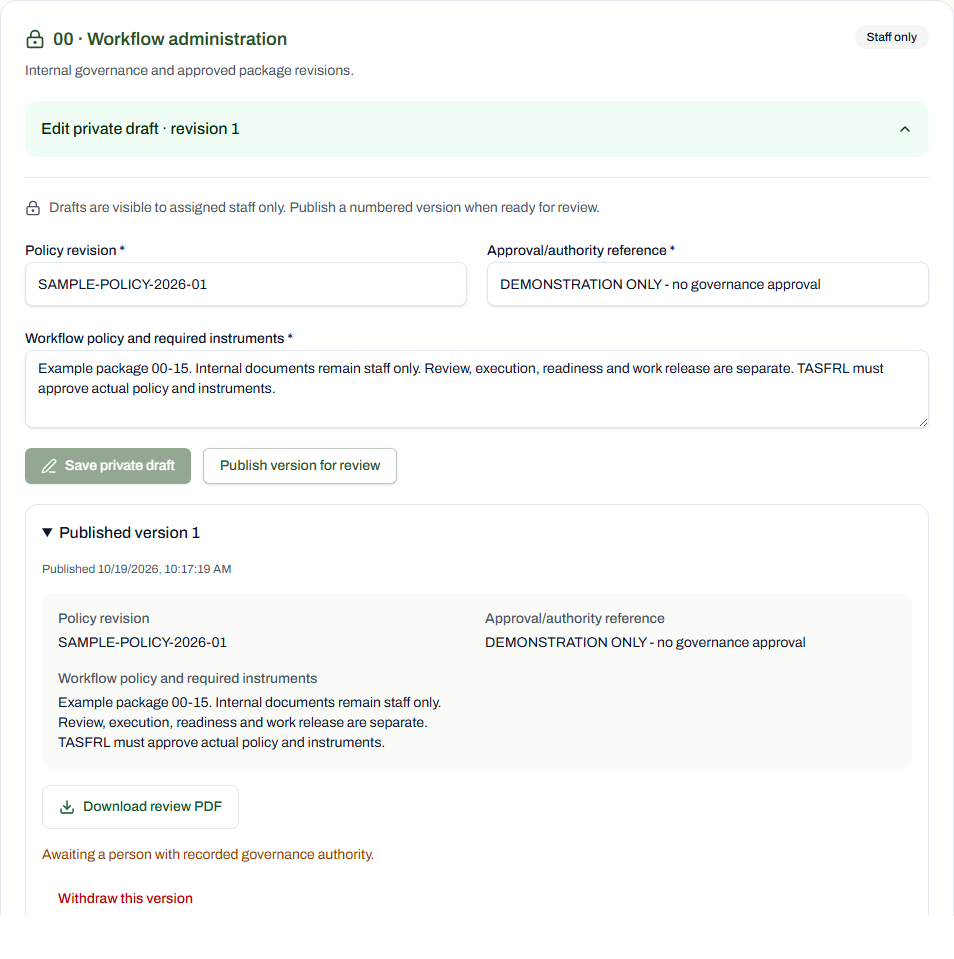
Jordan Ellis (DEMO) / TAS-2026-0094
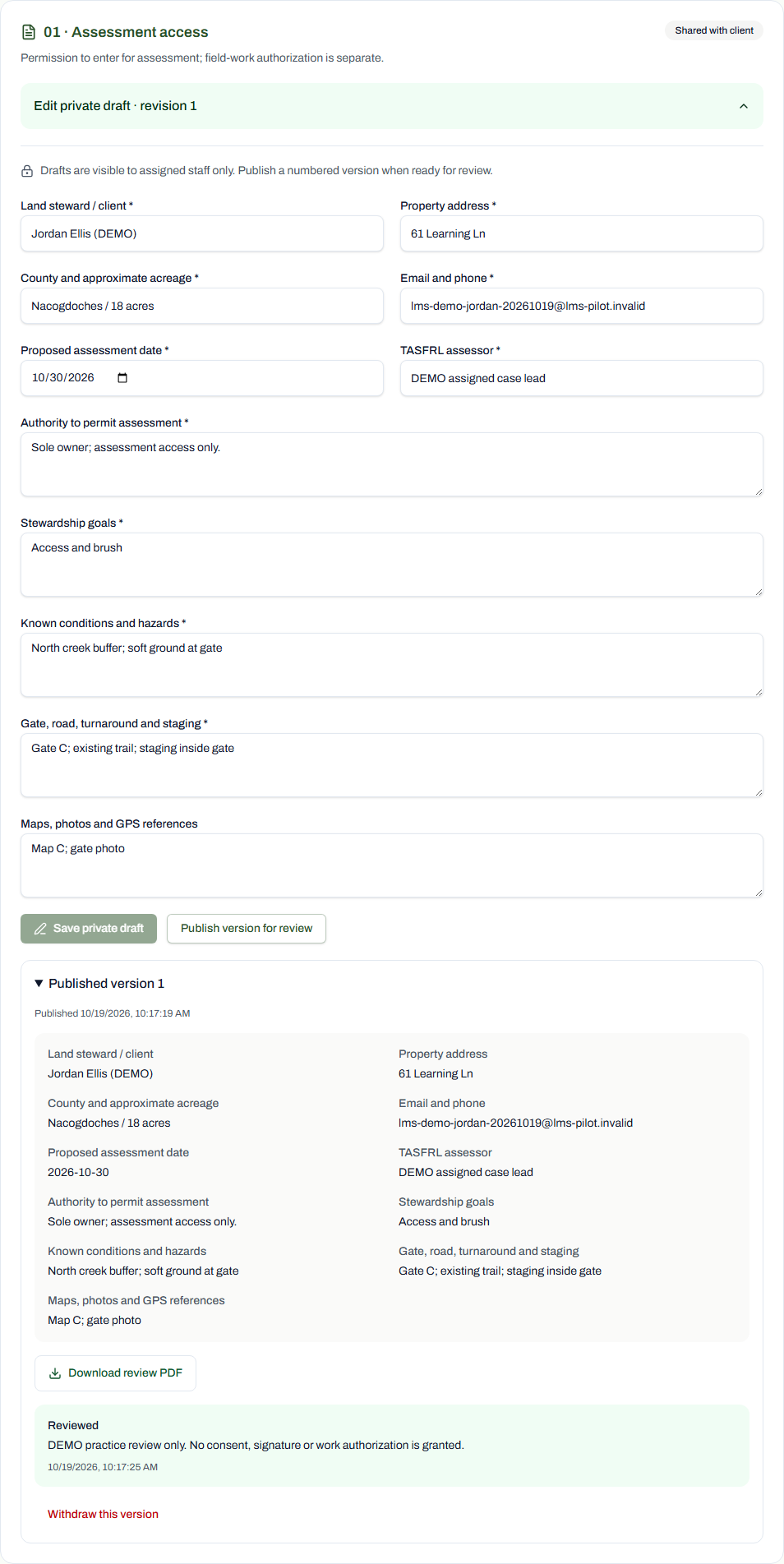
33 / 90 · 1. Assessment and property access · Staff
Shared fictional training version; the client review remains separate from signing. All approvals and execution evidence remain absent. Use Download review PDF to inspect the saved version.
Jordan Ellis (DEMO) / TAS-2026-0094
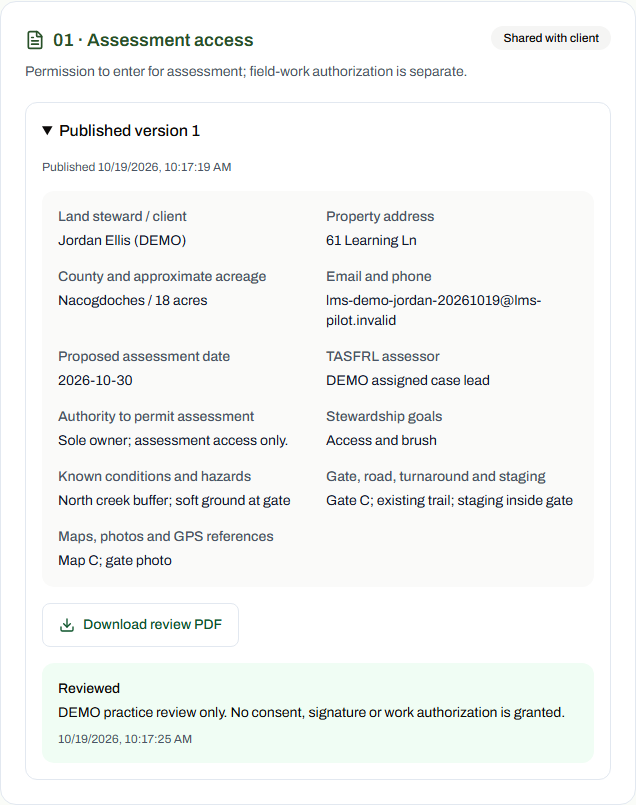
34 / 90 · 1. Assessment and property access · Client
Shared fictional training version; the client review remains separate from signing. All approvals and execution evidence remain absent. Use Download review PDF to inspect the saved version.
Jordan Ellis (DEMO) / TAS-2026-0094
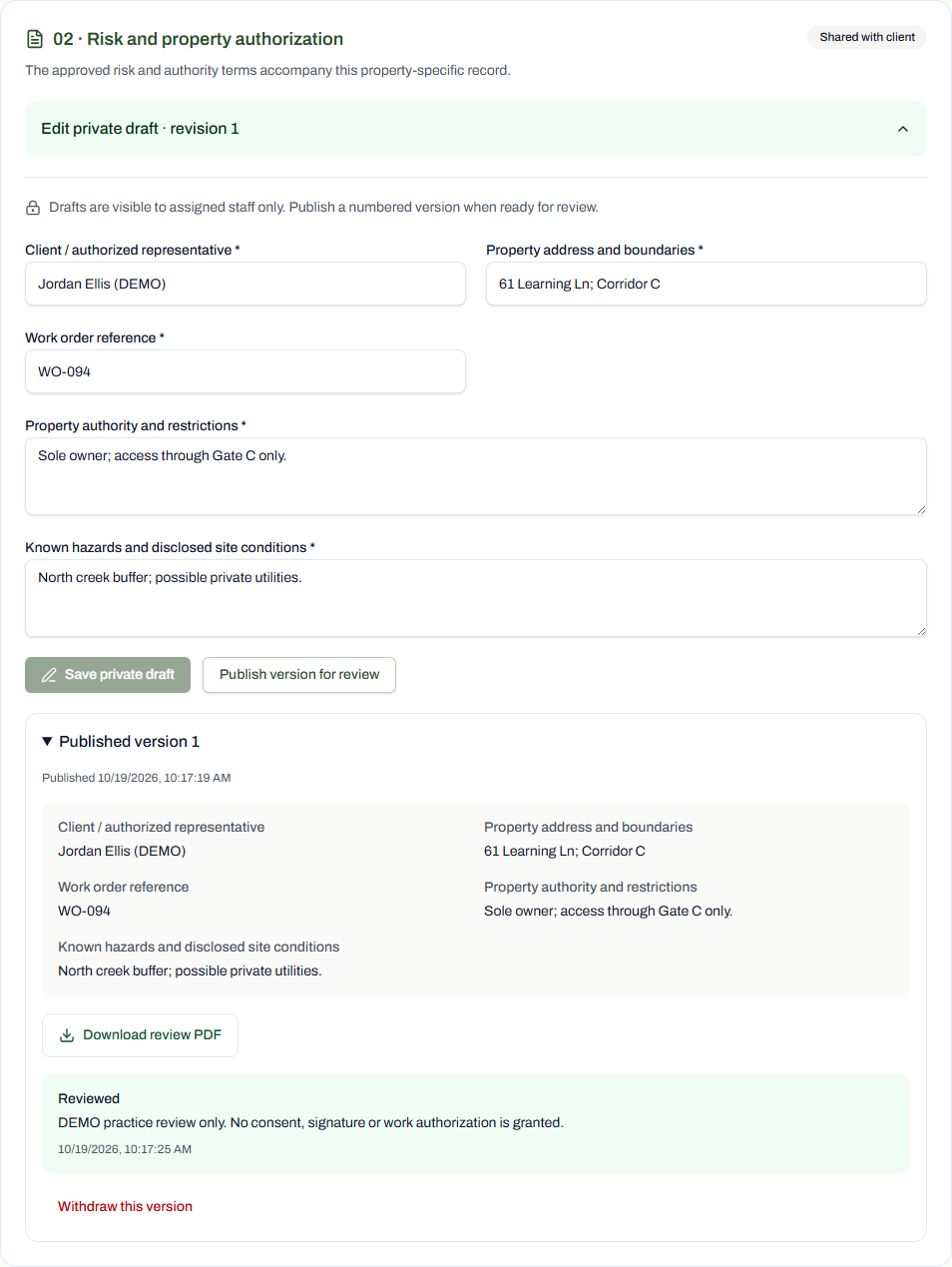
35 / 90 · 3. Agreements and required signatures · Staff
Shared fictional training version; the client review remains separate from signing. All approvals and execution evidence remain absent. Use Download review PDF to inspect the saved version.
Jordan Ellis (DEMO) / TAS-2026-0094
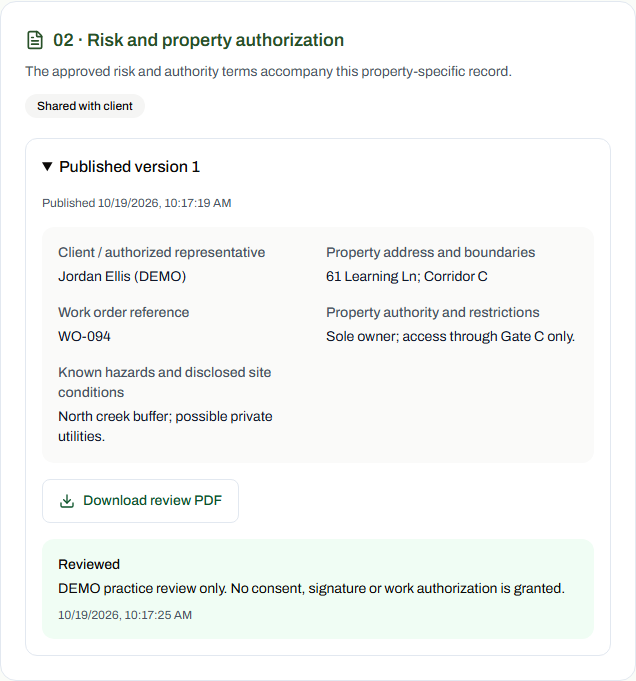
36 / 90 · 3. Agreements and required signatures · Client
Shared fictional training version; the client review remains separate from signing. All approvals and execution evidence remain absent. Use Download review PDF to inspect the saved version.
Jordan Ellis (DEMO) / TAS-2026-0094
37 / 90 · 3. Agreements and required signatures · Staff
Shared fictional training version; the client review remains separate from signing. All approvals and execution evidence remain absent. Use Download review PDF to inspect the saved version.
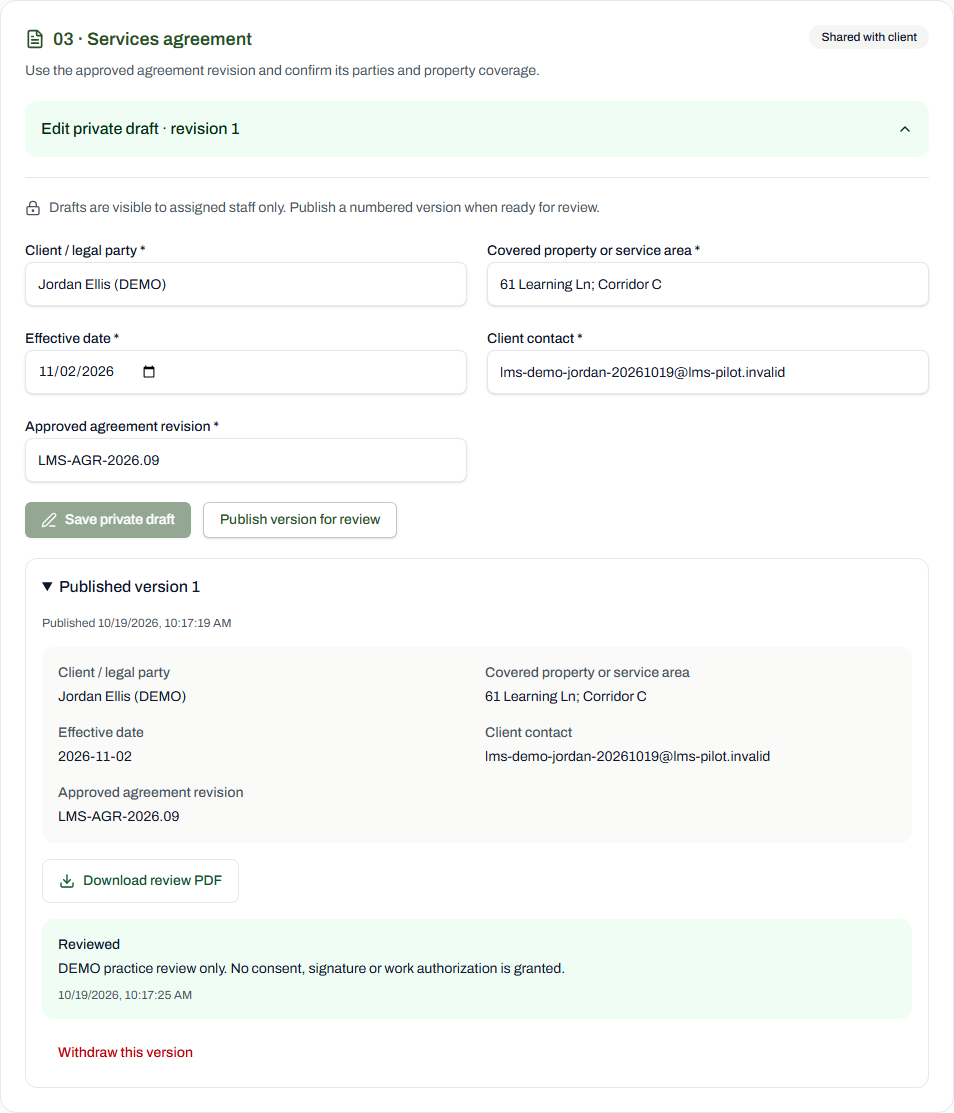
Jordan Ellis (DEMO) / TAS-2026-0094
38 / 90 · 3. Agreements and required signatures · Client
Shared fictional training version; the client review remains separate from signing. All approvals and execution evidence remain absent. Use Download review PDF to inspect the saved version.
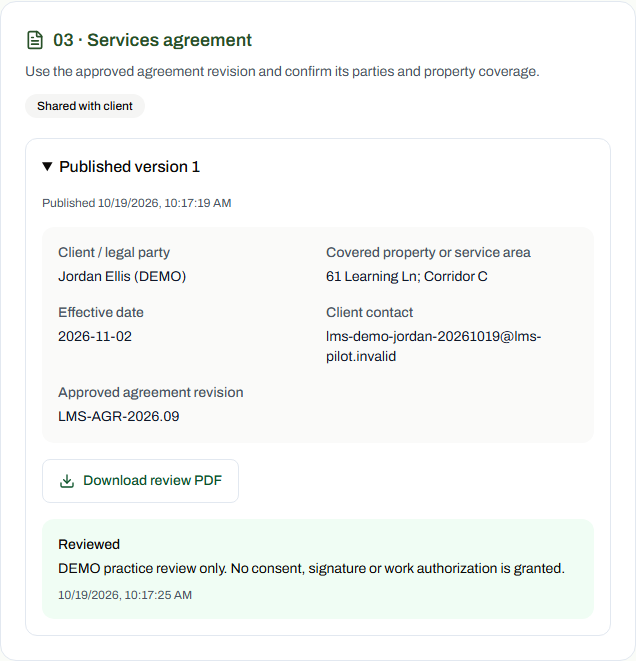
Jordan Ellis (DEMO) / TAS-2026-0094
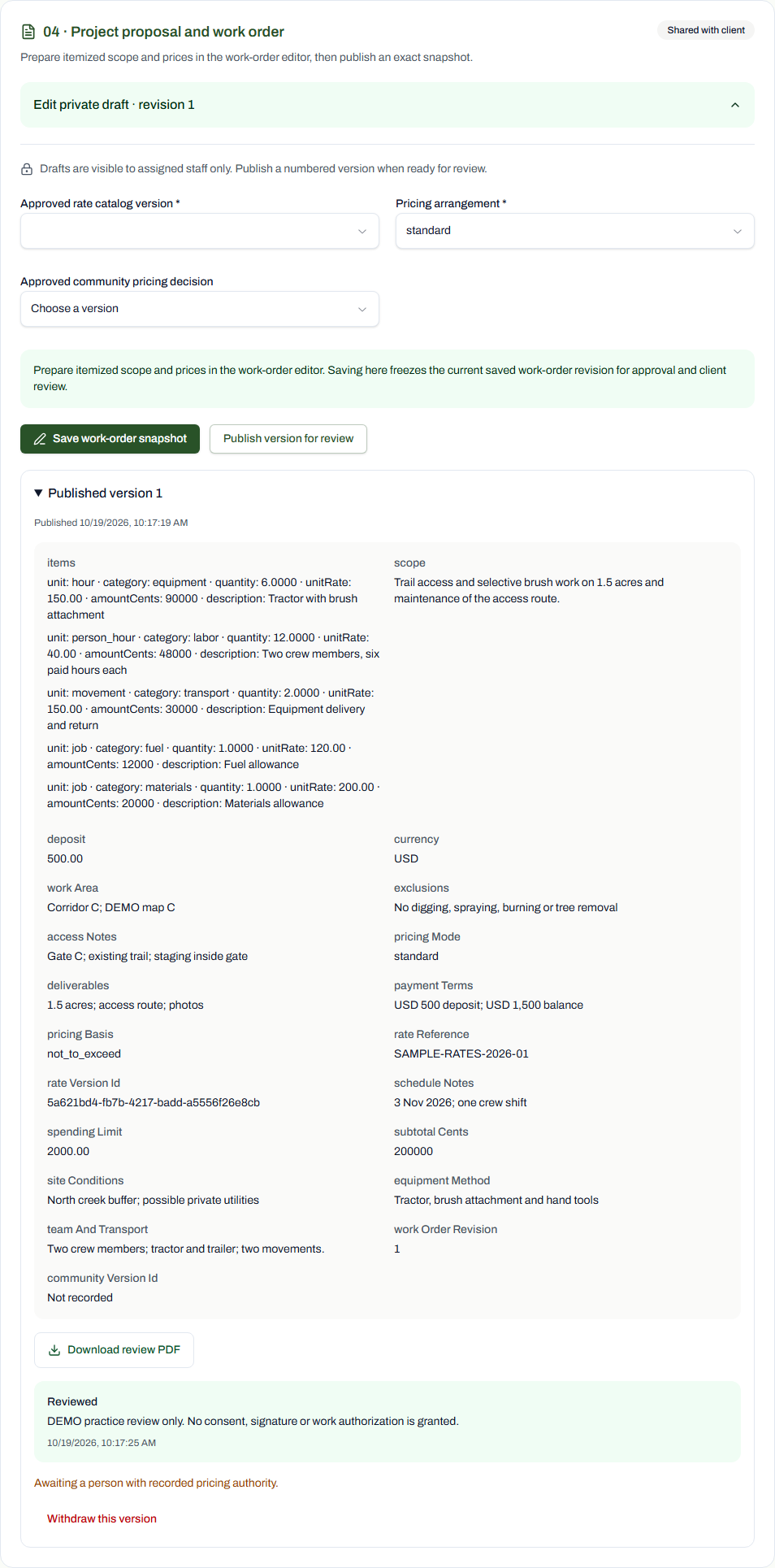
39 / 90 · 2. Scope and agreed pricing · Staff
Shared fictional training version; the client review remains separate from signing. All approvals and execution evidence remain absent. Use Download review PDF to inspect the saved version.
Jordan Ellis (DEMO) / TAS-2026-0094
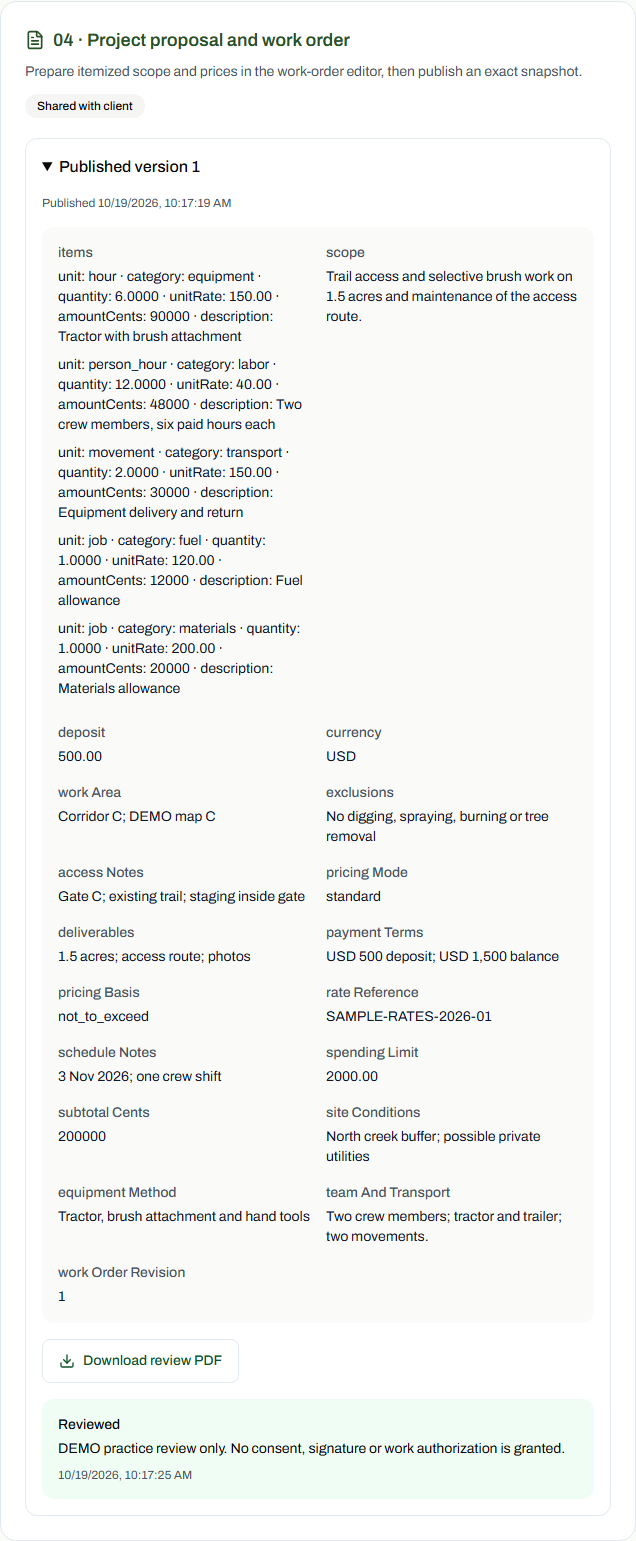
40 / 90 · 2. Scope and agreed pricing · Client
Shared fictional training version; the client review remains separate from signing. All approvals and execution evidence remain absent. Use Download review PDF to inspect the saved version.
Jordan Ellis (DEMO) / TAS-2026-0094
41 / 90 · 5. Field work and changes · Staff
Shared fictional training version; the client review remains separate from signing. This is an optional or alternative branch, not evidence that it applies to the base trail-access scenario. All approvals and execution evidence remain absent. Use Download review PDF to inspect the saved version.
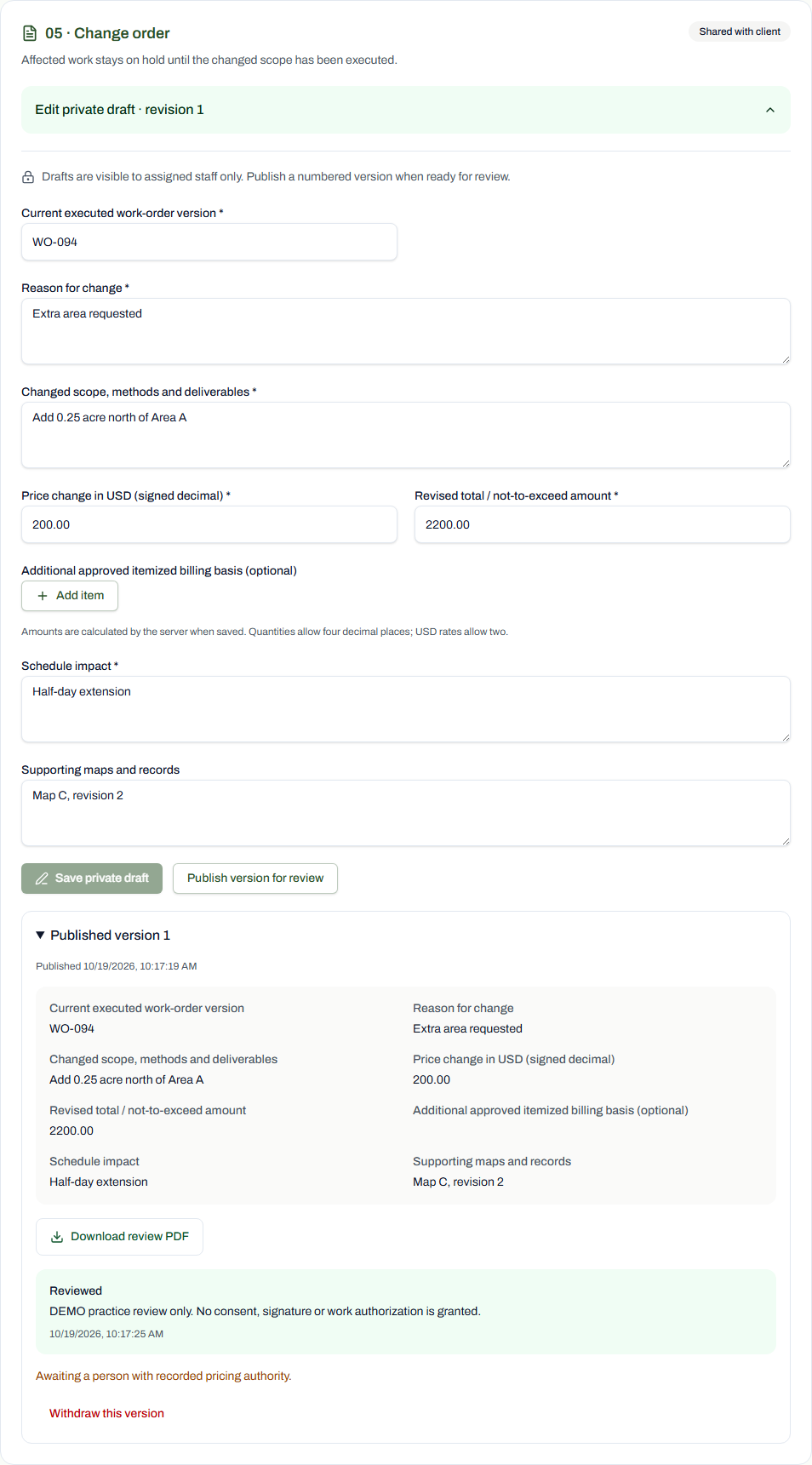
Jordan Ellis (DEMO) / TAS-2026-0094
42 / 90 · 5. Field work and changes · Client
Shared fictional training version; the client review remains separate from signing. This is an optional or alternative branch, not evidence that it applies to the base trail-access scenario. All approvals and execution evidence remain absent. Use Download review PDF to inspect the saved version.
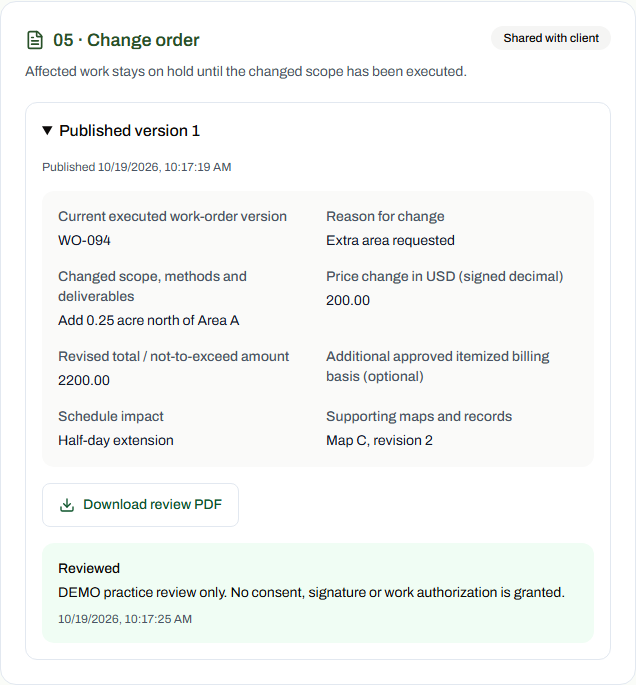
Jordan Ellis (DEMO) / TAS-2026-0094
43 / 90 · 6. Completion and billing records · Staff
Shared fictional training version; the client review remains separate from signing. All approvals and execution evidence remain absent. Use Download review PDF to inspect the saved version.
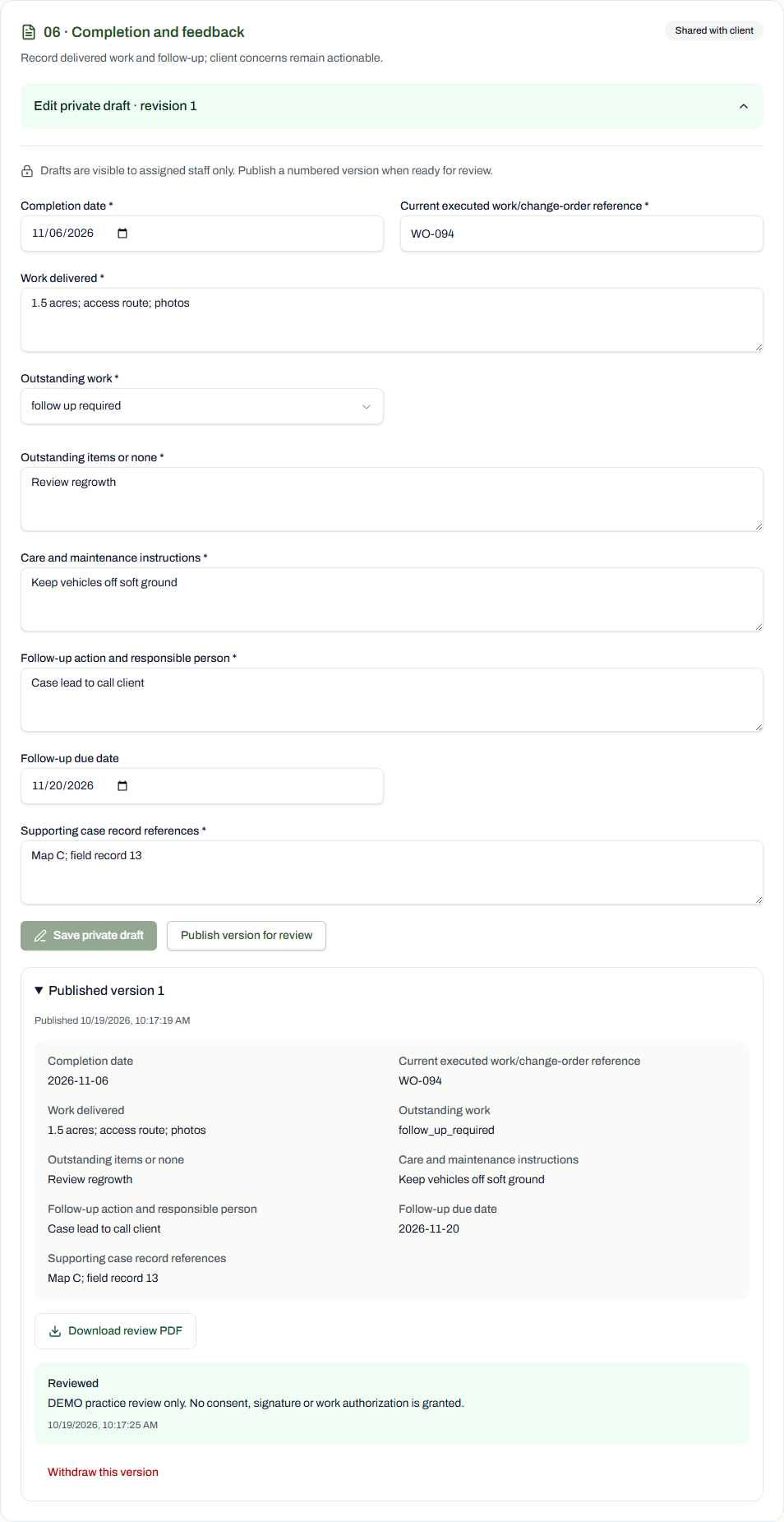
Jordan Ellis (DEMO) / TAS-2026-0094
44 / 90 · 6. Completion and billing records · Client
Shared fictional training version; the client review remains separate from signing. All approvals and execution evidence remain absent. Use Download review PDF to inspect the saved version.
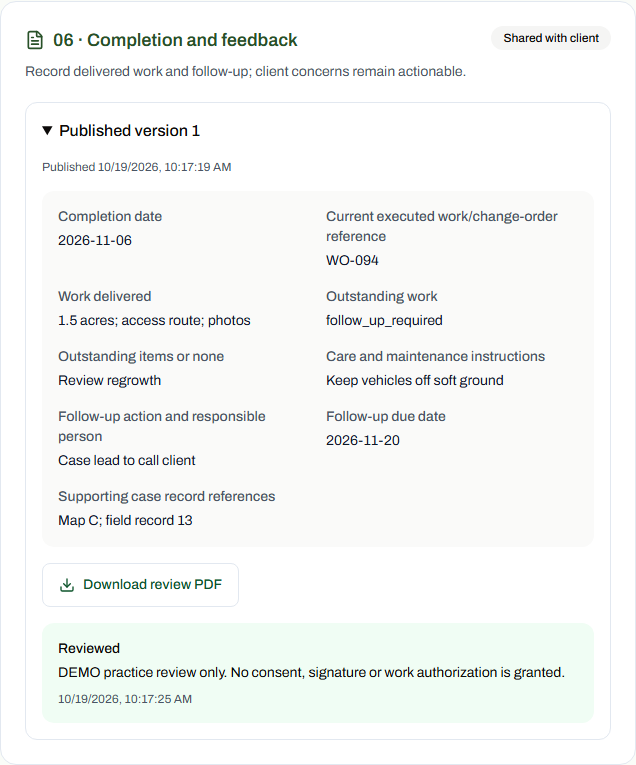
Jordan Ellis (DEMO) / TAS-2026-0094
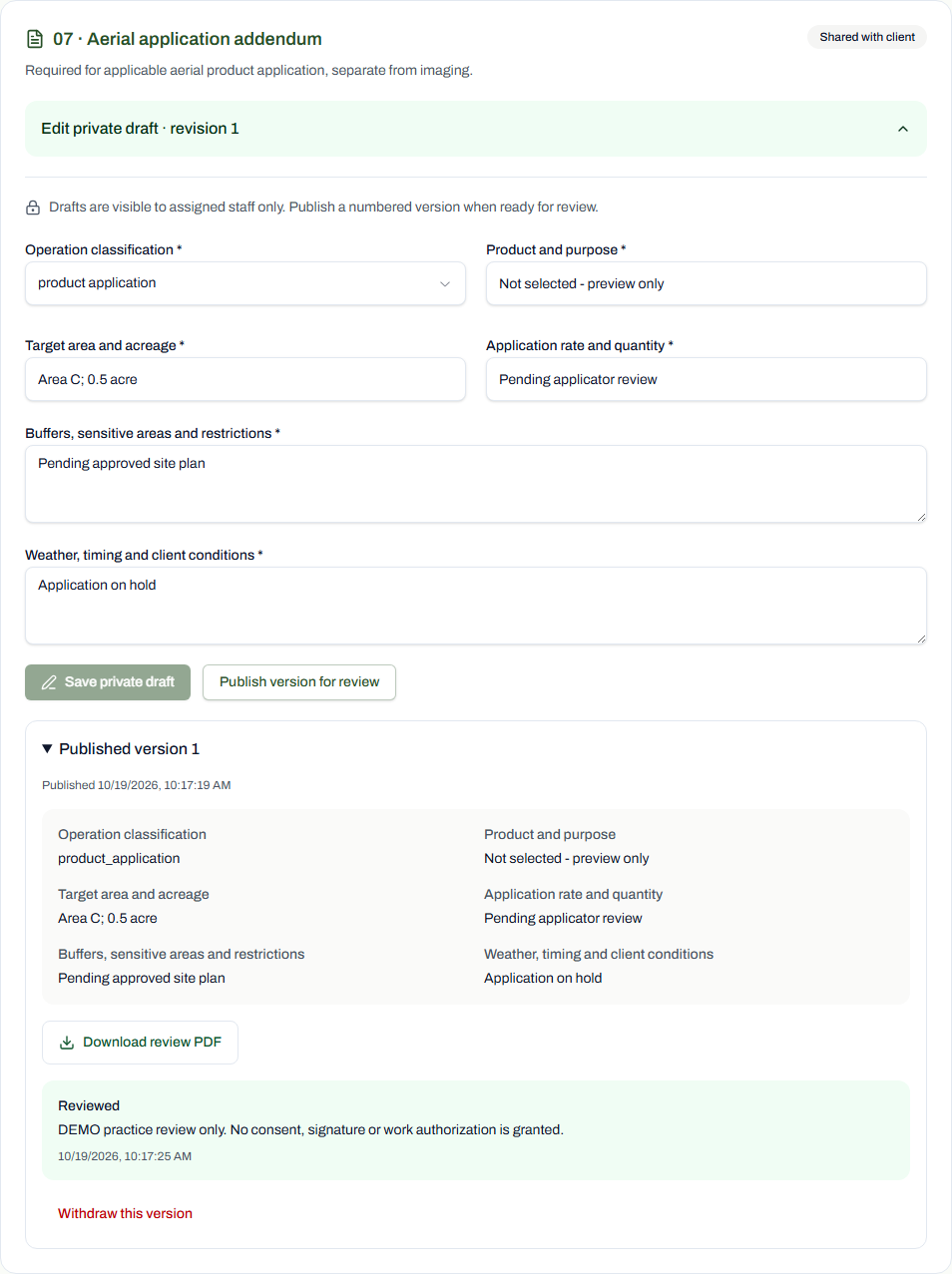
45 / 90 · 3. Agreements and required signatures · Staff
Shared fictional training version; the client review remains separate from signing. This is an optional or alternative branch, not evidence that it applies to the base trail-access scenario. All approvals and execution evidence remain absent. Use Download review PDF to inspect the saved version.
Jordan Ellis (DEMO) / TAS-2026-0094
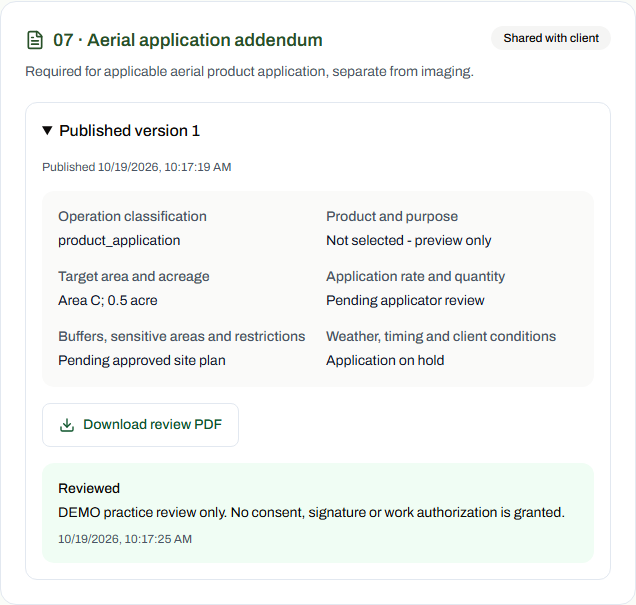
46 / 90 · 3. Agreements and required signatures · Client
Shared fictional training version; the client review remains separate from signing. This is an optional or alternative branch, not evidence that it applies to the base trail-access scenario. All approvals and execution evidence remain absent. Use Download review PDF to inspect the saved version.
Jordan Ellis (DEMO) / TAS-2026-0094
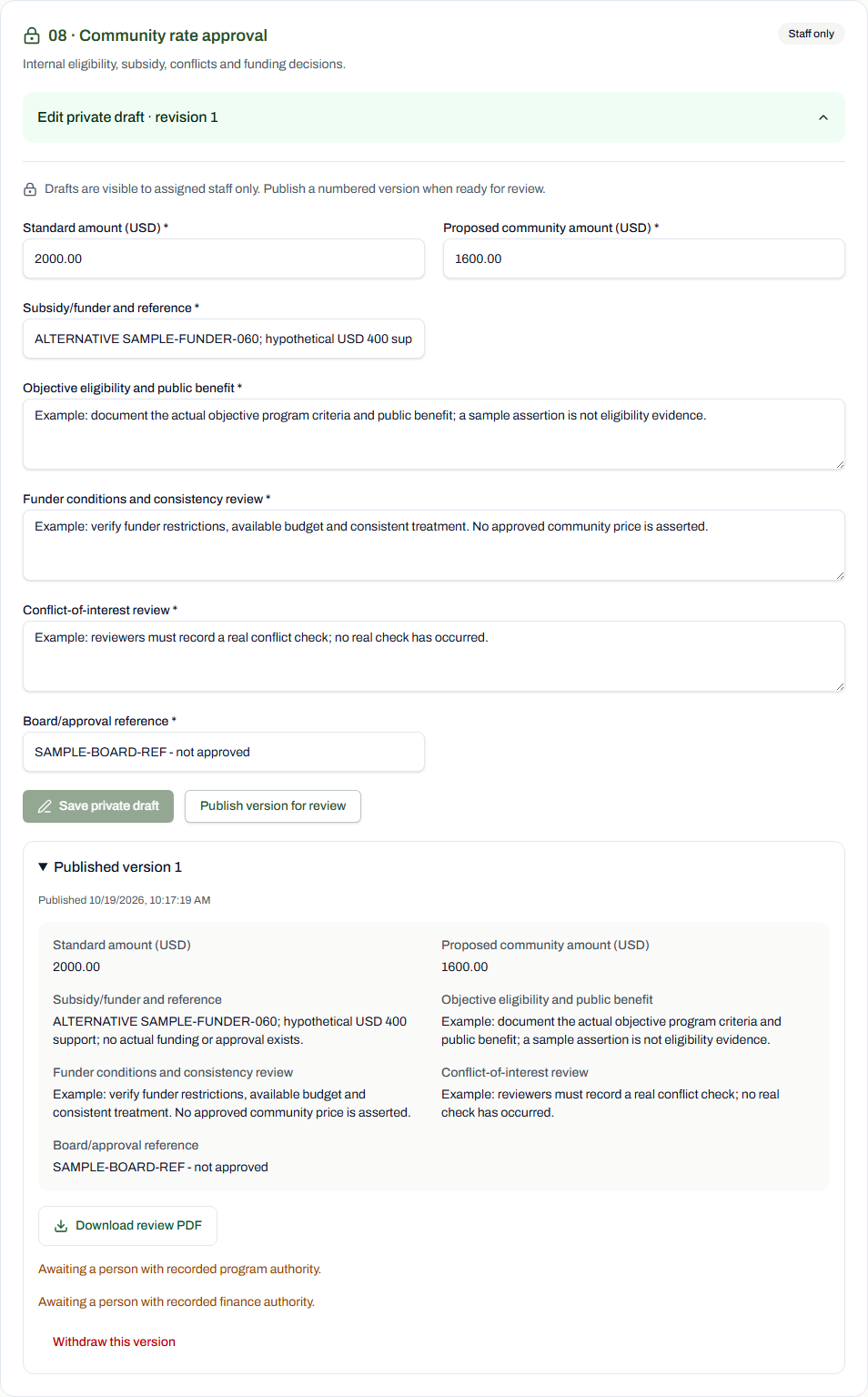
47 / 90 · Internal policy and pricing approvals · Staff
Staff-only training record. This is an optional or alternative branch, not evidence that it applies to the base trail-access scenario. All approvals and execution evidence remain absent. Use Download review PDF to inspect the saved version.
Jordan Ellis (DEMO) / TAS-2026-0094
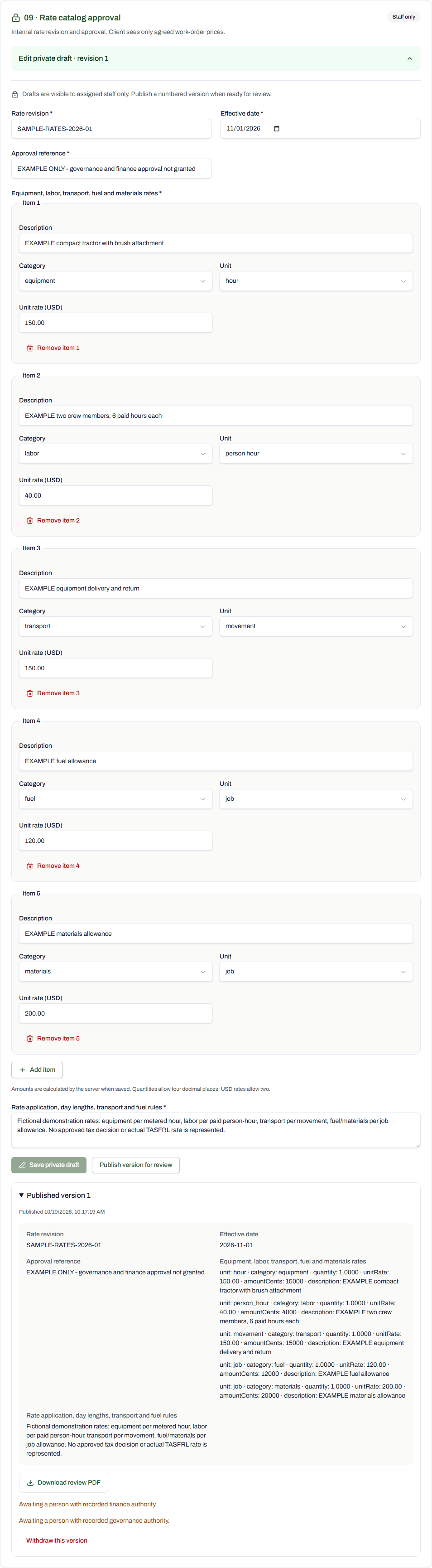
48 / 90 · Internal policy and pricing approvals · Staff
Staff-only training record. All approvals and execution evidence remain absent. Use Download review PDF to inspect the saved version.
Jordan Ellis (DEMO) / TAS-2026-0094
49 / 90 · 6. Completion and billing records · Staff
Shared fictional training version; the client review remains separate from signing. All approvals and execution evidence remain absent. Use Download review PDF to inspect the saved version.
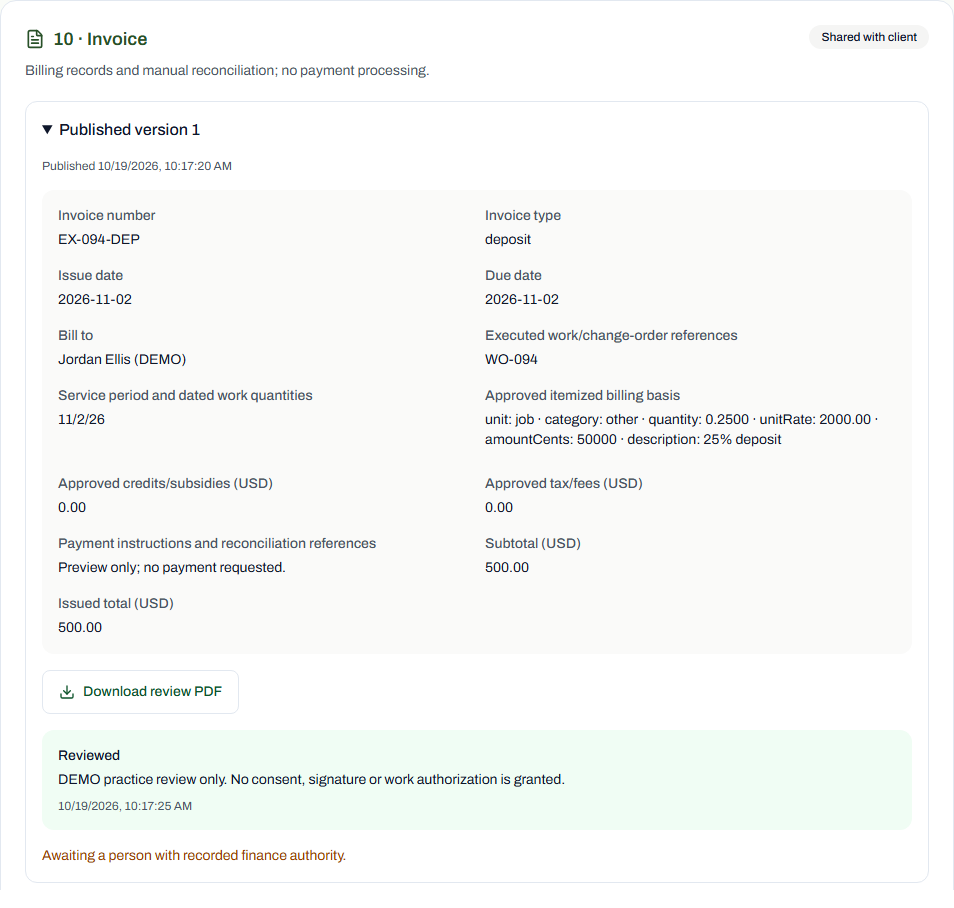
Jordan Ellis (DEMO) / TAS-2026-0094
50 / 90 · 6. Completion and billing records · Client
Shared fictional training version; the client review remains separate from signing. All approvals and execution evidence remain absent. Use Download review PDF to inspect the saved version.
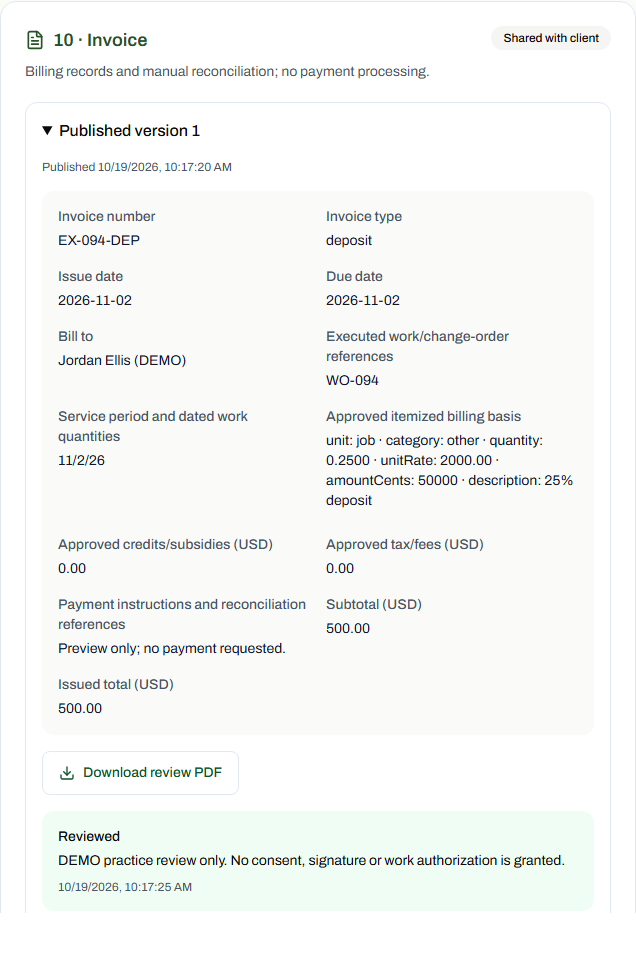
Jordan Ellis (DEMO) / TAS-2026-0094
51 / 90 · 4. Readiness and scheduling · Staff
Staff-only training record. All approvals and execution evidence remain absent. Use Download review PDF to inspect the saved version.

Jordan Ellis (DEMO) / TAS-2026-0094
52 / 90 · 4. Readiness and scheduling · Staff
Staff-only training record. This is an optional or alternative branch, not evidence that it applies to the base trail-access scenario. All approvals and execution evidence remain absent. Use Download review PDF to inspect the saved version.
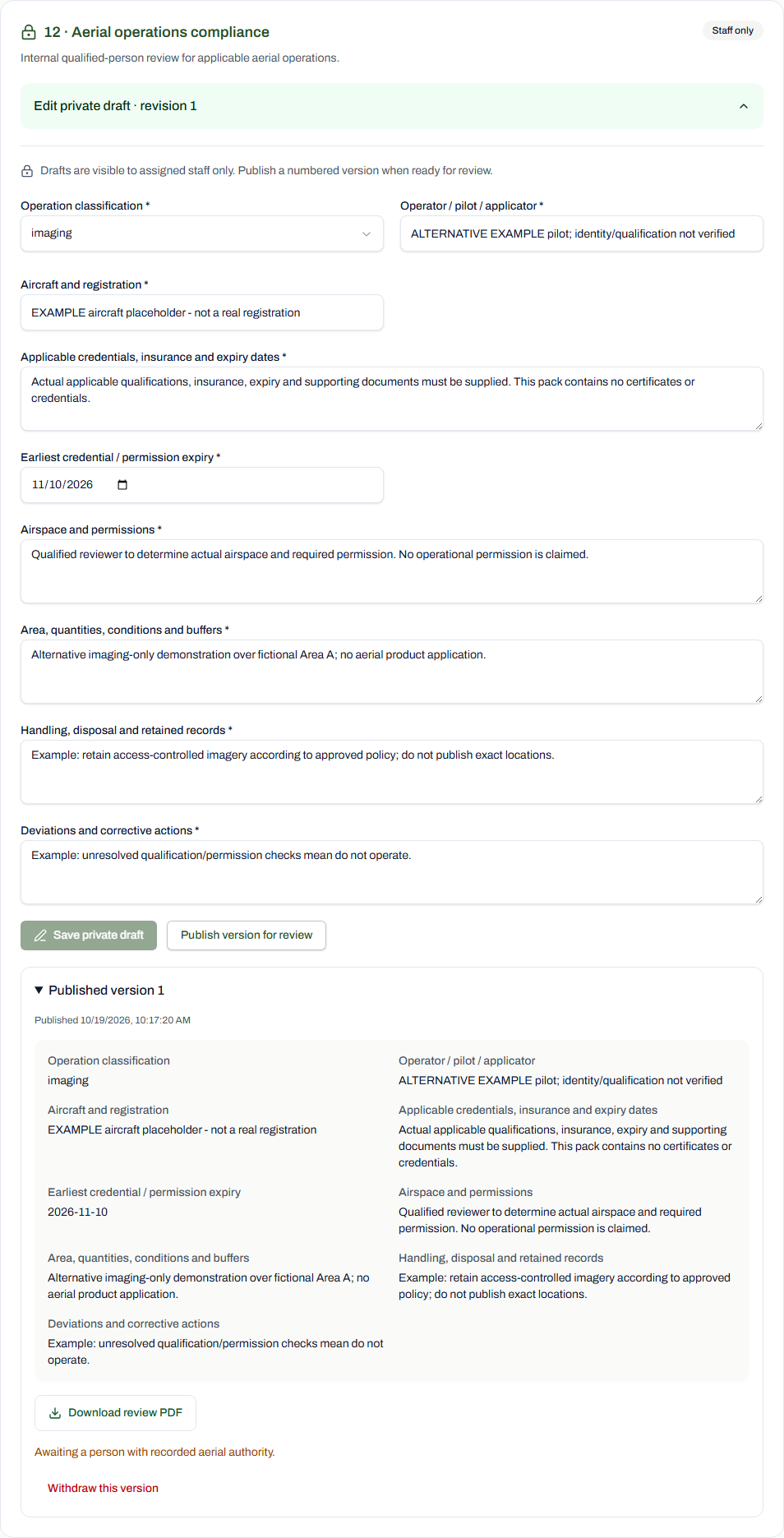
Jordan Ellis (DEMO) / TAS-2026-0094
53 / 90 · 5. Field work and changes · Staff
Staff-only training record. All approvals and execution evidence remain absent. Use Download review PDF to inspect the saved version.
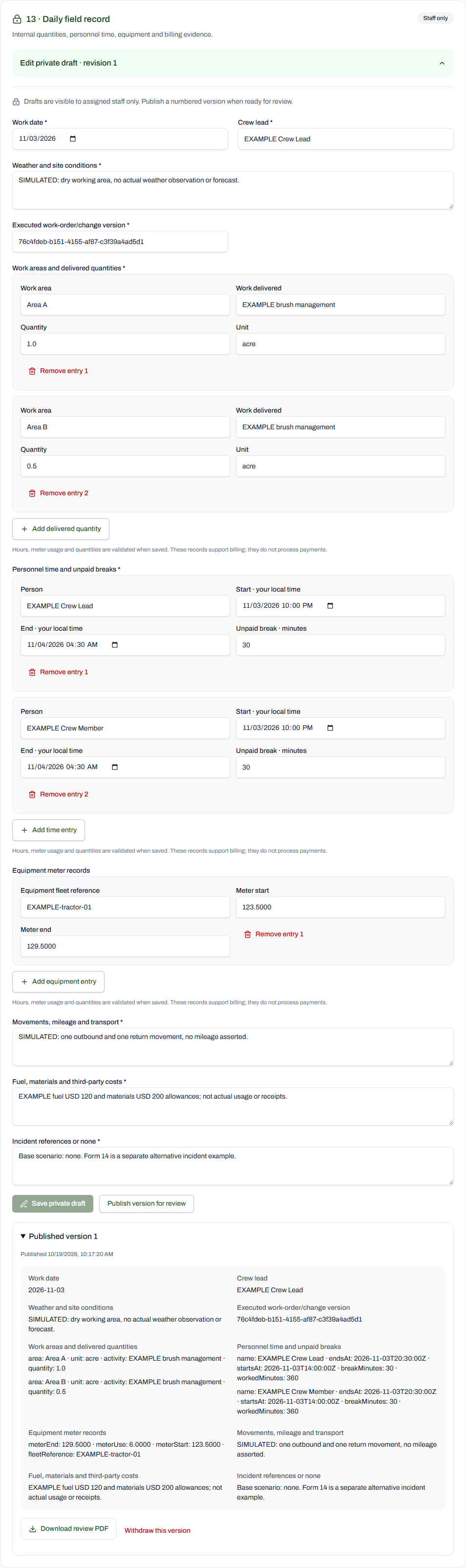
Jordan Ellis (DEMO) / TAS-2026-0094
54 / 90 · 5. Field work and changes · Staff
Staff-only training record. This is an optional or alternative branch, not evidence that it applies to the base trail-access scenario. All approvals and execution evidence remain absent. Use Download review PDF to inspect the saved version.
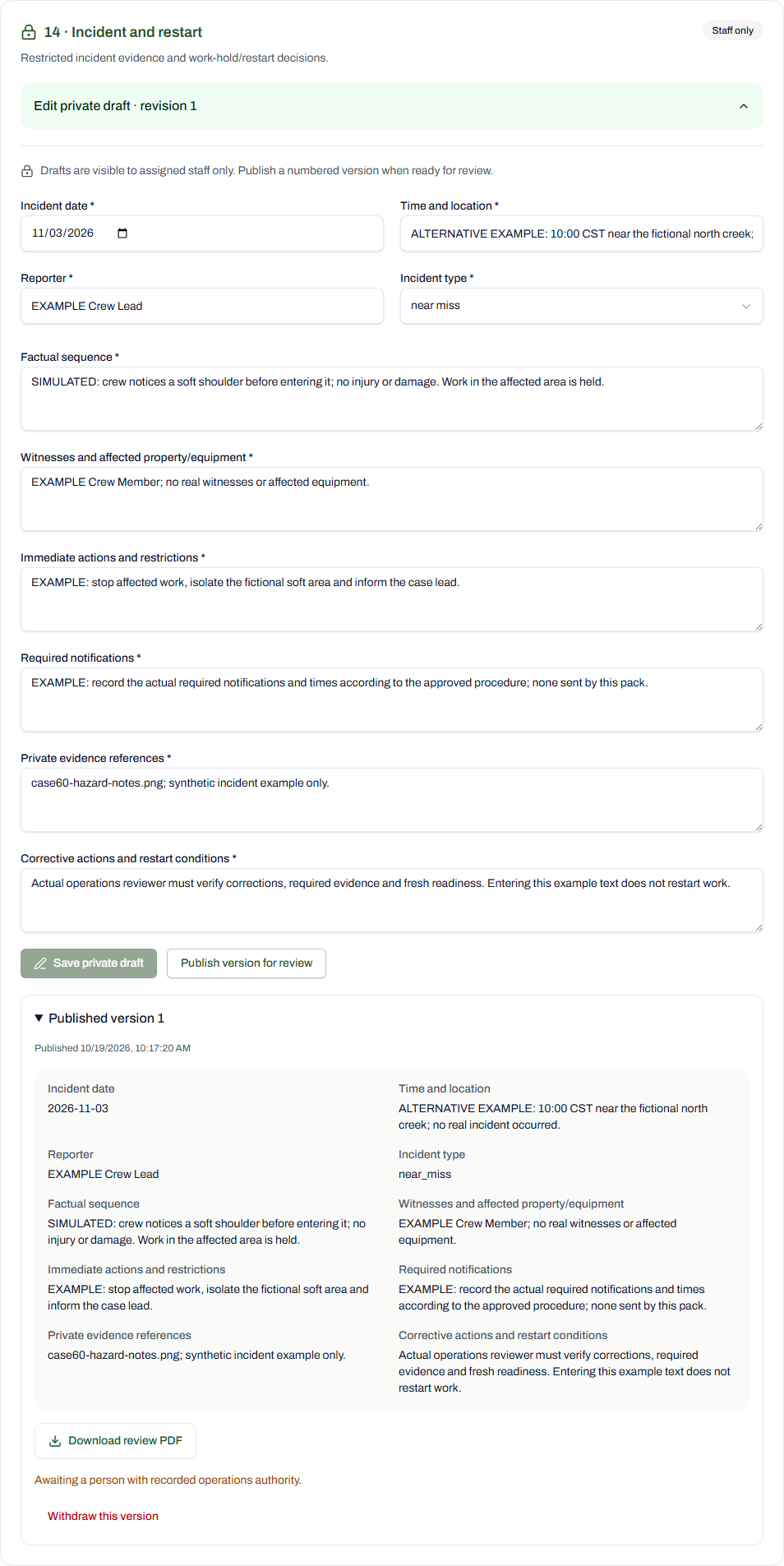
Jordan Ellis (DEMO) / TAS-2026-0094
55 / 90 · Optional media permissions · Staff
Shared fictional training version; the client review remains separate from signing. This is an optional or alternative branch, not evidence that it applies to the base trail-access scenario. All approvals and execution evidence remain absent. Use Download review PDF to inspect the saved version.
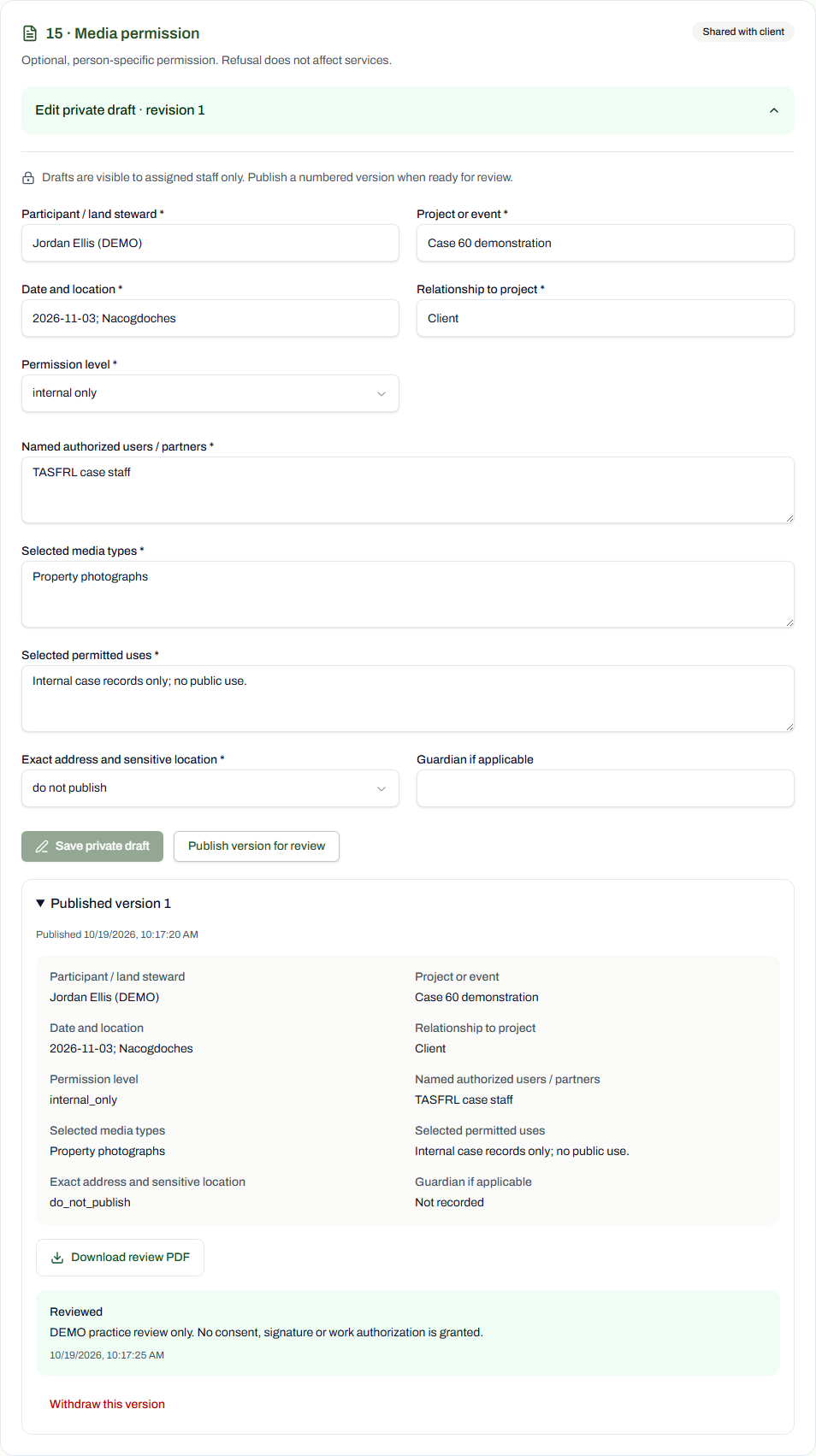
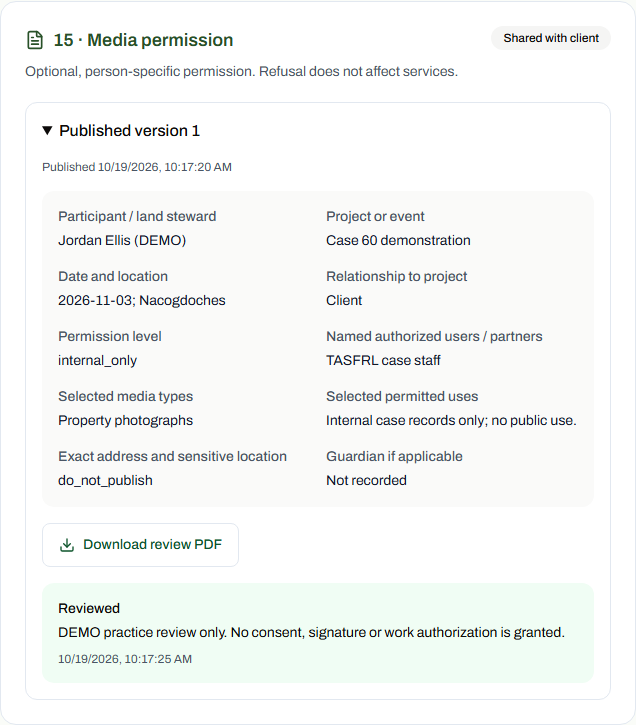
Jordan Ellis (DEMO) / TAS-2026-0094
56 / 90 · Optional media permissions · Client
Shared fictional training version; the client review remains separate from signing. This is an optional or alternative branch, not evidence that it applies to the base trail-access scenario. All approvals and execution evidence remain absent. Use Download review PDF to inspect the saved version.
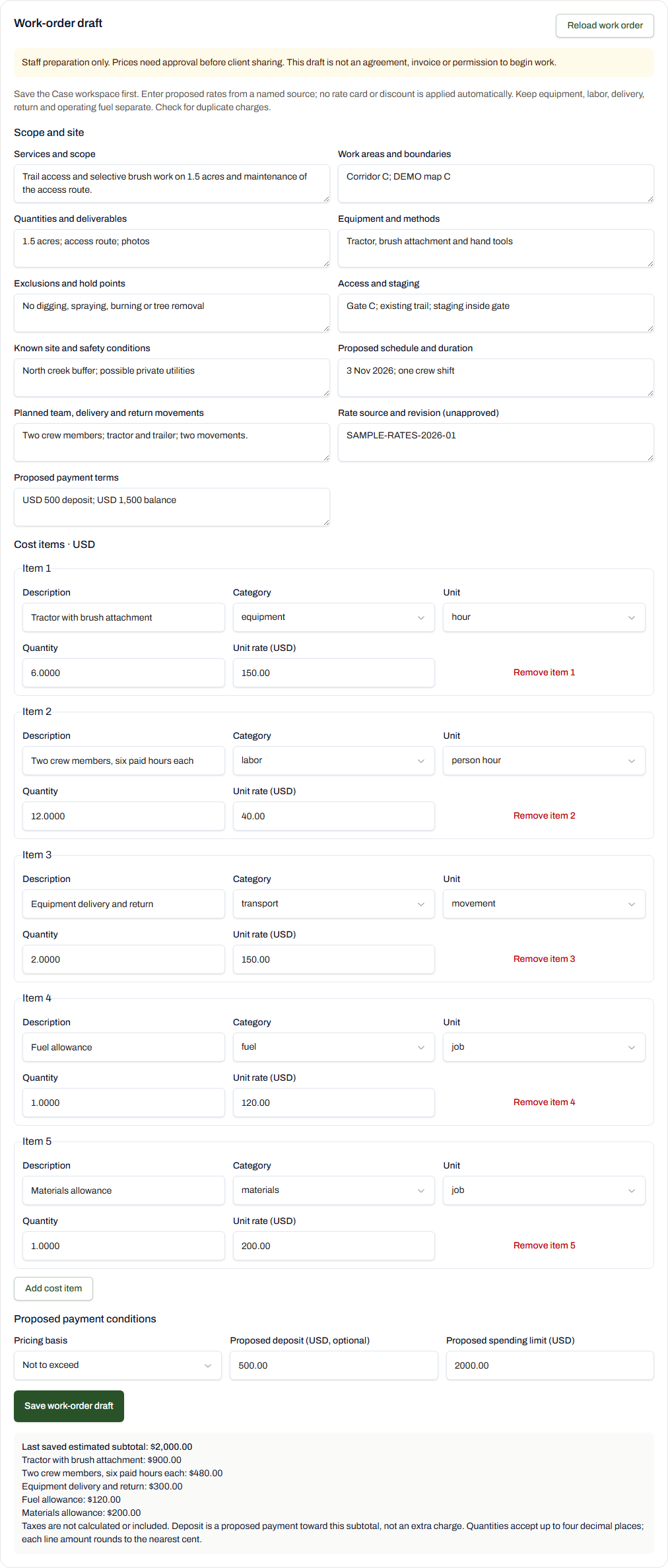
Jordan Ellis (DEMO) / TAS-2026-0094
57 / 90 · Scope and costs · Staff
Staff prepare the case scope and itemized costs with the shared TASFRL controls. Saving a draft does not publish prices, approve work or record payment. The tour reads the existing saved training draft without saving changes.
Jordan Ellis (DEMO) / TAS-2026-0094
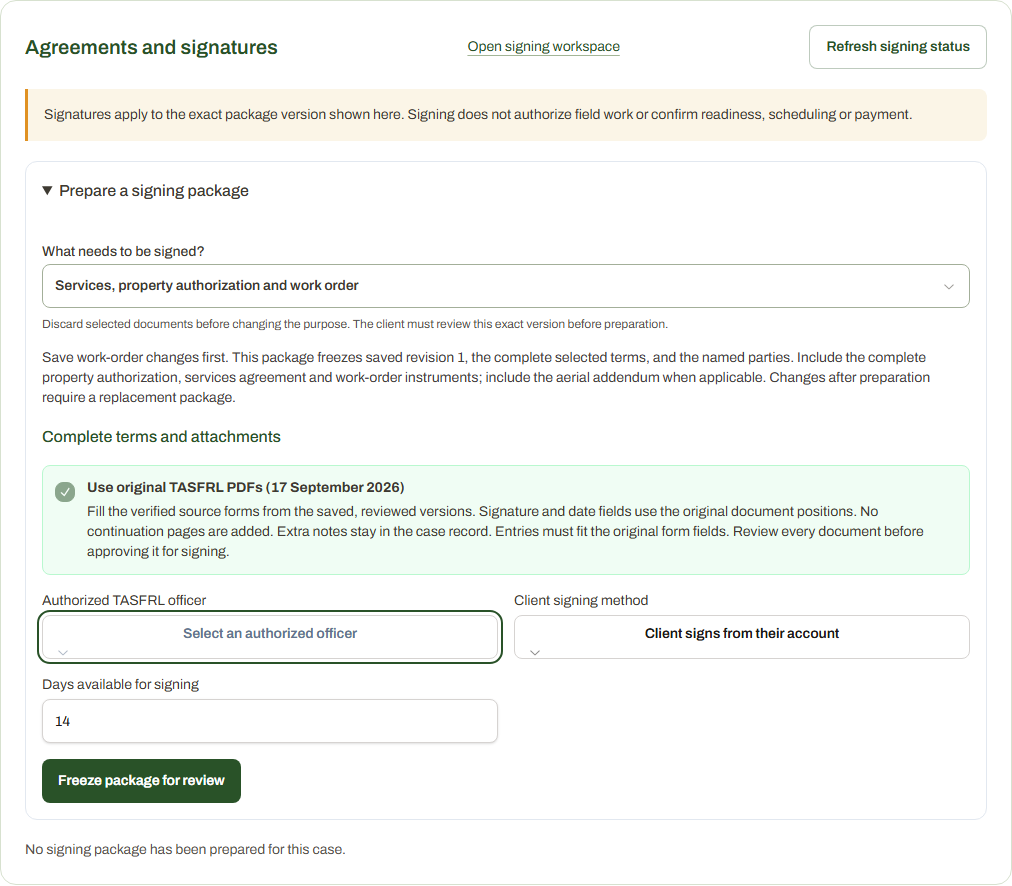
58 / 90 · Agreements and signatures · Staff
Production electronic signing is enabled under approved policy TASFRL-LMS-ESIGN-20261023-v1. Zulzidan and Joseph are available as authorized officers until 21 January 2027, 23:59 Asia/Makassar; choose one officer per package. This registered DEMO case remains unsigned and cannot prepare or dispatch a real execution. No package, signature or work authorization was created.
This step shows an actual blocked or unavailable state. No execution or authorization is implied.
Jordan Ellis (DEMO) / TAS-2026-0094
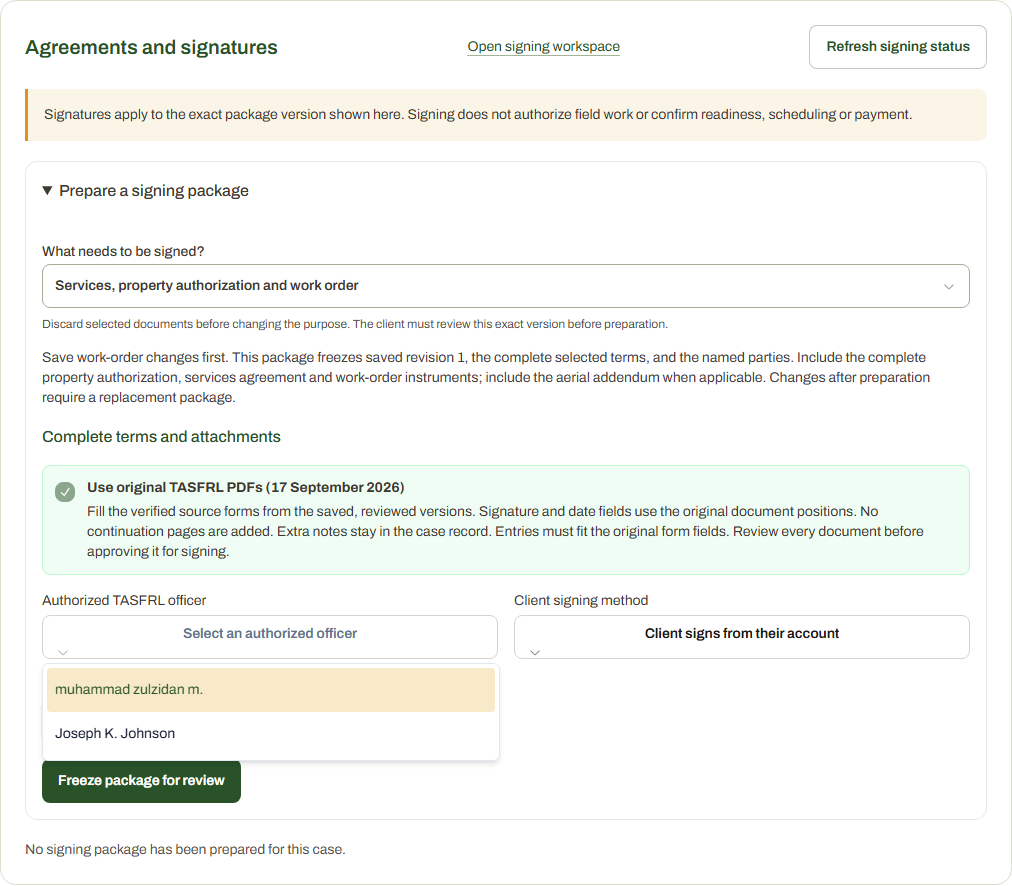
59 / 90 · Agreements and signatures · Staff
The current production officer selector offers Zulzidan and Joseph. Their recorded authority expires on 21 January 2027 at 23:59 Asia/Makassar. Each real package selects one officer. This is an unsubmitted selector in a registered DEMO case; no officer was assigned to a package and no signature or operational authorization was created.
Jordan Ellis (DEMO) / TAS-2026-0094
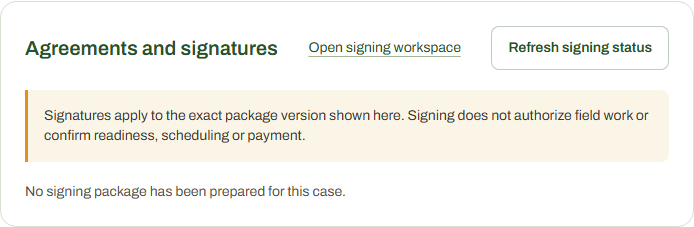
60 / 90 · Agreements and signatures · Client
Production electronic signing is enabled. In a real eligible case, the client reviews the exact saved document and completes explicit signing consent before the chosen officer countersigns. This DEMO case has no signing package and cannot create real signatures or grant property access or work authorization.
This step shows an actual blocked or unavailable state. No execution or authorization is implied.
Jordan Ellis (DEMO) / TAS-2026-0094
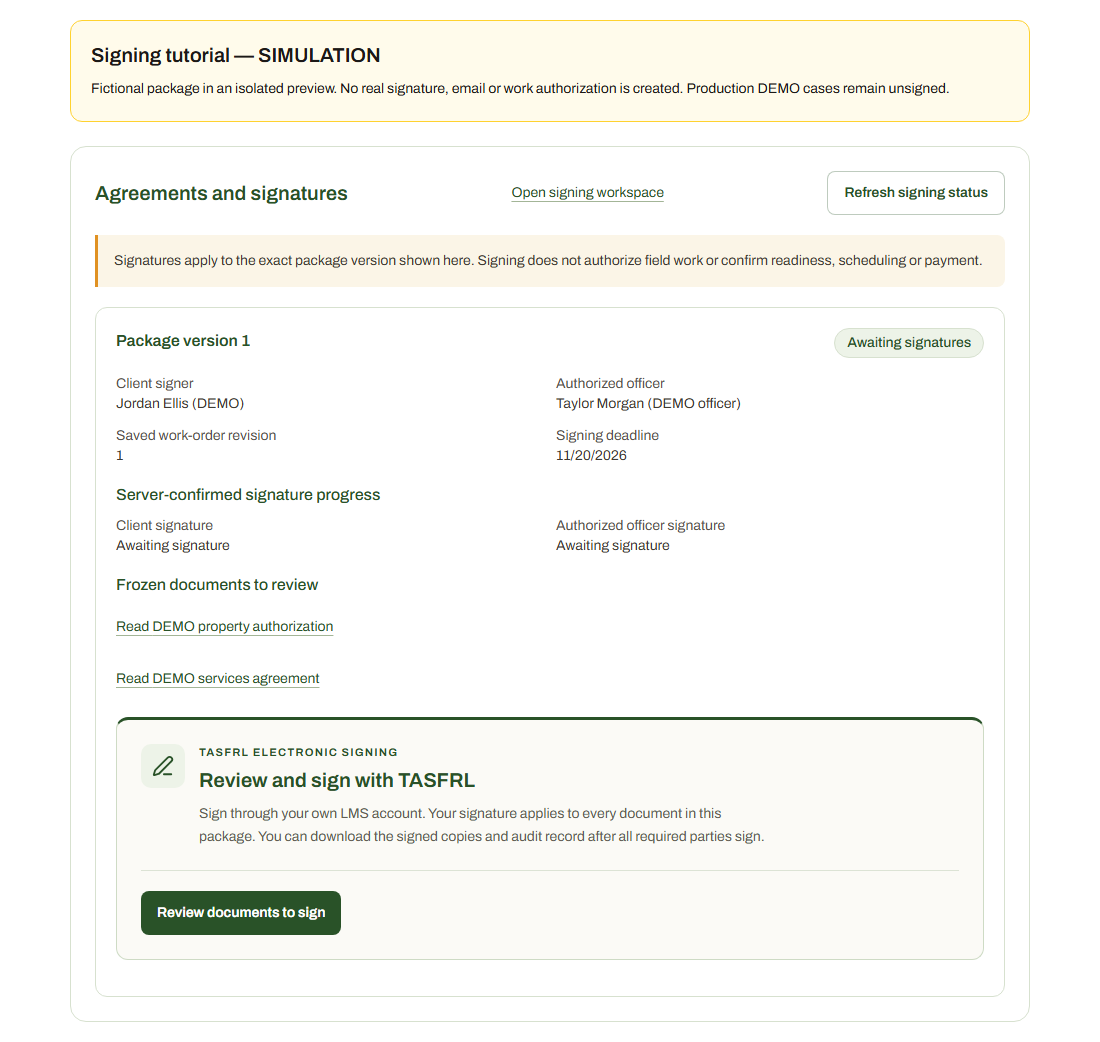
61 / 90 · Signing tutorial (simulation) · Client (simulated)
SIMULATION: In your own verified account, open My cases, select your case, then Signing. Staff must first prepare, approve and send the package. Choose Review documents to sign. This fictional preview represents that available state; cases 93 and 94 have no signing packages.
Jordan Ellis (DEMO) / TAS-2026-0094
62 / 90 · Signing tutorial (simulation) · Client (simulated)
SIMULATION: Use each Read link to download and read the exact documents. Check I have read only after reviewing each one. Stop and ask your case lead about changes before signing; Cancel signing exits without recording a signature. The preview acknowledgements are simulated.
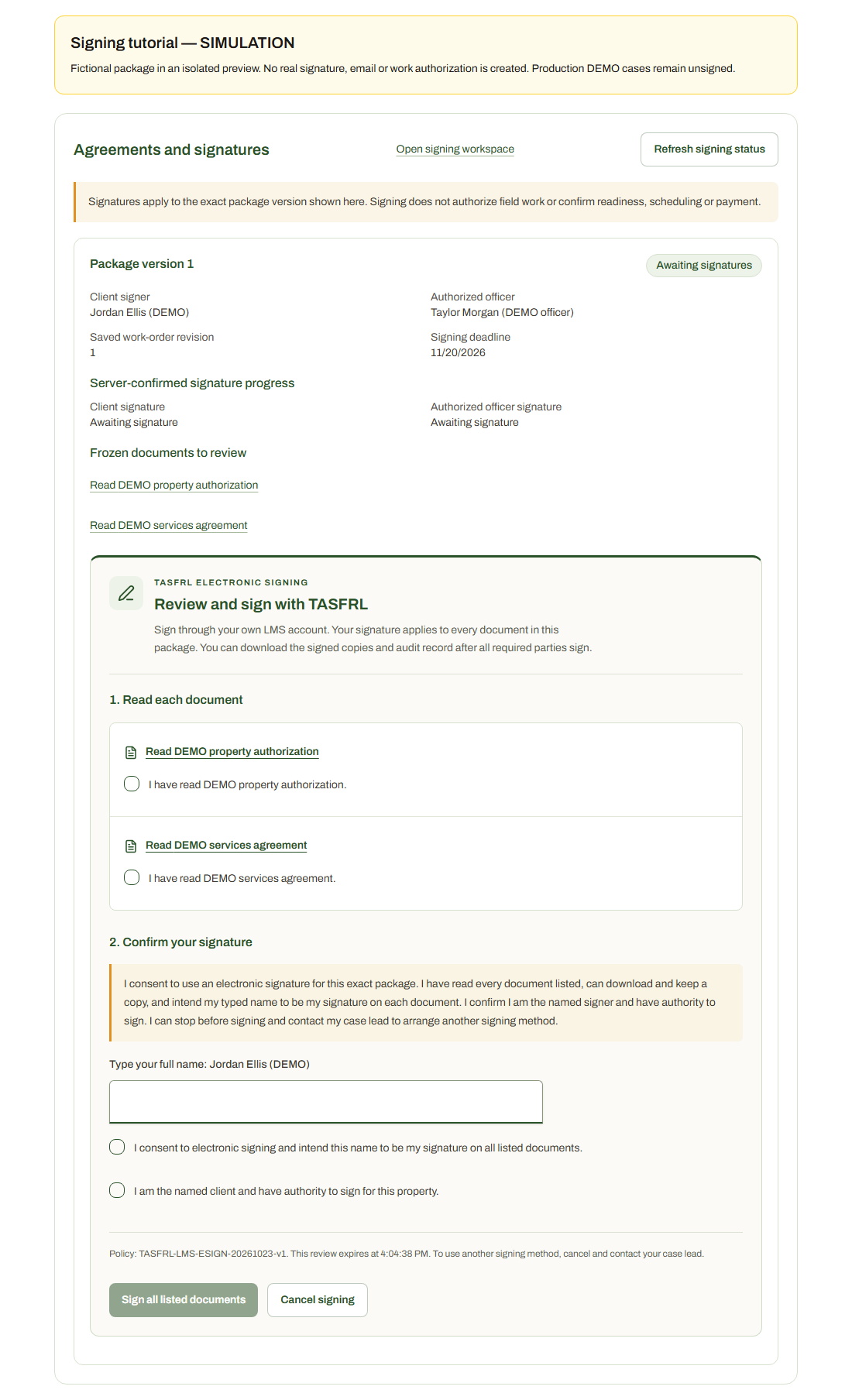
Jordan Ellis (DEMO) / TAS-2026-0094
63 / 90 · Signing tutorial (simulation) · Client (simulated)
SIMULATION: Type the full name displayed for your named signing account. The currently approved built-in flow uses a typed name; a drawing is not required. Do not sign from another person's account. This example uses a fictional DEMO identity.
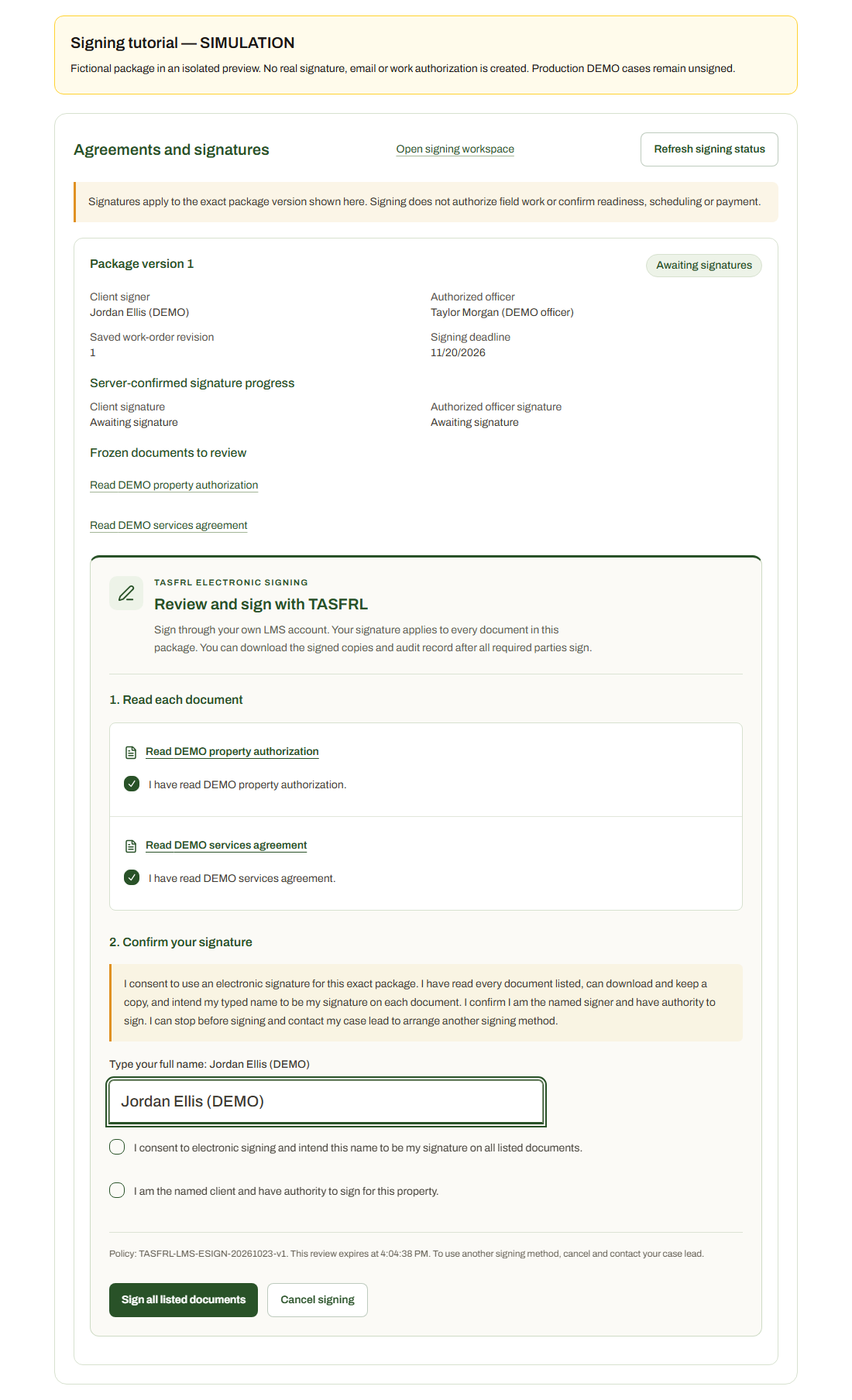
Jordan Ellis (DEMO) / TAS-2026-0094
64 / 90 · Signing tutorial (simulation) · Client (simulated)
SIMULATION: Read the disclosure. Confirm electronic-signing consent and that you are the named client with authority for the property. When the documents, name and confirmations are correct, choose Sign all listed documents. This signs every document in the package. The button here submits only to the isolated simulation.
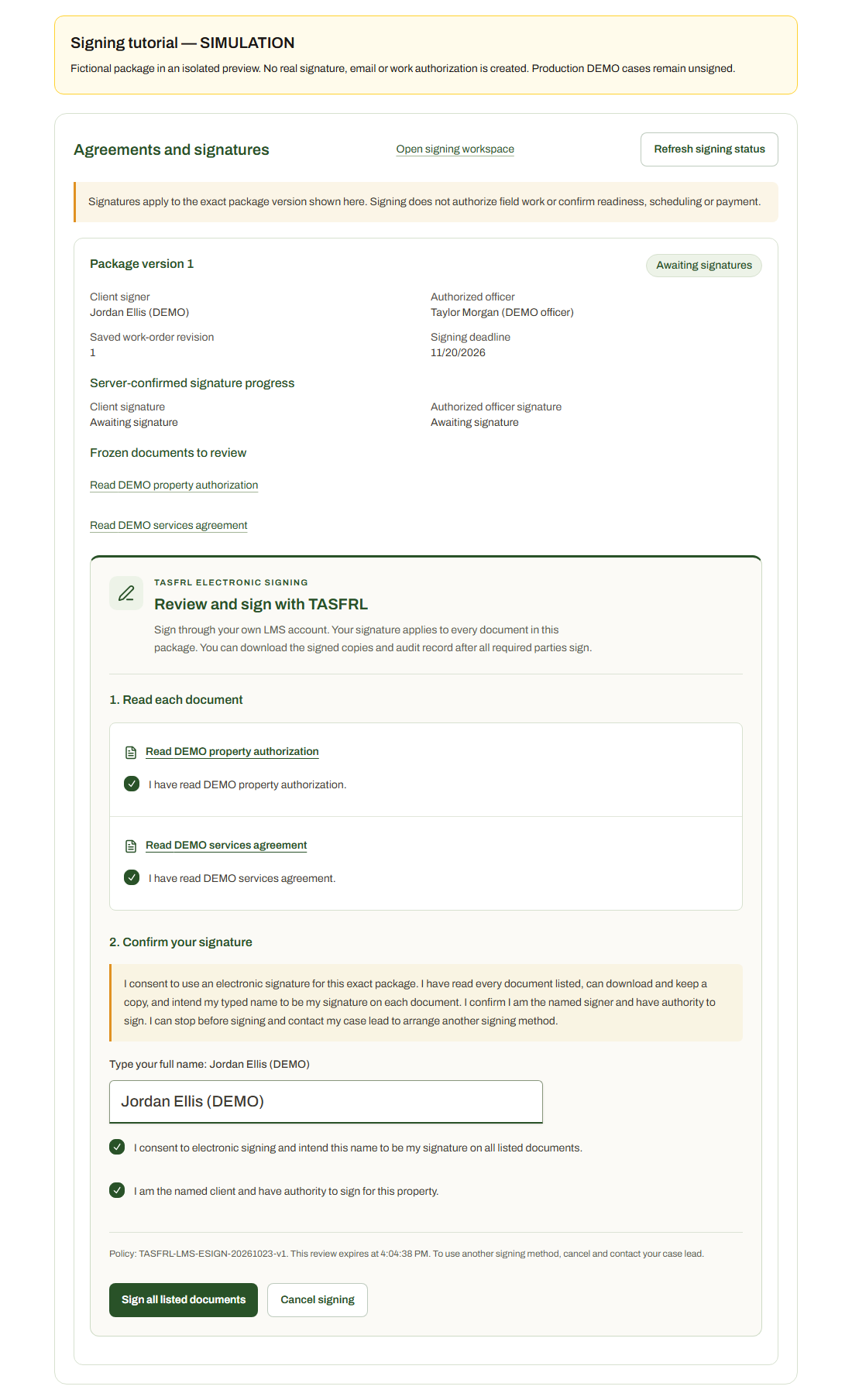
Jordan Ellis (DEMO) / TAS-2026-0094
65 / 90 · Signing tutorial (simulation) · Client (simulated)
SIMULATION: After submission, check the signature progress returned by the server. A real package waits for any required additional participants and then its named officer. A confirmation screen alone does not authorize field work. This is a mocked successful client response, not a retained signature.
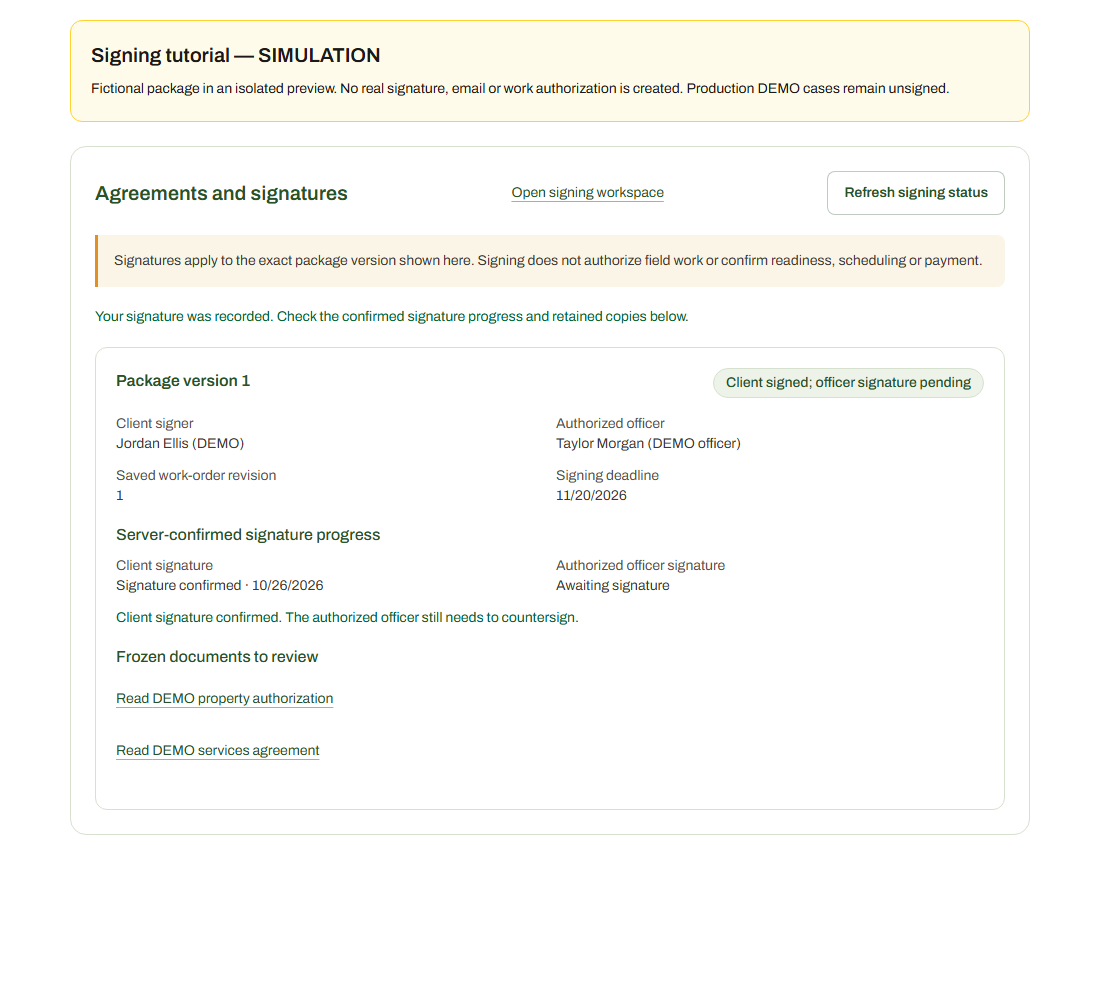
Jordan Ellis (DEMO) / TAS-2026-0094
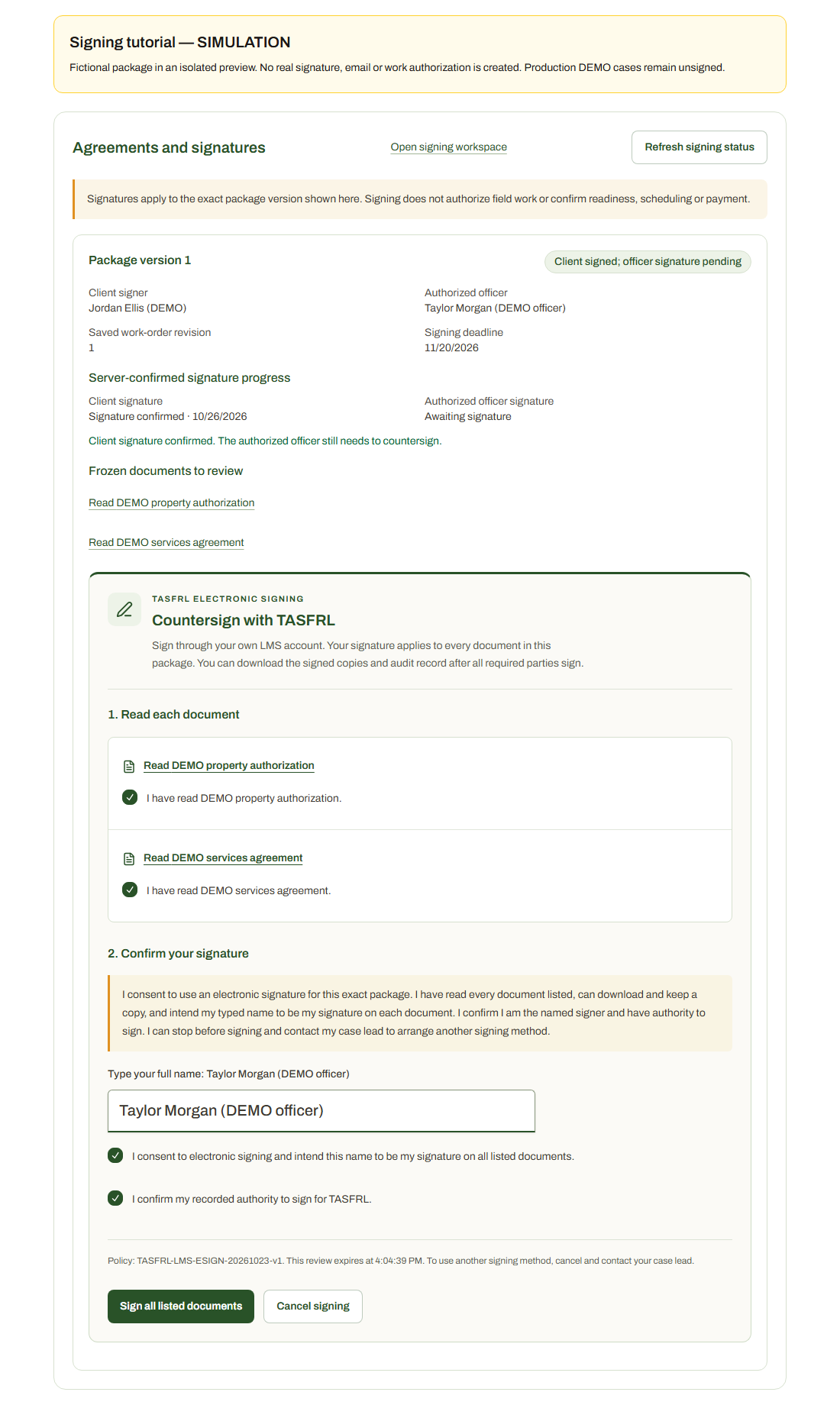
66 / 90 · Signing tutorial (simulation) · Officer (simulated)
SIMULATION: The selected authorized officer signs last through their own verified account, reviewing the same package and confirming current recorded authority. Additional required participants sign before the officer. This preview uses a fictional officer and simulates the step; it does not appoint an officer or grant authority.
Jordan Ellis (DEMO) / TAS-2026-0094
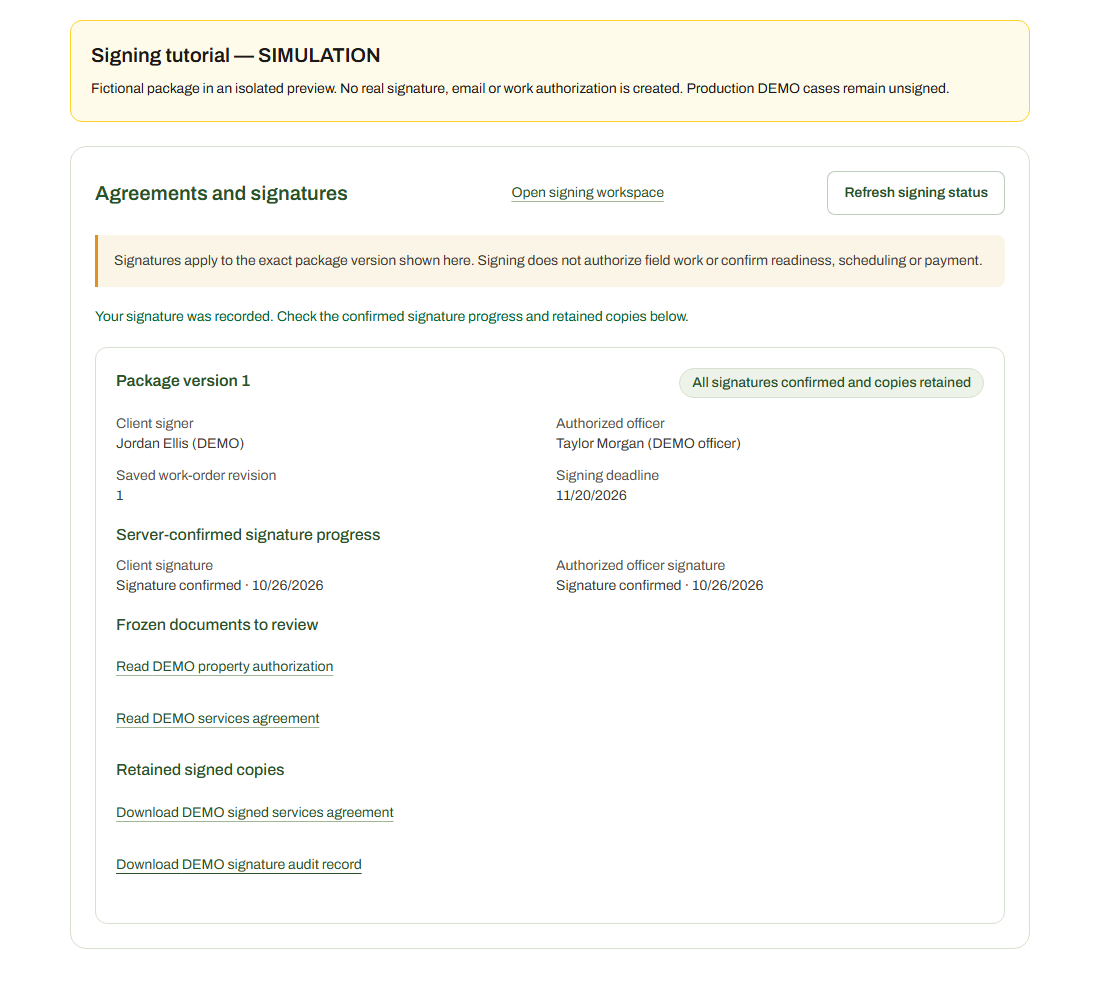
67 / 90 · Signing tutorial (simulation) · Officer (simulated)
SIMULATION: After all required signatures are confirmed and archiving succeeds, use Retained signed copies to download the signed PDFs and audit record. If copies are still being saved, check again or contact staff. These links and completion states are simulated; no signed files were created for Alex or Jordan. Signing remains separate from work release.
Jordan Ellis (DEMO) / TAS-2026-0094
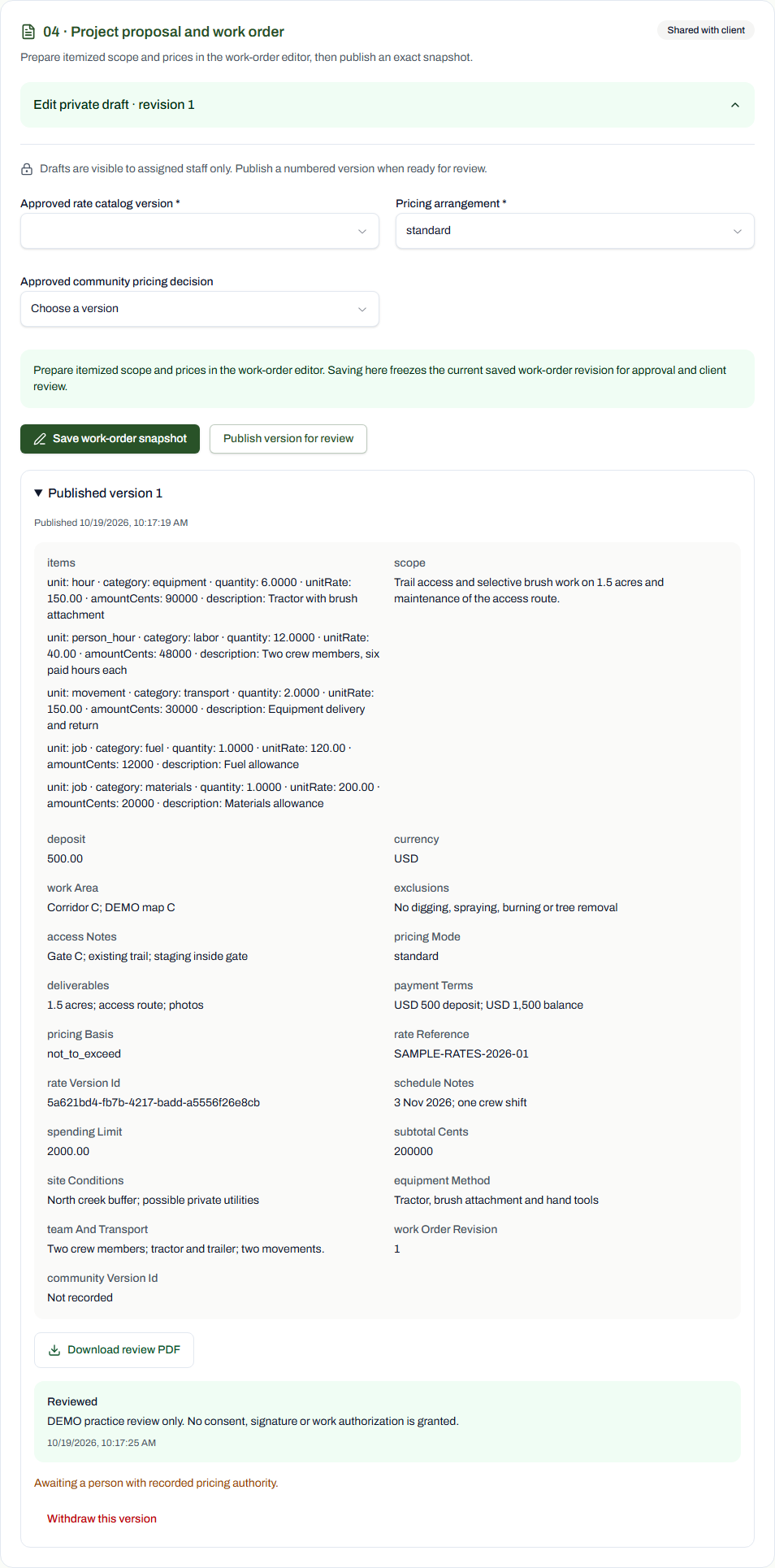
68 / 90 · PDF export · Staff
Download review PDF exports this exact saved Form 04 version into the original TASFRL form. Original form pages are retained; no continuation page is added. DEMO exports are labelled as fictional and unsigned.
Jordan Ellis (DEMO) / TAS-2026-0094
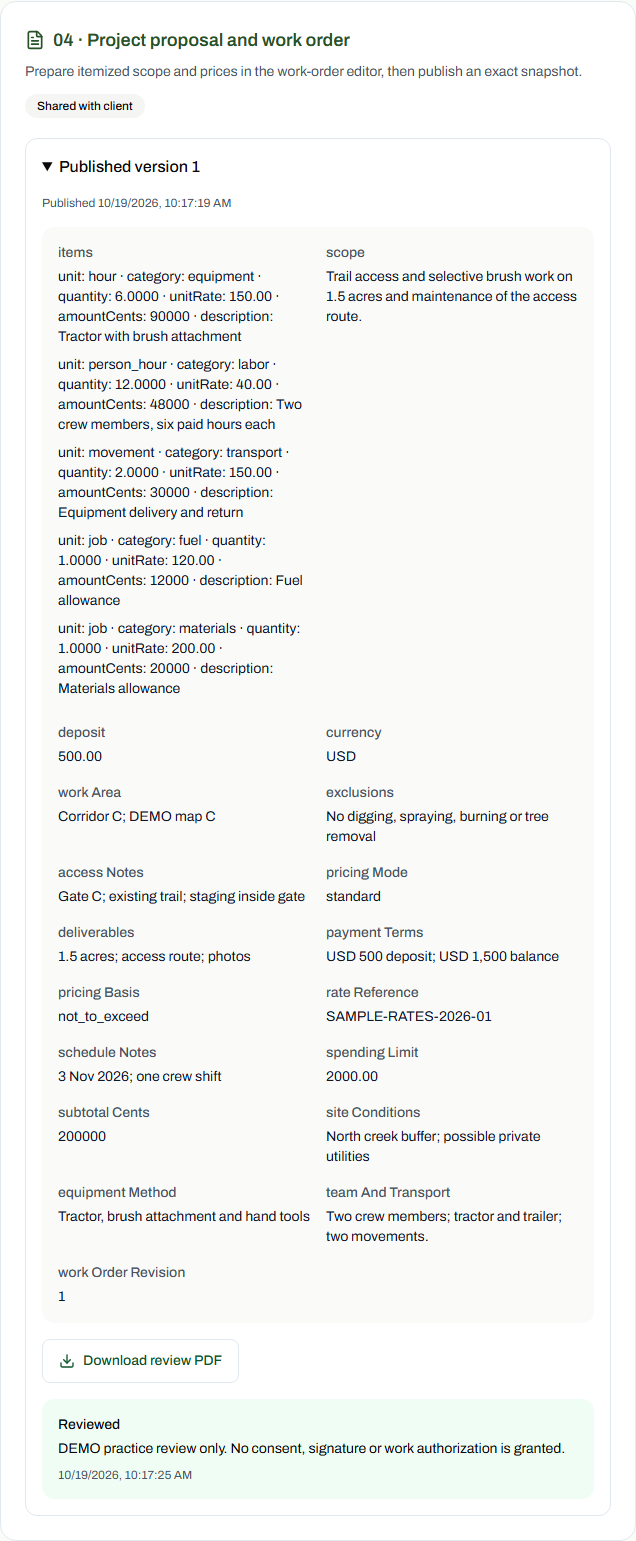
69 / 90 · PDF export · Client
Download review PDF exports this exact saved Form 04 version into the original TASFRL form. Original form pages are retained; no continuation page is added. DEMO exports are labelled as fictional and unsigned.
Jordan Ellis (DEMO) / TAS-2026-0094
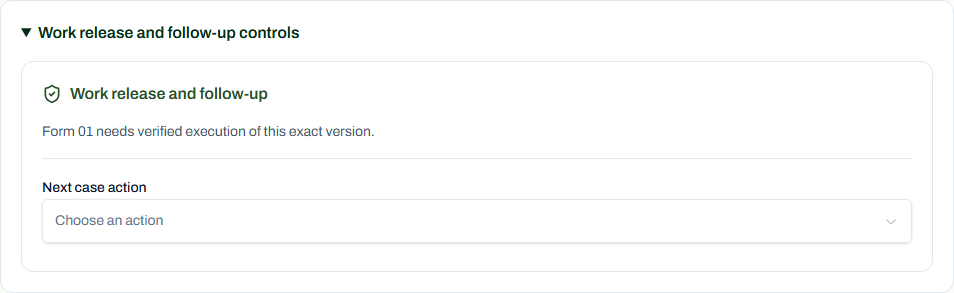
70 / 90 · Readiness · Staff
The original agreements, approvals, actual site evidence, deposit reconciliation and readiness decisions are not completed. The demo cannot release work.
This step shows an actual blocked or unavailable state. No execution or authorization is implied.
Jordan Ellis (DEMO) / TAS-2026-0094
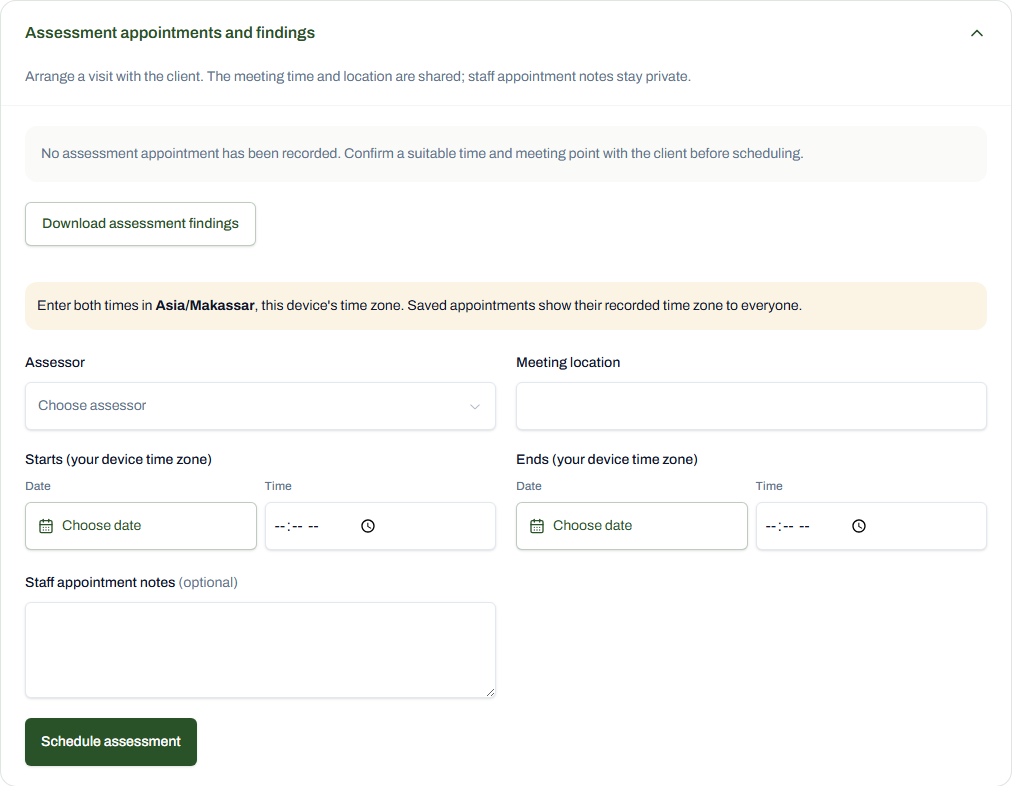
71 / 90 · Arrangements and evidence · Staff
The current staff visit controls use shared selectors and date/time pickers. Meeting time and location are shared with the client; staff appointment notes stay private. No appointment was scheduled in this registered DEMO case.
This step shows an actual blocked or unavailable state. No execution or authorization is implied.
Jordan Ellis (DEMO) / TAS-2026-0094
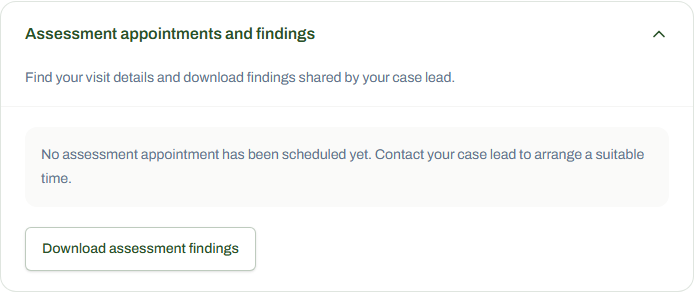
72 / 90 · Arrangements and evidence · Client
Clients can see shared visit details and findings without staff scheduling or private notes. This DEMO case has no scheduled appointment.
This step shows an actual blocked or unavailable state. No execution or authorization is implied.
Jordan Ellis (DEMO) / TAS-2026-0094
73 / 90 · Arrangements and evidence · Staff
Case participants and their reviewed authority are separate from the global officer roster and case assignment. Production officer grants are recorded for Zulzidan and Joseph; no participant mandate, signature or access/work permission was created for this DEMO case.
This step shows an actual blocked or unavailable state. No execution or authorization is implied.

Jordan Ellis (DEMO) / TAS-2026-0094
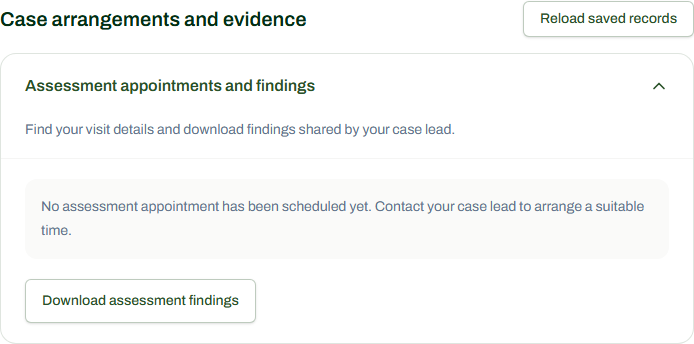
74 / 90 · Arrangements and evidence · Client
Case participants and their reviewed authority are separate from the global officer roster and case assignment. Production officer grants are recorded for Zulzidan and Joseph; no participant mandate, signature or access/work permission was created for this DEMO case. No participant controls are shown to this client because there are no corresponding shared records; staff-only controls stay private.
This step shows an actual blocked or unavailable state. No execution or authorization is implied.
Jordan Ellis (DEMO) / TAS-2026-0094
75 / 90 · Arrangements and evidence · Staff
Media permissions require specific evidence and approvals. The demo creates no publication permission.
This step shows an actual blocked or unavailable state. No execution or authorization is implied.
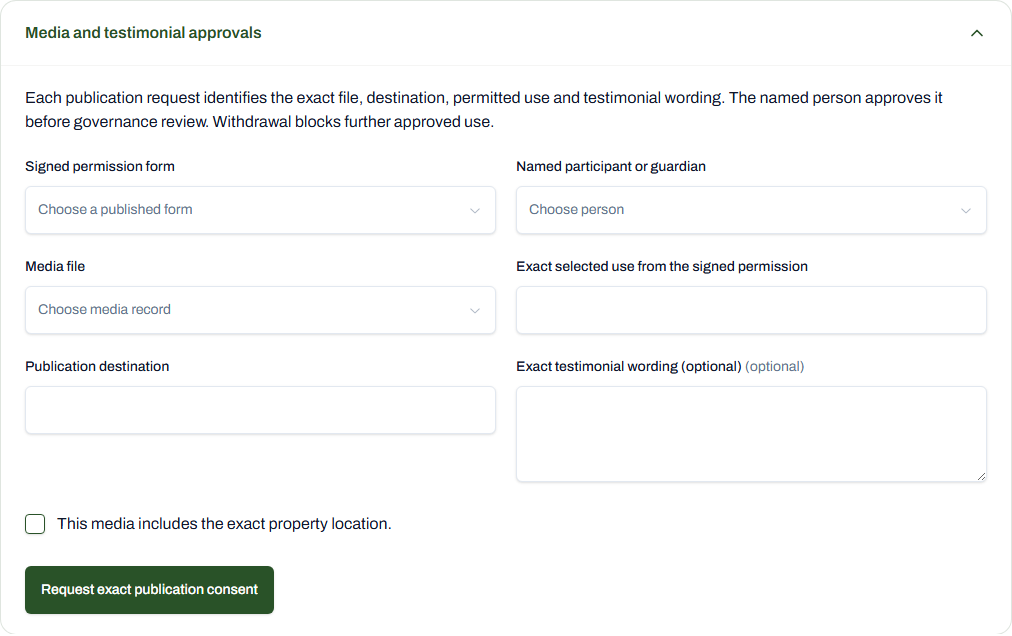
Jordan Ellis (DEMO) / TAS-2026-0094
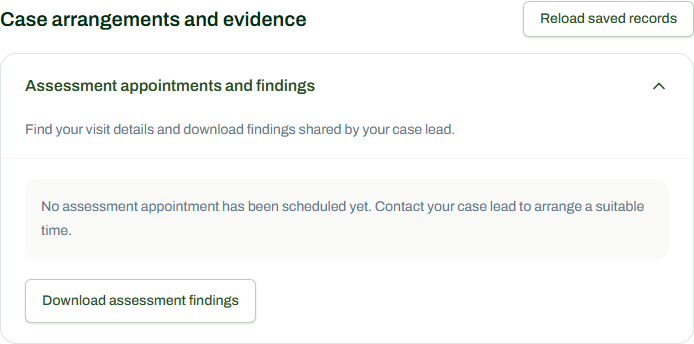
76 / 90 · Arrangements and evidence · Client
No media publication consent or permission exists in this DEMO case. No media controls are shown to this client because there are no corresponding shared records; staff-only controls stay private.
This step shows an actual blocked or unavailable state. No execution or authorization is implied.
Jordan Ellis (DEMO) / TAS-2026-0094
77 / 90 · Field-work branch · Staff
These are real saved training forms and controls, viewed from an assessment-stage demo case. No field work was started, completed or accepted; no debt, payment or receipt was created.
This step shows an actual blocked or unavailable state. No execution or authorization is implied.

Jordan Ellis (DEMO) / TAS-2026-0094
78 / 90 · Field-work branch · Client
These are real saved training forms and controls, viewed from an assessment-stage demo case. No field work was started, completed or accepted; no debt, payment or receipt was created.
This step shows an actual blocked or unavailable state. No execution or authorization is implied.
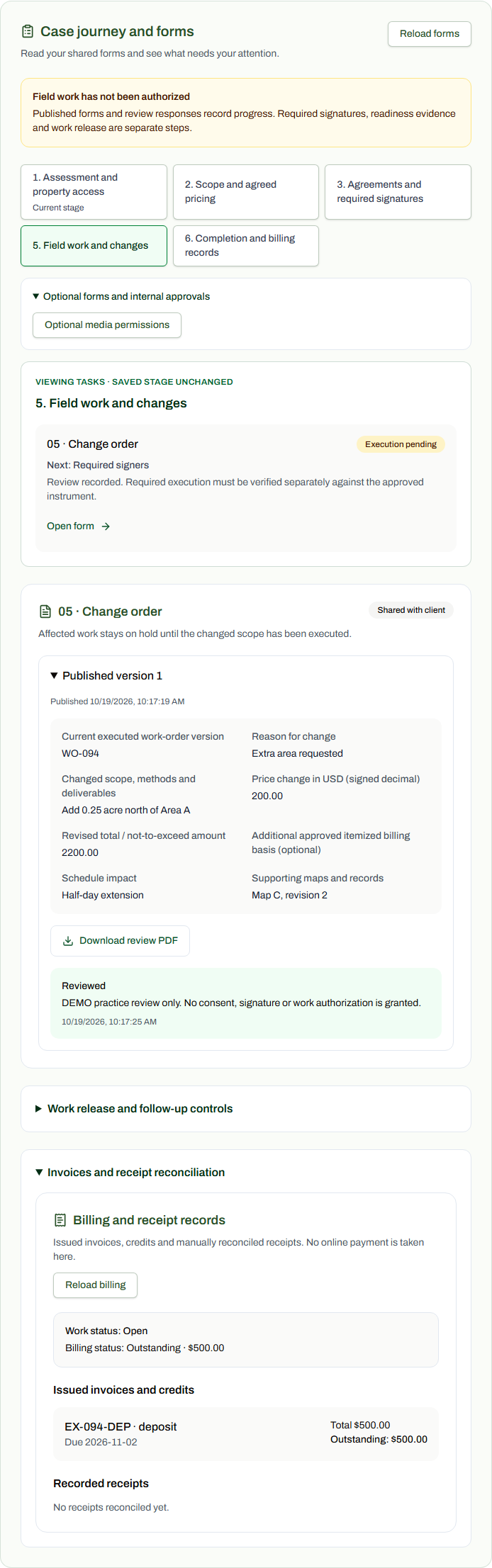
Jordan Ellis (DEMO) / TAS-2026-0094
79 / 90 · Completion and billing · Staff
These are real saved training forms and controls, viewed from an assessment-stage demo case. No field work was started, completed or accepted; no debt, payment or receipt was created.
This step shows an actual blocked or unavailable state. No execution or authorization is implied.
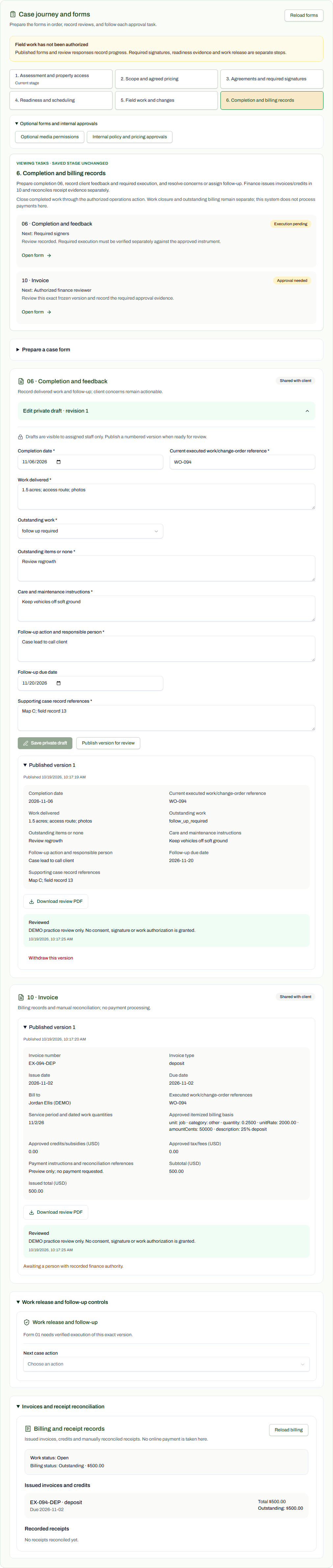
Jordan Ellis (DEMO) / TAS-2026-0094
80 / 90 · Completion and billing · Client
These are real saved training forms and controls, viewed from an assessment-stage demo case. No field work was started, completed or accepted; no debt, payment or receipt was created.
This step shows an actual blocked or unavailable state. No execution or authorization is implied.
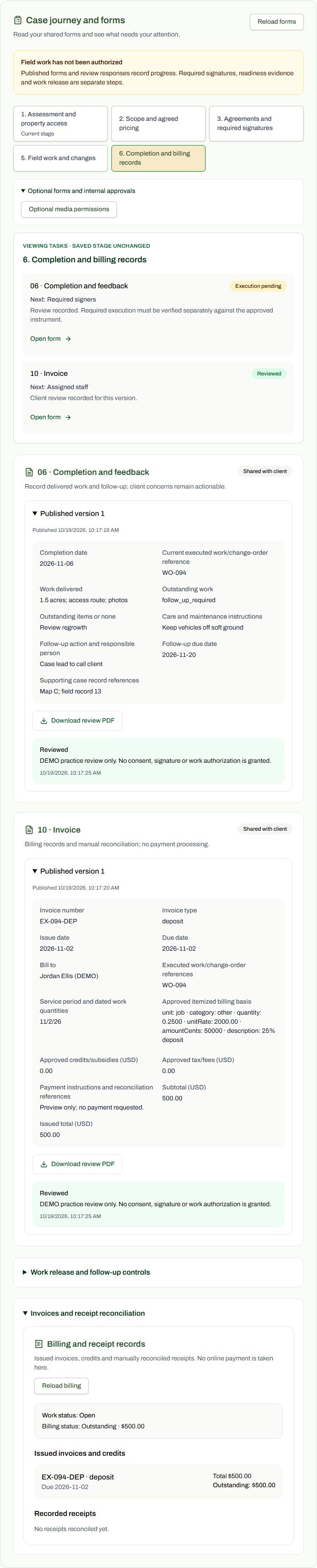
Jordan Ellis (DEMO) / TAS-2026-0094
81 / 90 · Original TASFRL PDF views · PDF export
Rendered from the actual production download for Jordan's saved Form 01, version 1. Client fields name Jordan Ellis and the request belongs to TAS-2026-0094. The original page count is preserved; all pages are marked DEMO and signatures are blank. Optional instruments are training alternatives.
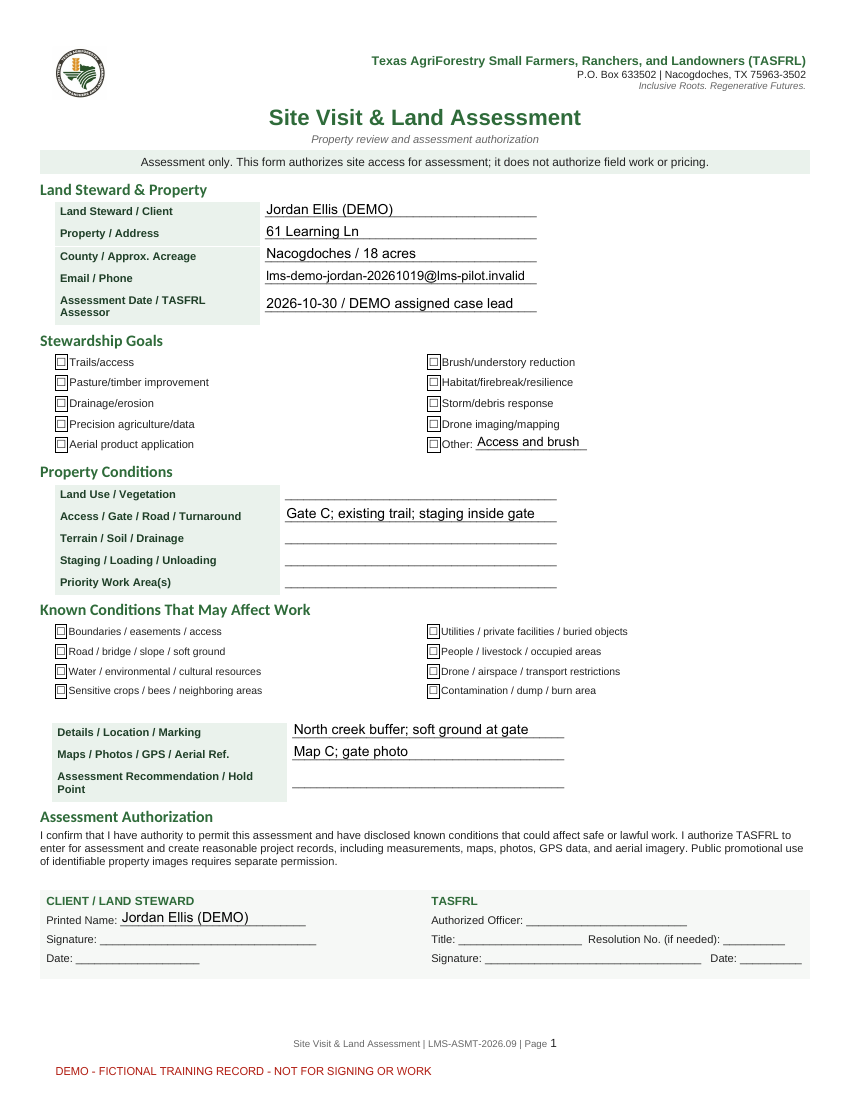
Jordan Ellis (DEMO) / TAS-2026-0094
82 / 90 · Original TASFRL PDF views · PDF export
Rendered from the actual production download for Jordan's saved Form 02, version 1. Client fields name Jordan Ellis and the request belongs to TAS-2026-0094. The original page count is preserved; all pages are marked DEMO and signatures are blank. Optional instruments are training alternatives.
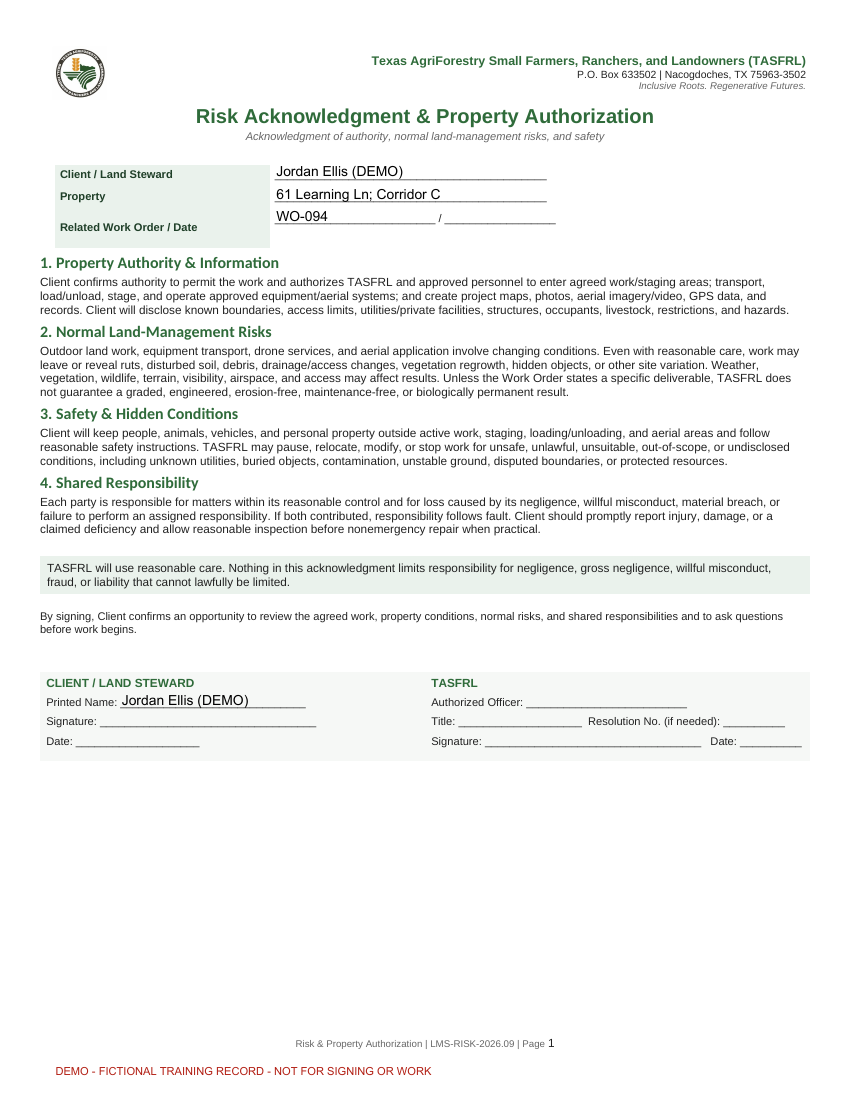
Jordan Ellis (DEMO) / TAS-2026-0094
83 / 90 · Original TASFRL PDF views · PDF export
Rendered from the actual production download for Jordan's saved Form 03, version 1. Client fields name Jordan Ellis and the request belongs to TAS-2026-0094. The original page count is preserved; all pages are marked DEMO and signatures are blank. Optional instruments are training alternatives.
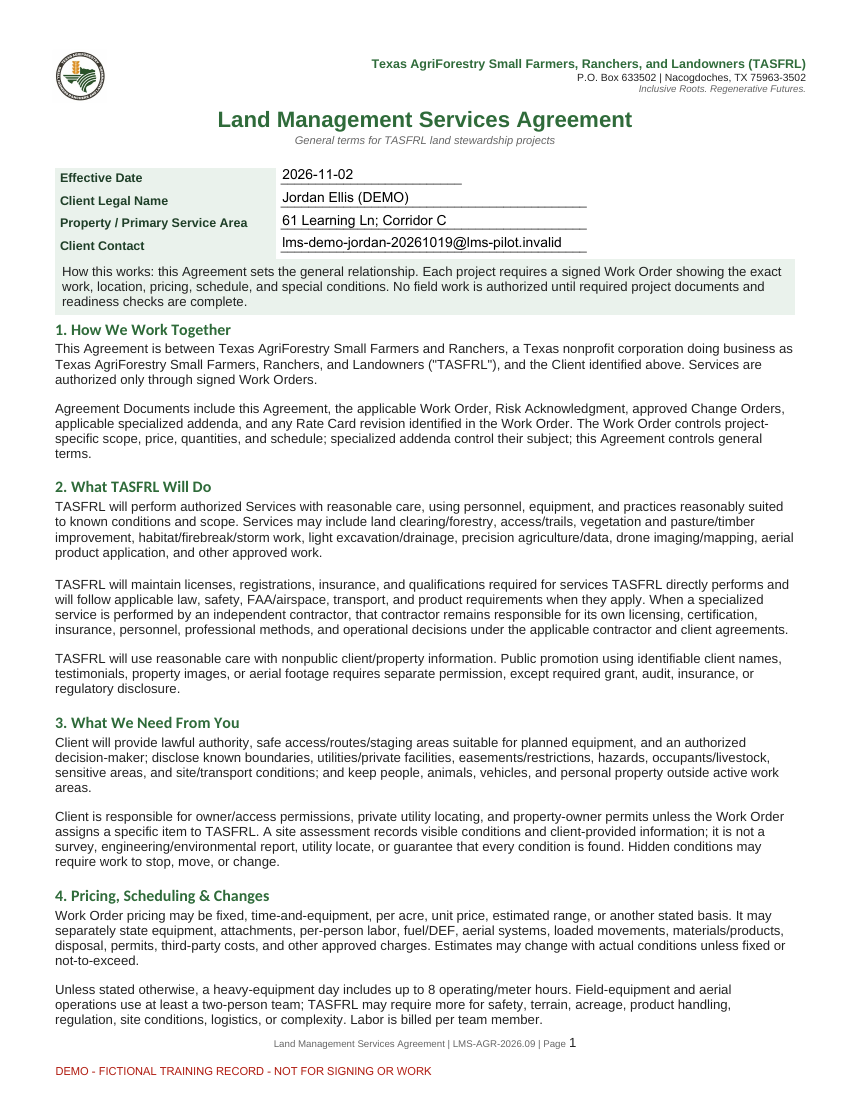
Jordan Ellis (DEMO) / TAS-2026-0094
84 / 90 · Original TASFRL PDF views · PDF export
Rendered from the actual production download for Jordan's saved Form 03, version 1. Client fields name Jordan Ellis and the request belongs to TAS-2026-0094. The original page count is preserved; all pages are marked DEMO and signatures are blank. Optional instruments are training alternatives.
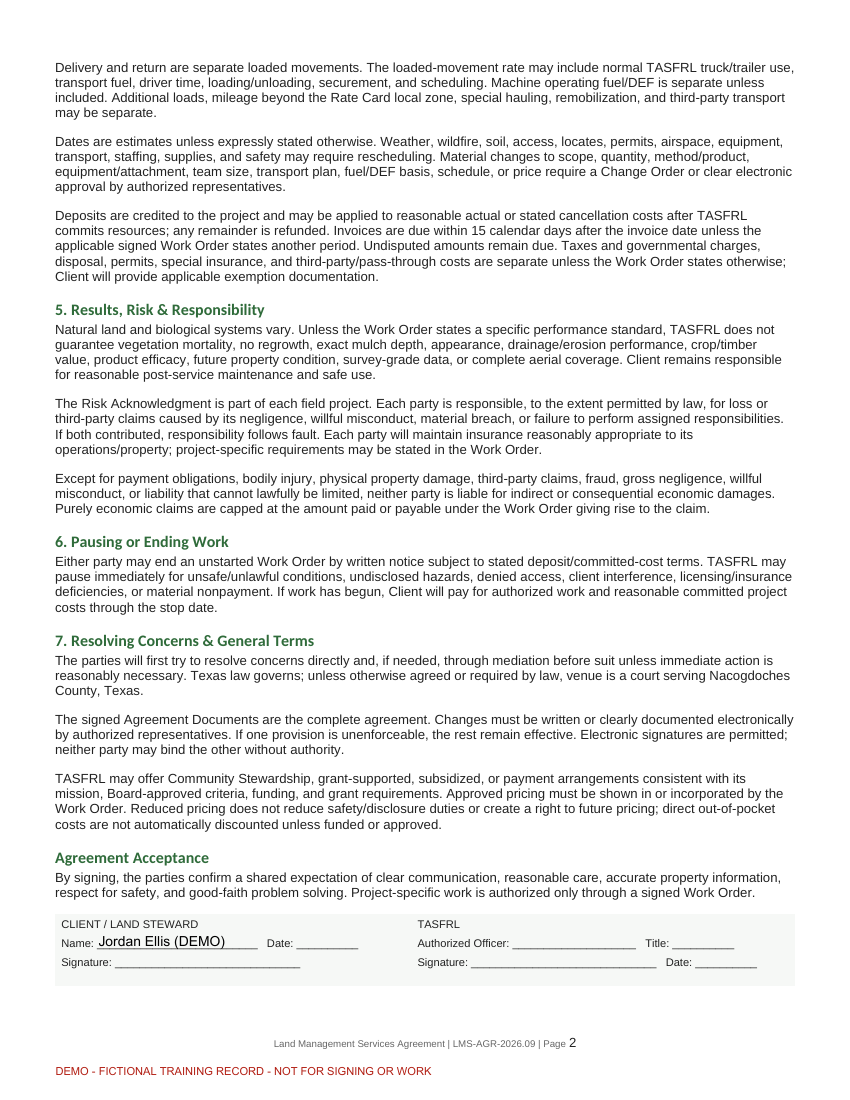
Jordan Ellis (DEMO) / TAS-2026-0094
85 / 90 · Original TASFRL PDF views · PDF export
Rendered from the actual production download for Jordan's saved Form 04, version 1. Client fields name Jordan Ellis and the request belongs to TAS-2026-0094. The original page count is preserved; all pages are marked DEMO and signatures are blank. Optional instruments are training alternatives.
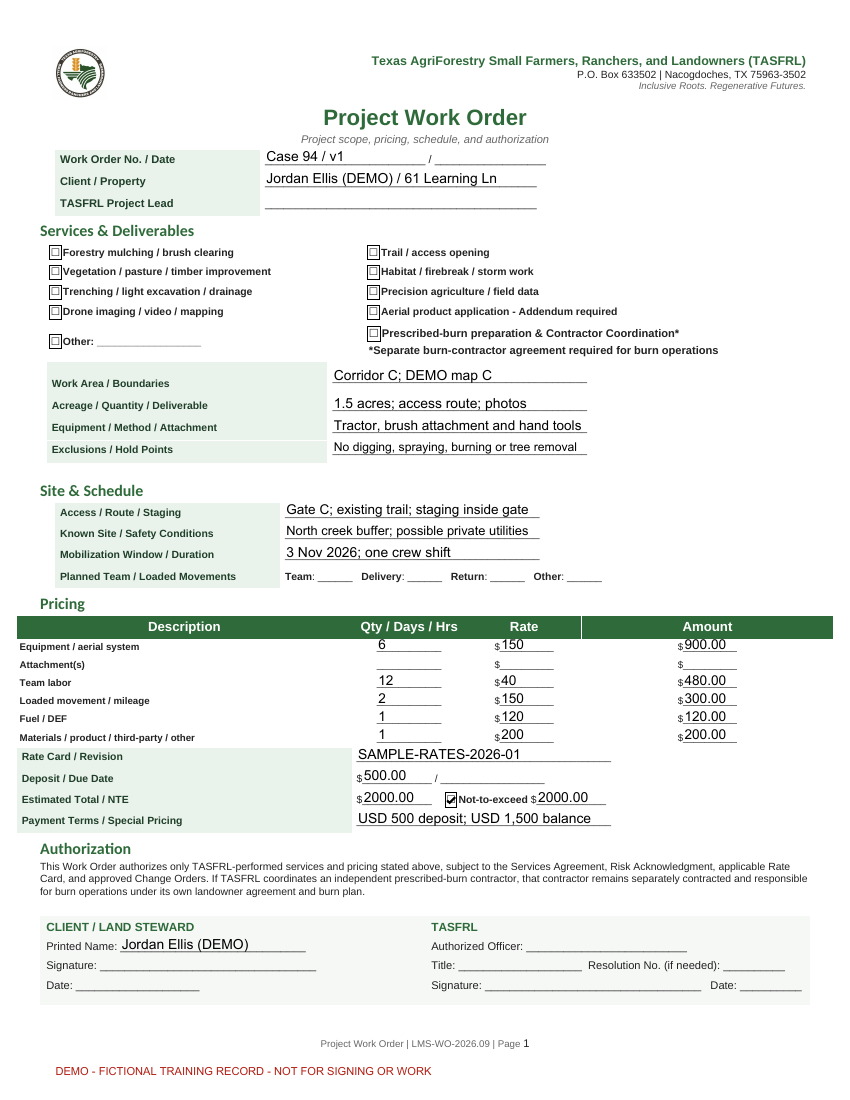
Jordan Ellis (DEMO) / TAS-2026-0094
86 / 90 · Original TASFRL PDF views · PDF export
Rendered from the actual production download for Jordan's saved Form 05, version 1. Client fields name Jordan Ellis and the request belongs to TAS-2026-0094. The original page count is preserved; all pages are marked DEMO and signatures are blank. Optional instruments are training alternatives.
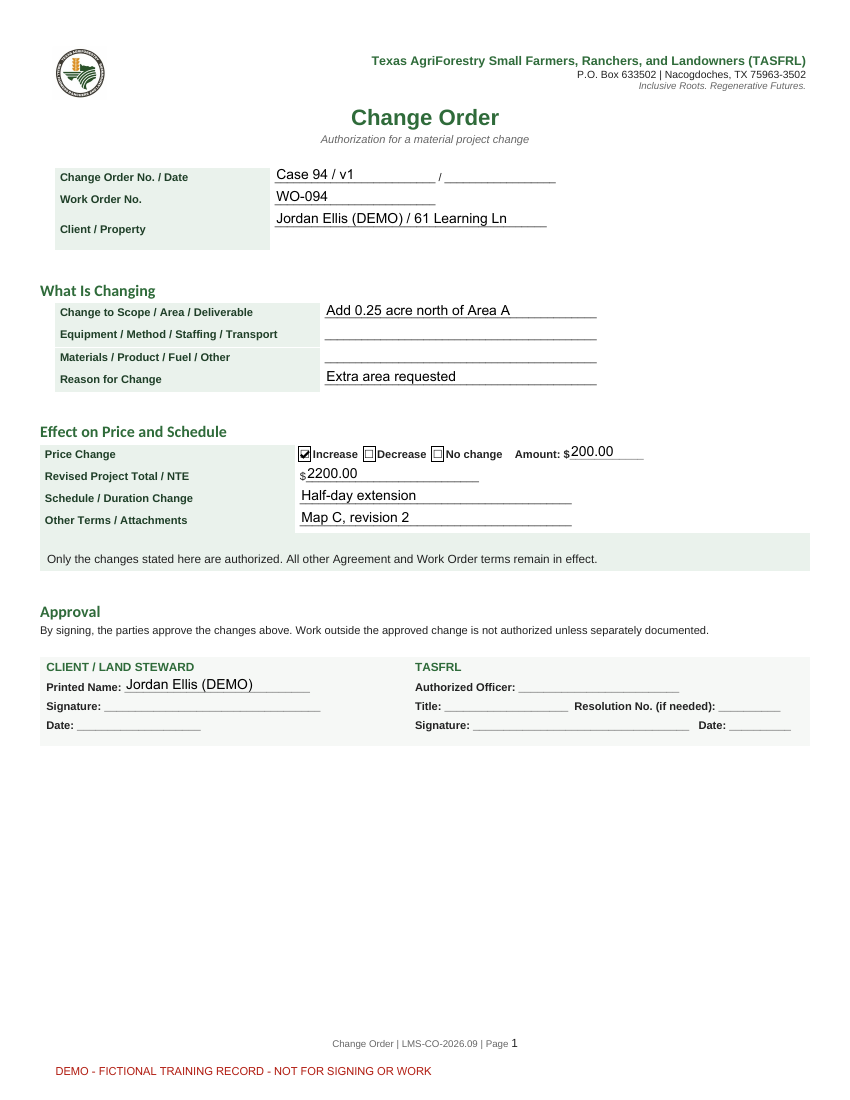
Jordan Ellis (DEMO) / TAS-2026-0094
87 / 90 · Original TASFRL PDF views · PDF export
Rendered from the actual production download for Jordan's saved Form 06, version 1. Client fields name Jordan Ellis and the request belongs to TAS-2026-0094. The original page count is preserved; all pages are marked DEMO and signatures are blank. Optional instruments are training alternatives.
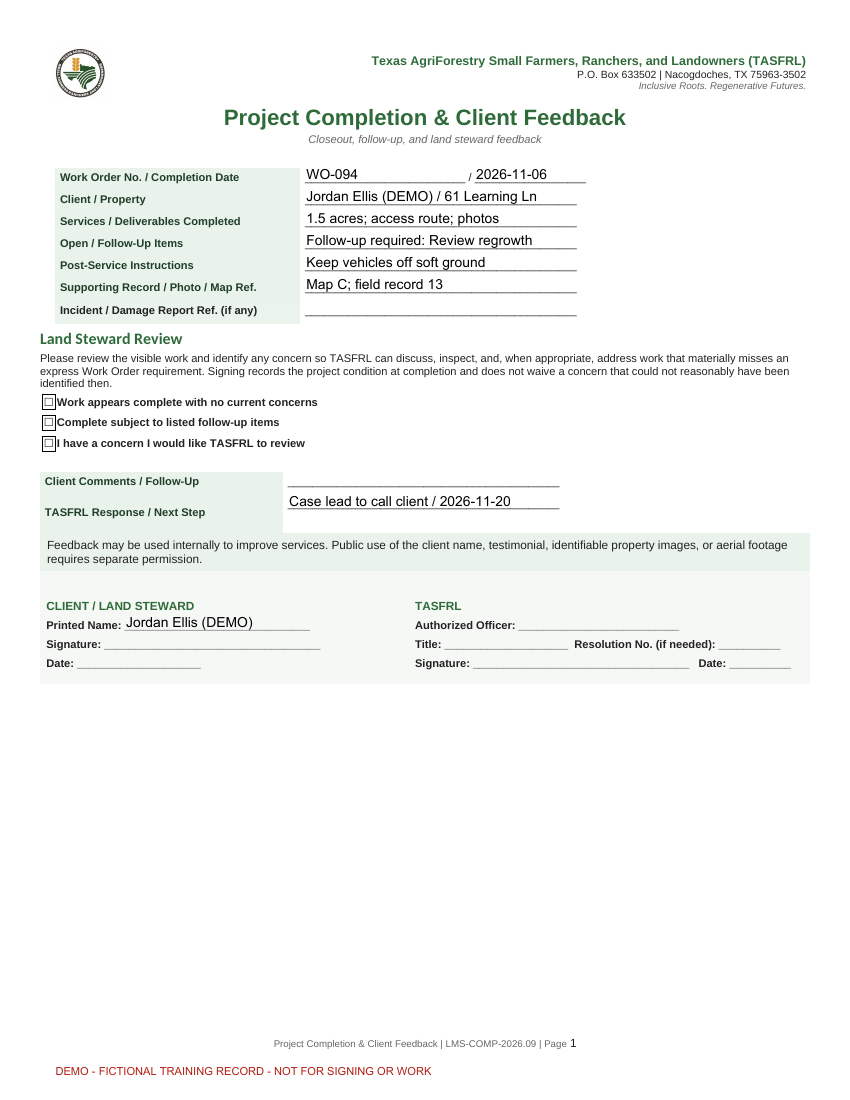
Jordan Ellis (DEMO) / TAS-2026-0094
88 / 90 · Original TASFRL PDF views · PDF export
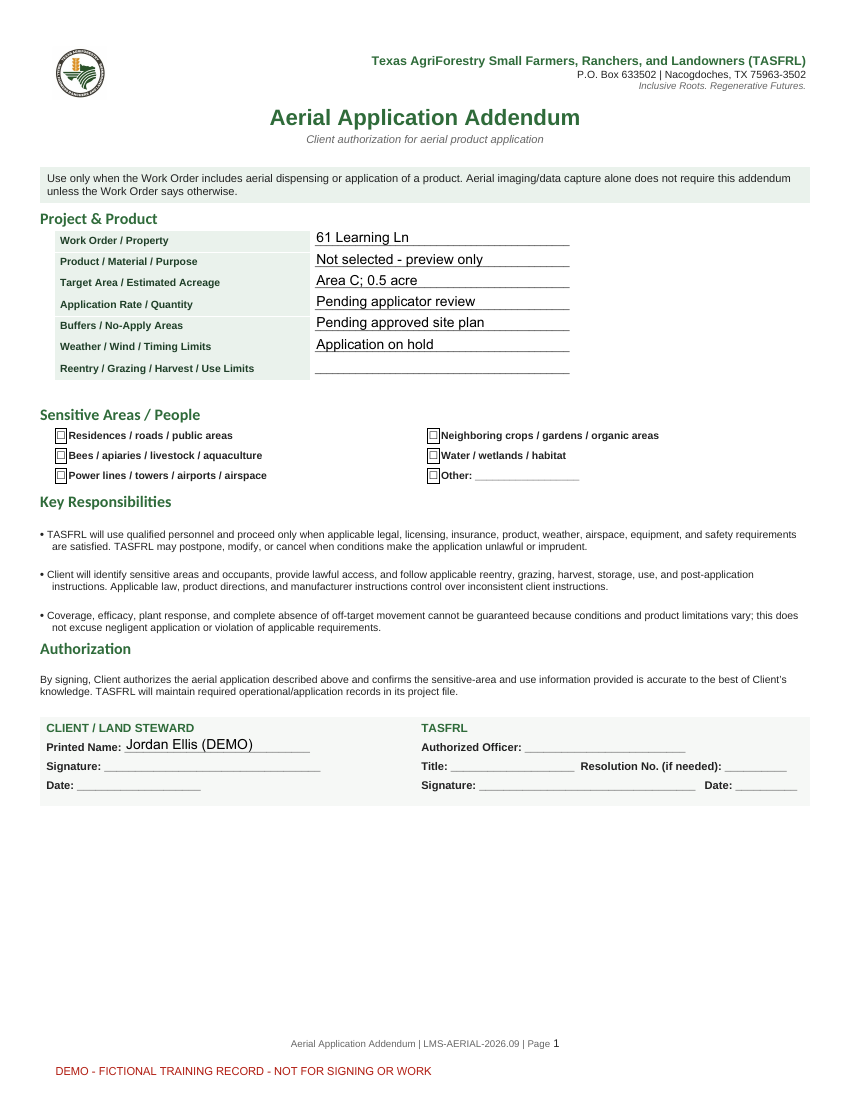
Rendered from the actual production download for Jordan's saved Form 07, version 1. Client fields name Jordan Ellis and the request belongs to TAS-2026-0094. The original page count is preserved; all pages are marked DEMO and signatures are blank. Optional instruments are training alternatives.
Jordan Ellis (DEMO) / TAS-2026-0094
89 / 90 · Original TASFRL PDF views · PDF export
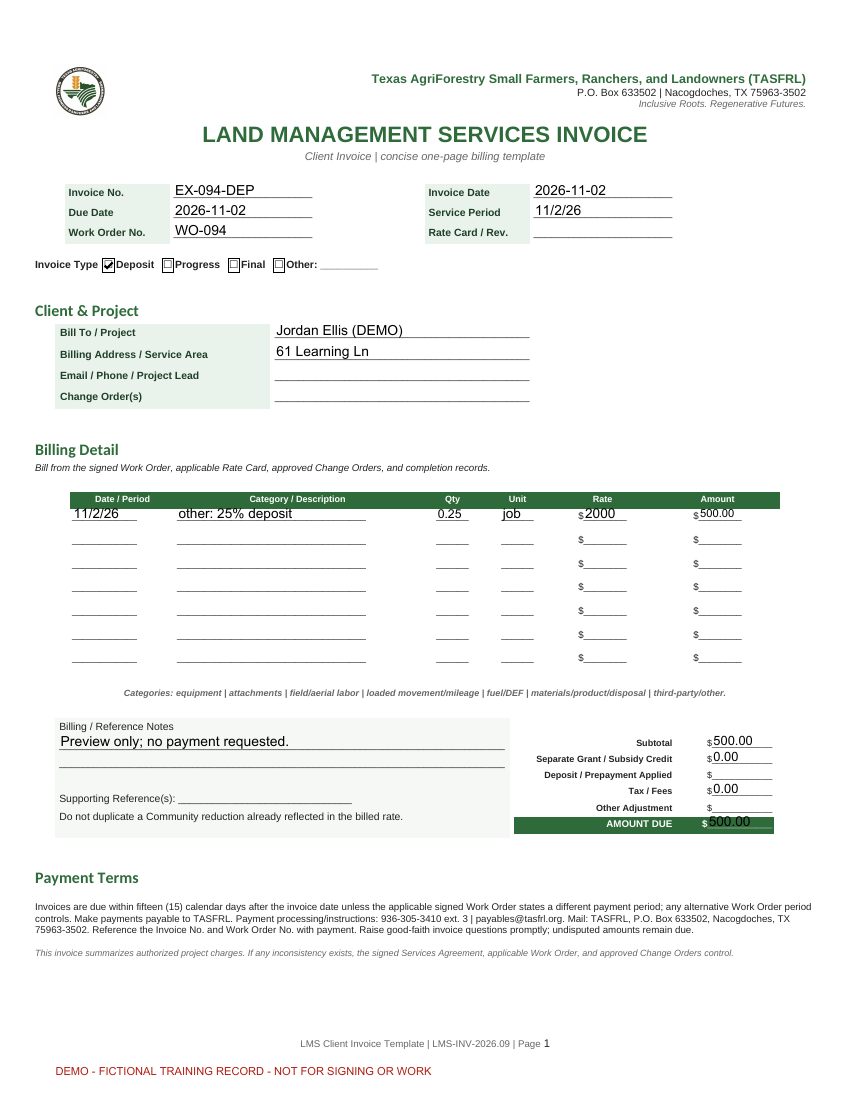
Rendered from the actual production download for Jordan's saved Form 10, version 1. Client fields name Jordan Ellis and the request belongs to TAS-2026-0094. The original page count is preserved; all pages are marked DEMO and signatures are blank. Optional instruments are training alternatives.
Jordan Ellis (DEMO) / TAS-2026-0094
90 / 90 · Original TASFRL PDF views · PDF export
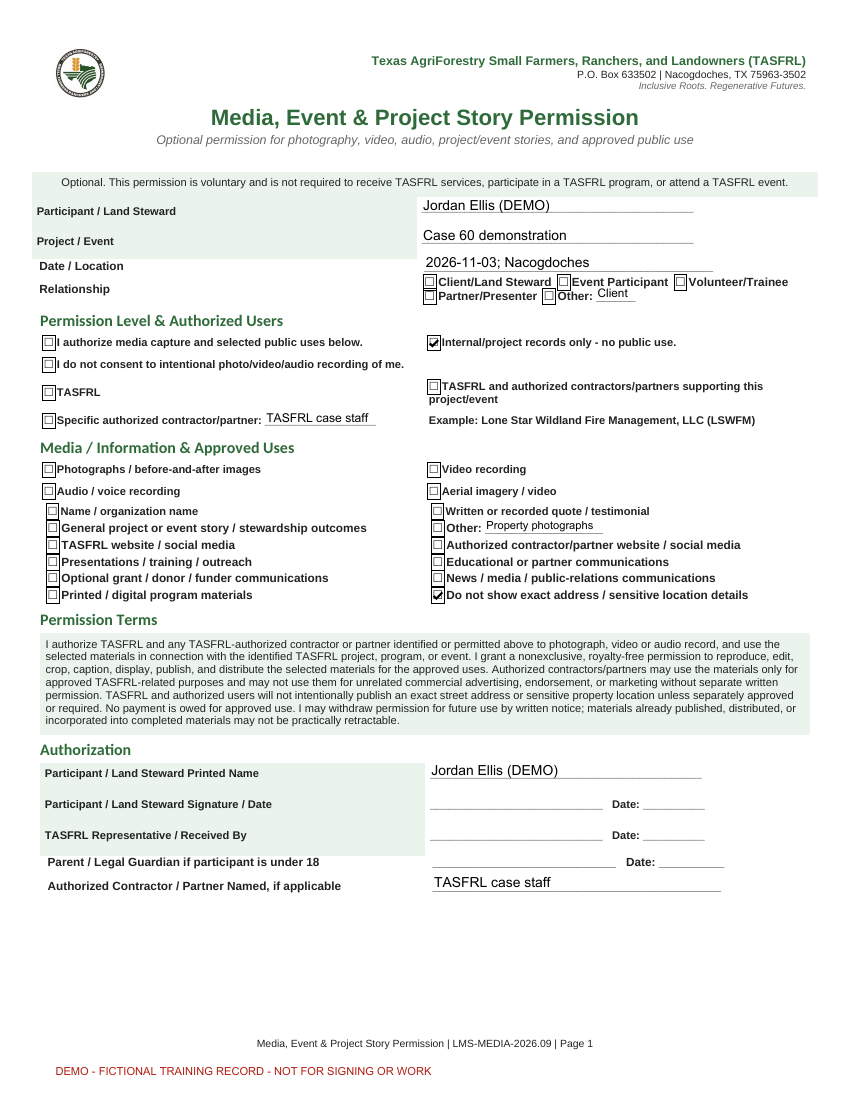
Rendered from the actual production download for Jordan's saved Form 15, version 1. Client fields name Jordan Ellis and the request belongs to TAS-2026-0094. The original page count is preserved; all pages are marked DEMO and signatures are blank. Optional instruments are training alternatives.
The TASFRL newsletter
News, upcoming events, and resources for farmers, ranchers, and landowners.
Subscribe to our newsletter
Free updates. No account required.